Review: CalypsoCrystal Dune CrystalDock

CalypsoCrystal_CrystalDock_use_004_LO

Calypso Crystal is a company that is all about luxury, style, and cutting edge. The CrystalDock definitely shows all of the above mentioned qualities and much, much more. However, can it compete with the technology powered iHome docks? Is it really worth the extra money?

All of these questions and more will be answered in my review of the Dune CrystalDock by Calypso Crystal.

CalypsoCrystal_CrystalDock_use_022_LO

——

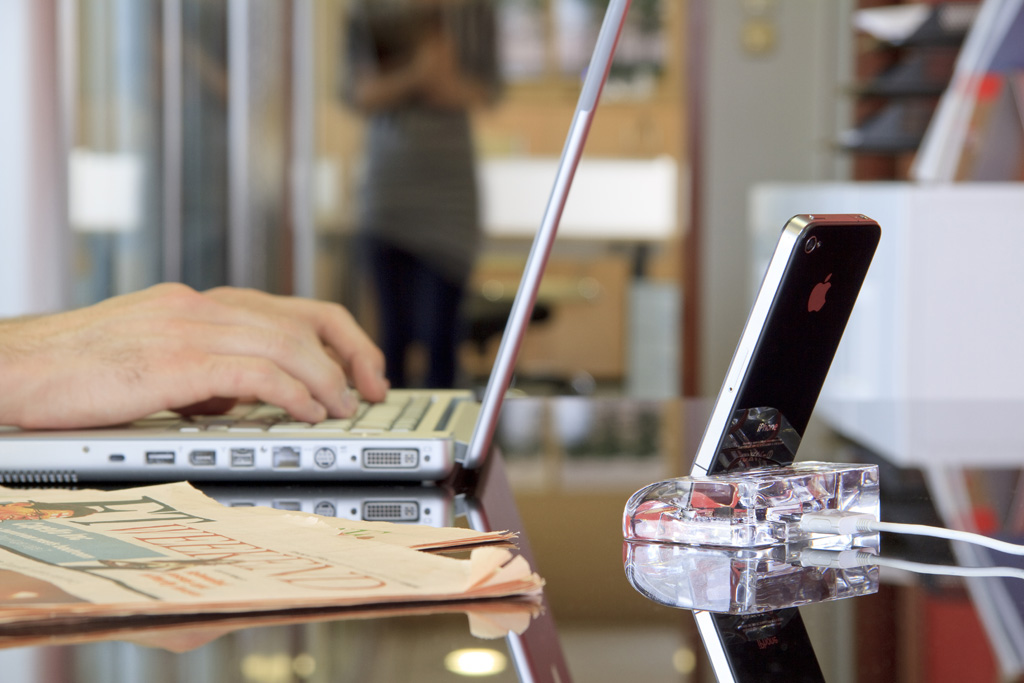
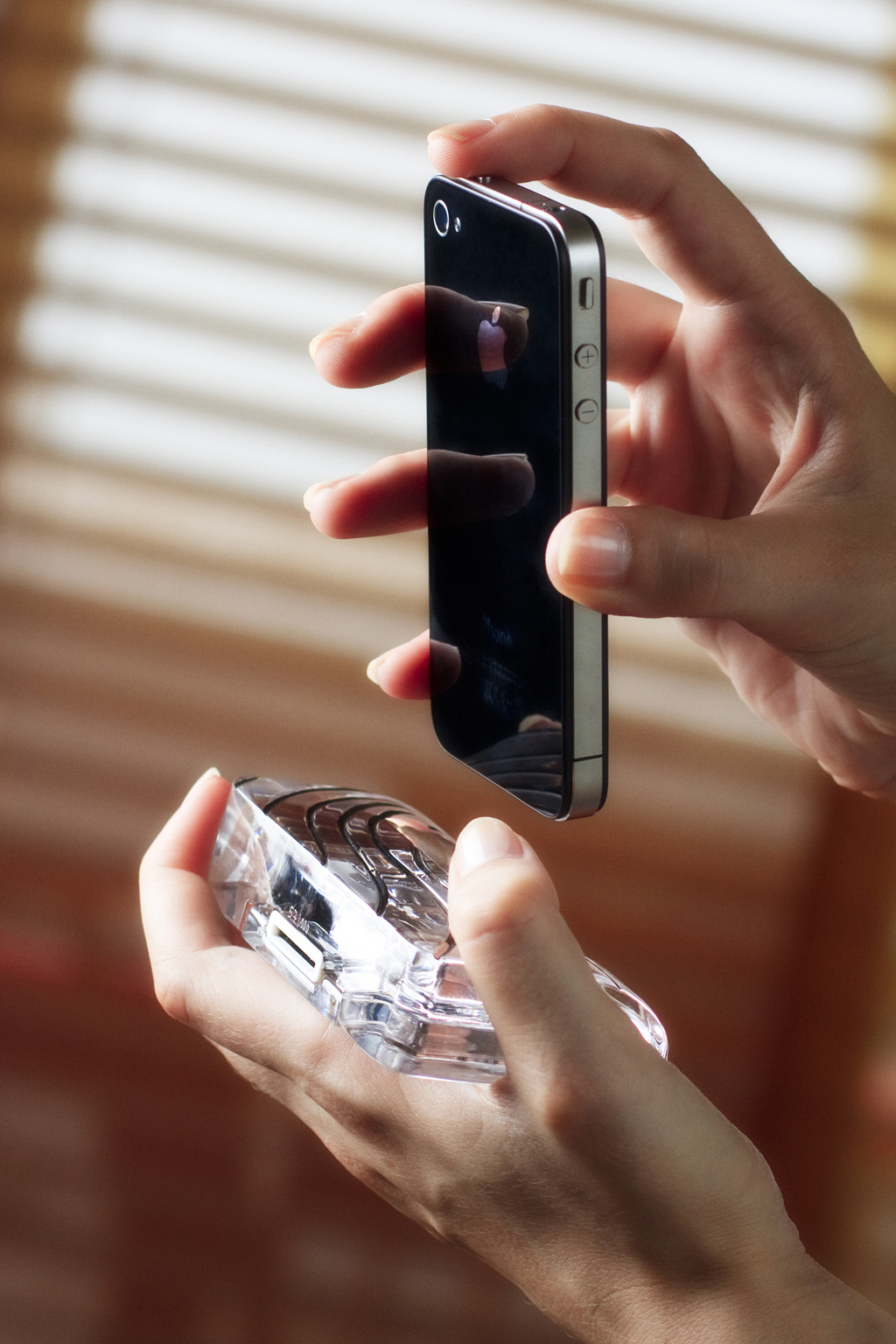
The Dune CrystalDock is all about elegance, luxury, and simplicity, from how the dock is made precisely hand-cut to create asymmetric waves, and then polished to achieve a crystalline shine that sparkles in the sunlight, to the way the dock can be used, as a charging station for your iPhone 4, 4S, 3GS, or 3G.

CalypsoCrystal_CrystalDock_use_018_LO

The Dune CrystalDock does not yet support the iPhone 5 and it’s new Lightning charger design, but CalypsoCrystal has announced that they are working on a iPhone 5/Lightning version that will be coming out soon.

The lines carved into the Dune CrystalDock are incredibly detailed and very alluring to the eye. The crystal used in the Dune is of very high quality, and is sleek and luxurious enough to be found in a office or library, yet simple enough to be used on a kitchen counter to charge your iPhone. The dock is extremely sophisticated and would complement any executive’s desk or bedside table.

CalypsoCrystal_CrystalDock_use_005_LO

I appreciate how sleek and functional the dock is as well, with a well-thought-out slot in the back of the Dune for your charging Apple iPhone charging cable, as well as it only weighing in at just 350 grams, it is light, yet portable enough to carry with you wherever you go.

I highly recommend purchasing the Calypso Crystal Dune CrystalDock for the iPhone 4/3 models as it is luxurious, yet sophisticated. You can read more about and purchase the CrystalDock or any other of Calypso Crystal’s incredible products on their ****website. The CrystalDock starts at $119 and the most expensive is $349.

Make sure to check out my gallery below for more awesome HD shots of the Dune CrystalDock.

Review: Peel Super Thin Case for iPhone 5

Peel

The design on the iPhone 5 is incredible, with the sleek lines, the different color temperatures, and the anodized aluminum, who would want to cover their phone up with a case?

A case does come in handy though, when you accidentally drop your iPhone, however, and that’s where Peel’s new iPhone 5 cases come in to play!

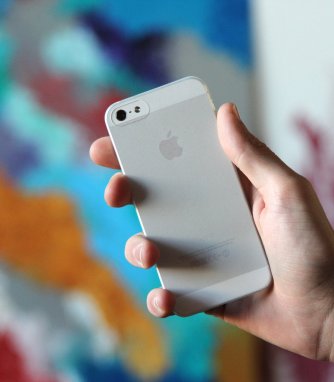
Peel’s iPhone 5 cases come in two different colors, each designed to complement your iPhone; black and white. The iPhone 5 case is 0.35mm thick, and when you are using your iPhone, you hardly feel any case on it at all (and that’s the best part!)

Peel

As for protecting your iPhone 5, the Peel case does an incredible job for such a thin case. I dropped my iPhone 5 down the steps, (oh, the things I do for reviews – LOL!) and the case held up surprisingly well with not a single scratch on my iPhone 5, which is pretty unbelievable.

Another feature that I really like about the new Peel case for iPhone 5 is the fact that every single Peel case comes “unbranded” meaning there is no logo or company marks on this case. What that means is that you get a thin, mostly transparent iPhone case, so you can enjoy the full beauty and fun of an iPhone 5 without having the “baggage” of a clunky case on your precious smartphone.

Peel

 Overall, the Peel iPhone 5 case is definitely going to be staying as my “go-to” iPhone case for a long time because of the protection, thinness, and top-quality products used when making this case.

You can read more about, or purchase the Peel iPhone 5 case here!

Review: LifeProof frē for iPhone 5

4proofs_slider_water_v2

When I reviewed the iPhone 5, I couldn’t stop talking about the new innovative design and larger screen size. That said, the iPhone 5 (like any other iPhone) is very easy to break or smash, so you need to invest in researching and buying for a good case. Enter, the new LifeProof frē case for iPhone 5.

Like the original LifeProof case for the iPhone 4/4S (my review here), the new LifeProof frē protects your precious iPhone from all sorts of weather/danger hazards like water,dirt,snow,dust, and shock. The frë also boasts a brand new thinner design, coming in at 0.5” thin & 5.4” long, as well as a much-needed audio sound enhancement for the speakers.

Can the frē live up to its predecessor and still be used on your iPhone? How does it compare to Otterbox’s Armor series of cases? Is it really worth $79.99 for an iPhone case? All of these questions and more will be answered in my review of the LifeProof frē iPhone 5 case.

——

photo 1

As soon as you take a look at the new LifeProof frē, the first thing that will catch your eye is the new contemporary design. LifeProof totally went back to the drawing board and thought up a slew of fresh new takes on the frē case, starting with the back of the iPhone accessory with a clear back window that allows the Apple logo to be displayed in all of its glory.

The frē for iPhone 5 has completely re-engineered speakers to deliver maximum acoustic output and sound quality. From booming, deep bass to pin-dropping whispers, the new Sound Enhancement System on the frē works and sounds a million times better than its precursor case for iPhone 4/4S.

photo 3

As for protecting your iPhone, you can’t get any better than the frē. LifeProof tests all of their LifeProof line accessories to be up to standard with all military specifications (Military Standard 810F-516), which keeps the case strong and durable under any stressful conditions.

I have fervently tested the LifeProof frē for iPhone 5 Case with multitude of different trials and experiments, from dropping the frē from varying heights, to going for a swim with my iPhone, the frē case has passed all of my testings with flying colors (something that is not easy to do).

—-

photo 5

Overall, I would highly recommend the LifeProof frē for iPhone 5 case to anyone that uses their iPhone in places where it can become easily broken or damaged, like working in construction or fishermen. The LifeProof frē can also be used for people like me, who want to have the best protection for their precious investment of an iPhone 5.

Compared to Otterbox’s $100 Armor Series, the $79.99 LifeProof frē completely outshines the Armor Series cases in design, functionality, as well as customer support. Plus, who doesn’t love saving money?!

The LifeProof frē for iPhone 5 is the perfect case for protecting your fifth-generation iPhone from all sorts of possible danger, while still maintaining the phone’s sleek design and form factor. You can read more about the LifeProof frē for iPhone 5 on LifeProof’s website and purchase the accessory here.

Review: Dock Artisan Bamboo Bluetooth Speaker & Redwood iPhone 4/4S Dock


logo

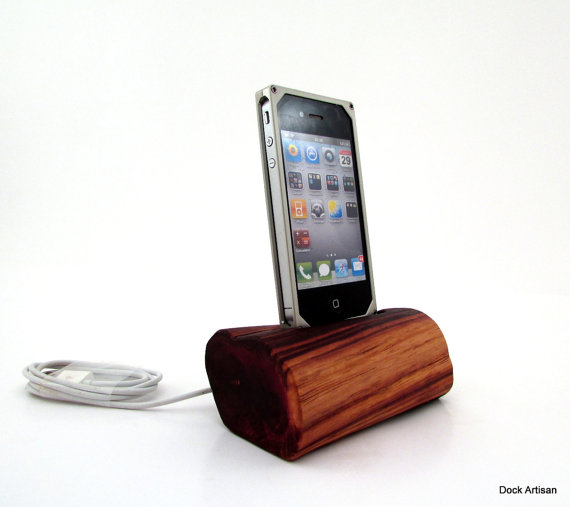
I’ve always been intrigued by combining old & new products together, so when I stumbled upon Dock Artisan’s website, I was very interested!

Dock Artisan is a small audio company based out of Murphys, California that creates beautiful iPhone and iPad docks out of re-claimed wood. All of their docks and speaker systems are truly a work of art.

The Bamboo Bluetooth Speaker System

il_570xN.397161660_34kw

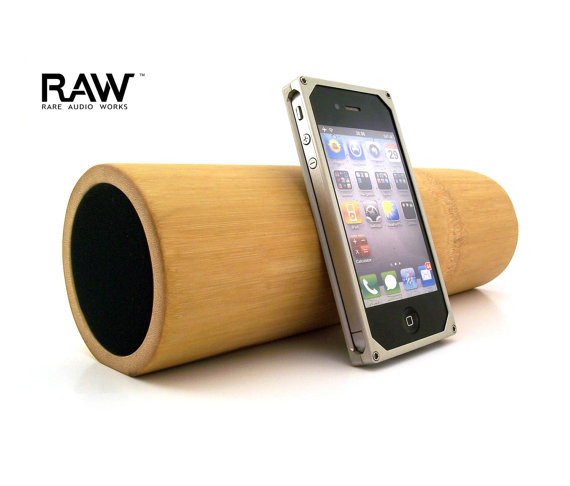
Dock Artisan’s Bamboo Bluetooth speaker is an incredible piece of technology merging together bamboo with high-tech Bluetooth technology to allow audio streaming on your Bluetooth-compatible tablet or phone anywhere, anytime.

The construction and materials used in the Bamboo Bluetooth Speaker are of very high quality and in my week of rigorous testing, I hadn’t noticed any scratches or dents, which is pretty impressive considering all of my tests.

The bamboo wood used in the Bluetooth Speaker is California locally grown bamboo, which adds a unique touch to each speaker system, meaning no two speakers are alike.

Pairing the dock with Bluetooth was very simple, just turn on your speaker and Bluetooth on your phone or tablet, and you’ll be connected in no time! The Bamboo Speaker System can stream audio wirelessly up to 30-feet, which isn’t bad for a Bluetooth speaker system.

The quality of the music being streamed from my phone was on and off. It works great if you leave the iPhone very close to the speaker unit, but as you begin to your phone away, the quality of the audio noticeably decreases.

Overall, the Bamboo Bluetooth Speaker System from Dock Artisan is a very solid product and it truly is a work of art. That said, the Bamboo Bluetooth Speaker doesn’t compare to the newer, cheaper Bluetooth speakers available on the market today in terms of sound quality.

I would recommend the Bamboo Bluetooth Speaker System to anyone that loves to listen to music and wants to have a beautiful piece of art that can stream that music wirelessly. The Bamboo Bluetooth Speaker System is available from Dock Artisan’s website starting at $250 USD.

The Redwood iPhone 4 Dock

il_570xN.431941978_hk5w

The Redwood iPhone 4 Dock from Dock Artisan is, as you can expect from my previous review, of very high quality materials and style. The wood used in this Redwood iPhone dock is from Sierra Nevada Mountains. Every year, storms come through these mountains and blow over trees and break their limbs, Dock Artisan gives these trees new life through these exquisite iPhone docks and speakers.

The sound quality on the Redwood iPhone Dock is crystal clear and I didn’t have any problems with the device. Bass came out very deep and all notes played true, which is pretty incredible coming from these famous trees!

The dock can be controlled via remote control, but the best feature about this dock is that once fully charged, music can be played cordless for up to 8 hours, a nice feature for people who are on the go!

Overall, the Redwood iPhone 4/4S Dock is a beautiful piece of art just like the iPhone itself. With the exceptional design, crystal-clear sound quality, and the ease of use on the go, I would recommend this dock to people who have a keen eye for design, but still seek functionality in their mobile products.

You can read more about and purchase the Redwood iPhone 4/4S dock for $200 USD on Dock Artisan’s site here.

Quick Review: Motorola DROID RAZR HD for Verizon Wireless

TeagueLoughman.com

TeagueLoughman.com

The Motorola DROID RAZR HD is one of Motorola’s newest flagship Android smartphones for Verizon Wireless, and it sure is meant to be one. The RAZR HD boasts a huge 4.7 inch crystal-clear display, rapid-shot capable 8 megapixel camera, and 1080p HD capable video camera, specs that keep every other smartphone out on the market on their toes.

Can this RAZR HD beat out the iPhone 5? Who should get a RAZR HD? Would you rather have an iPhone 5 or RAZR HD for Christmas? You’ll find out the answers to all of these questions and more in my review of the Motorola DROID RAZR HD!

—–

Highlights

The DROID RAZR HD has a 1.5 dual-core processor and has 16 GB of onboard memory pre-loaded with the option of upgrading to a 32 GB  SD card. In my testing, I experienced ZERO lag time in closing apps, or swiping through the home screens, which is very surprising because I didn’t have such luck with Droid X (2010), which would lag constantly.

Another feature that is unique to the DROID RAZR HD is the huge 4.7 inch HD screen, which makes playing games and watching movies a pure delight! Compared to my iPhone 5, this screen put it to shame. However, because of the huge screen real-estate and the brightness of the display, I found that the battery wouldn’t last as long as my iPhone (more on that to come).

The camera on the RAZR HD is very adequate to me, but it makes up for it in the HD video recording. In my picture testing, the photos taken on the RAZR HD would look very bland and neutral, the videos recorded on the RAZR HD came out with tons of color and came without lag or pauses, which is incredible for a smartphone camera.

Lowlights

I couldn’t find a lot of bad in the RAZR HD, but my main point is that the battery does not last longer than a good 7 hours, which is fine for a student or someone who’s at their office a lot and a constantly near an outlet, but for people who travel a lot; I would recommend getting an extended battery.

In my testing, I would normally turn the phone on at 8 AM and I would hit the “20% remaining” mark around 1:00 PM. So if you are constantly on your phone making calls or checking your email/twitter like I am, you might want to look into buying an extended battery or another battery pack.

Overall

Overall, the DROID RAZR HD is a great smartphone for students and business people, but not might be as useful for people who travel a lot as they will find themselves out of battery fairly quickly. The extra-large bright screen, amazing HD video recording, and absolutely NO LAG, are all key components in the super-smart-phone.

You can read more about & purchase the Motorola DROID RAZR HD from Verizon Wireless on VZ’s website.

Review: Touchfire Keyboard for iPad

Touchfire started out as a Kickstarter project. Kickstarter is a crowd-funding Web site that enables people to help bring promising new products to life. Touchfire ended up raising over $200,000, which is incredible!

The Touchfire keyboard is made from a high-performance silicone rubber, which makes it very easy to clean (rinse in sink), and it is very easy to store. Touchfire uses the magnets in the iPad 2, 3, & 4 to automatically align in place, and on the iPad 1, the non-slip bottom keeps it in place.

So is this new keyboard easier to type with? Can it replace the Apple Bluetooth Keyboard as your go-to keyboard for your iPad? All of these questions will be answered in my review of the Touchfire Keyboard for iPad!

—–

Quality

The materials used in Touchfire are of very high quality. In my 2 weeks of testing, the Touchfire showed no signs of scratches or tears, which is very impressive considering my iPad goes everywhere with me and I use it 24/7.

How it works

The Touchfire aligns automatically using the iPad’s magnets that are used to attach with the Apple Smart Cover. This is a brilliant feature, because you won’t have to worry about the Touchfire moving or shifting during typing as the magnets hold it in place very strongly. On the iPad 1, the Touchfire sticks on to the iPad using the non-slip button on the bottom of the Touchfire. I don’t have an iPad 1 on hand to test this with, but here’s a video from Touchfire demonstrating how this works.

Usability

Typing with the Touchfire keyboard on the iPad was a breeze. The Touchfire adds tactile feedback to the typing experience on the iPad, which makes it very much like a computer keyboard, and is definitely more easy than typing on the iPad without the Touchfire installed. With the tactile feedback of the Touchfire, I found that I was making less typing errors than normal, which saved a lot of time from having to go back and correct my mistake as I would have to do normally.

Cleaning

The Touchfire can be easily washed by running the keyboard under tap water & drying it with a towel and this is something that I found myself doing a lot of during my two weeks of testing. The Touchfire can get really dirty, very quickly. It accumulates tons of hair, dust, & other particles because of the sticky rubber keyboard. I would find myself washing the Touchfire keyboard every 2-3 days of use, which isn’t bad considering all the typing and work I had done on my iPad in the last few weeks.

Overall

Overall, the Touchfire is an excellent addition to any iPad. It allows you to type faster, decreases errors in your typing, and it is lighter & easier to travel with than a big, bulky Apple Keyboard. If you travel a lot, or write long emails, stories, or notes on your iPad and you don’t want the hassle of bringing along a bluetooth keyboard, and if you don’t mind washing the keyboard every 2-3 days, this is the product for you.

You can read more about and purchase the Touchfire Keyboard for iPad here.

Review: Apple iPhone 5

The Apple iPhone 5 – a smartphone that has been rumored, wished, and talked about – is finally here and it’s packing a huge punch with a brand new A6 processor, bigger screen, new design, and super fast 4G LTE. Not a bad upgrade from the iPhone 4S!

Apple is one of the leading tech companies all around the world, with their vast product line of Macs, iPods, iPhones, & displays. Every year, there is always that one must-have smartphone and most of the time, Apple’s iPhone is that particular device.

Can this new iPhone 5 keep up that must-have smartphone standard? Is it that much better than the iPhone 4/4S to warrant an upgrade? Is 4G LTE that much faster than 3G? All of these questions and more will be answered in my review of the Apple iPhone 5 below.

—-

Design
Apple has always been known for their unique sense of design and in particular, their design used on the iPhone 4 & 4S smartphones. The iPhone 4/4S had people from all around the world ranting and raving about the sleek, glass and aluminum combination of the smartphones. These Apple devices set a standard for smartphone manufacturers to not only release high-quality products, but high-quality products with a great design and the new iPhone 5’s design takes Apple quality to a new level of craftsmanship.

Apple added a bigger screen to the iPhone 5 coming in at 4 inches (9 millimeters taller than the iPhone 4/4S). The iPhone 5 is the same width as the iPhone 4/4S, so typing with one hand is just as easy. With this added screen real-estate, the iPhone 5 also has 18% more pixels than the iPhone 4S for an impressive 1136-by-640 resolution, which makes playing games, watching movies, and even checking email, a vivid, visual delight! The color has also received a boost compared to previous iPhone models with a color saturation that is 44% greater than before.

The Apple new smartphone is just 7.6 millimeters thin and weighs in at 3.95 ounces, which despite the iPhone 5’s added screen size, makes the phone feel very thin & light in the hand; without feeling cheap or inexpensive. The iPhone 5 is 18% thinner, 20% lighter, and there is 12% less volume than the iPhone 4S.

Apple introduced a new design with the iPhone 5 as well, as the back of iPhone 5 is made of anodized 6000 series aluminum (same material used in Apple Macs) with the inlays along the top and bottom made of ceramic glass (white & silver model) or pigmented glass (black & slate model). This new design for the iPhone 5 makes it an even more beautiful device to look at and it truly is a work-of-art.

Hardware


The iPhone 5 is a beast of a smartphone, complete with 4G LTE, a blazing fast new A6 processor, and well as an 8 megapixel iSight camera on the back & an 1.2 megapixel FaceTime-ready HD webcam on the front.

The new A6 processor on the iPhone 5 makes almost everything faster. Opening apps, multitasking, editing movies or music, or creating Keynote projects, is now a breeze; without any lagging or hesitation. You might not think that the A6 processor does much on paper, but when you get your hands on an iPhone 5, you’ll realize how important it is for everyday things.

I reviewed an iPhone 5 running on Verizon’s 4G LTE network, which is one, if not THE fastest data network for a US mobile phone carrier. Downloading apps, movies, & music was very quick and again, it is a massive improvement over the 3G network that the 4S and iPhone 4 run on.

I didn’t really notice that much of a difference between the camera on the iPhone 4S and iPhone 5. What I did notice was a huge difference in the photo quality of the front camera on the iPhone 5 compared to previous generations, however. Photos using the front camera were much clearer and less pixel-y than before, which is perfect for people who enjoy taking pictures of themselves or FaceTiming friends & family.

Software


The software that is shipping with the iPhone 5 is Apple’s brand new iOS 6, which was announced at WWDC 2012 back in June and was released to the public on September 19th.

iOS 6 isn’t as much as a revolutionary software update as iOS 4/5 were, but is more geared to tweaking and creating a better user experience around all iOS devices. Some of the new features include; updated UI (from grey to light blue/silver) in the standard Apple apps, Passbook, Do Not Disturb, brand new Maps, Facebook integration, FaceTime over 3G/4G LTE, new emojis 🙂 (LOL), and many more updates as well.

Passbook is an app that allows you to save boarding passes, movie tickets, retail coupons, loyalty cards, and more are now all in one place. You can add passes to Passbook through apps, emails, & website from participating businesses. It’s a great idea and I love using it with my gift cards, as I don’t have to go digging through my car’s pockets to find my gift card. Passbook will also send you push notifications when you arrive at a location that you have a Passbook pass for, which is very handy if your at the airport or walk into a store to redeem your favorite gift cards!

Do Not Disturb has to be my most used feature on iOS 6. Do Not Disturb allows push notifications to come through to your phone, but when the notifications come in, the screen will not turn on and a sound will not be played. However, when you turn the screen back on, all your notifications will be waiting on your lock screen. I use Do Not Disturb regularly! Another great feature about Do Not Disturb is that you can allow your “Favorites” calls and text messages to come through normally but still collect other notifications not set as your Favorites in the lock screen.

Apple has redesigned their Maps application from the ground up, which means they have completely gotten rid of their Google-hosted maps, which is a good and bad thing. The good is that it looks stunning, but the new Maps app isn’t as updated as the Google Maps with driving directions and correct locations. Also added in the new Maps app, is visual and spoken turn-by-turn directions as well as real-time traffic updates.

Overall, the new iOS 6 software isn’t REvolutionary but more EVolutionary. With all these new features and tweaks, it makes using the iPhone 5 even easier & faster than before. Every year, Apple makes its iOS software even better, and this year is not any different.

Overall


The new iPhone 5 is a beast of a device – with the new design, upgraded hardware, bigger & brighter screen, faster 4G LTE speeds, and new iOS 6 software, the iPhone 5 has yet again set the smartphone bar very high for competing mobile phone manufacturers.

The iPhone 5 is available in two colors: Black & Slate, or White & Silver. Prices for the iPhone 5 on a cellular contract are 16 GB ($199), 32 GB ($299), and 64 GB ($399).

The new iPhone 5 is available on Verizon Wireless, AT&T, and Sprint.

You can read more about and purchase the iPhone 5 on Apple’s website.

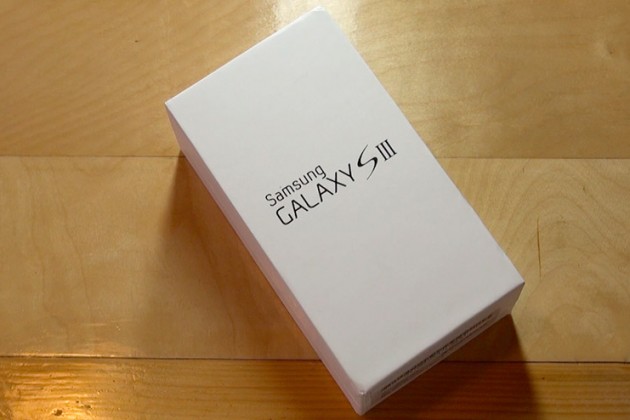
Quick Review: Samsung Galaxy S III for Verizon Wireless

Considering its predecessor, the Galaxy S II, sold millions upon millions of units, a lot of expectations have been mounted on Samsung’s shoulders for this quad-core smartphone. Is it really worth all the hype? How does it perform in everyday life? You can find out about all of this and more in my review of the Samsung Galaxy S II for Verizon Wireless.

 —-

Specs

– Screen: 4.8″ 720×1280
– Processor: 1.4 GHz quad-core Exynos
– Storage: 16GB/32GB/64GB, Up to 64GB SD card support
– Camera: 8-MP rear camera with LED flash, 1.9MP front-facing camera
– Connectivity: HSPA/3G, Wi-Fi 80.211b/g/n, Bluetooth 4.0, DLNA, A-GPS, GLONASS, NFC, Wi-Fi Direct, USB On The Go
– Ports: microUSB (MHL compatible), 3.5mm headphones
– Battery: 2100mAh, removable
– Price: $200 ($599 for full-retail)

What is it?

It’s the smartphone that was designed to put every other Android phone in the dust. It’s got a huge HD display with next-gen screen technology; Samsung’s new quad-core Exynos processor chip, and a bunch of new software; including this really cool eye-tracking ability to change the screens brightness!

Who’s It For?

This phone was built for a broad range of people, everyone from Android enthusiasts, to the people who still use a typewriter, all the way to the Apple Fanboys.

Design

There are many people who are just sold on the phone because they owned a previous Galaxy S device, as well as some people who don’t know anything about the phone but like the largeness of the device. That’s great, but what about the design and the feel of the device? Will it fit in your pocket? Ladies, what about your little clutch purse?

The new HyperGlaze polycarbonate chassis feels very cheap, nothing like the high-end smartphone as Samsung advertises. While it may be pretty to look at, it make’s the SIII feel very fragile, almost like a child’s toy.

The camera-button has lost it’s previous location, and now the the volume button placement makes it slightly tricky to activate the lock key on the other side.

However, while first impressions will be mixed, the build quality of the Galaxy S III is excellent. When the Galaxy SIII was unveiled, Samsung states that they created the new smartphone to resemble the Earth. The toughened glass front feels very solid when stroked and prodded, and the beautiful design of the chassis fits very well in the palm – very much like a pebble, thanks to the rounded edges.

Plus, on the back side of the device, there’s a compartment for a removable SD card, so smartphone users can further personalize their experience.

Using It

Samsung has changed the UI of the Galaxy S II (TouchWiz) a little bit, adding re-sizeable widgets and some brand new widgets like a brand new brightness toggle in the notifications tray.

The camera is very strong. It uses a very similar sensor as seen in the S II, and while the software optimisation has made it super quick and added in some key features, camera lovers might not want to use this as their daily camera of choice.

But overall, the phone just works. There’s no more lagging when flipping through the homescreens, playing games, or watching movies, like I experienced with the Galaxy S II. (My review here.)

Highlights

The Super AMOLED screen offers terrific sharpness and vivid colors when viewing pictures, movies, or playing games! Samsung has been known for there very vivid TV screens and they seem to have brought the best of their television screens to the new Galaxy S III.

Again, the Samsung Galaxy S was very fast, and I experienced no lag during my two weeks of testing.

Lowlights

The only real issue I have with the Galaxy S III is the design. If I am paying $200 ($599 for full-retail) I want my smartphone to feel like an expensive, solid device, not like a child’s toy.

Overall

Should you buy it? If you haven’t bought a new smartphone since 2010, and are looking for an Android phone, yes. But, if you are still on the edge about buying it, I would wait until the new iPhone (5th generation) comes out, and compare the two.

Get past the design and you’re looking at one of 2012’s leading smartphones: crazy powerful, with a beautiful screen, and more storage than an average USB stick.

It’s not perfect (I haven’t seen any phones this year hit that bar) but it’s very, very close… and it will probably be enough to entice those that simply can’t bear the thought of waiting until October to pick up the iPhone 5.

You can read more about and purchase the Samsung Galaxy S III here.

Review: LifeProof Case for iPhone 4/4S

Are you one of those people who like to tweet in the shower? How about Facebook in the bathtub? Taking pictures in the pool? There are tons of reasons, weird and not, why people would want to do these things, and that’s where the LifeProof iPhone case comes in.

A little about LifeProof:

LifeProof is a young, vibrant company based in San Diego that designs, manufactures and markets LifeProof cases for all-environmental protection, functionality and interactivity to SmartPhones and Tablet PCs.

The registered brand name ‘LifeProof’ is inspired by the protection and fully functional convenient operation of the device in rain, in water while swimming or surfing, in mud, sand, dust, snow or ice. The company mantra is ‘Freedom’ – freedom to be connected anywhere with your mobile device; freedom to build relationships, gain knowledge, exercise, and juggle work; freedom for all people anywhere to go everywhere.

So can this LifeProof case really protect your iPhone from all these elements? To find out, keep reading my review of the LifeProof case for iPhone!

—-

Quality

The LifeProof case is made out of very durable, hard plastic, that will protect your precious iPhone from scratches, drops, and more. All of the materials used in the LifeProof case are of very high-quality, and your paying for it. After my two weeks of testing the LifeProof case, I saw no signs of deterioration, scratches, or any of the color chipping or rubbing off, something that I feel is pretty incredible after all the torturous things I put the LifeProof case through. (If you don’t believe me, look at the image gallery.)

Usability/Design

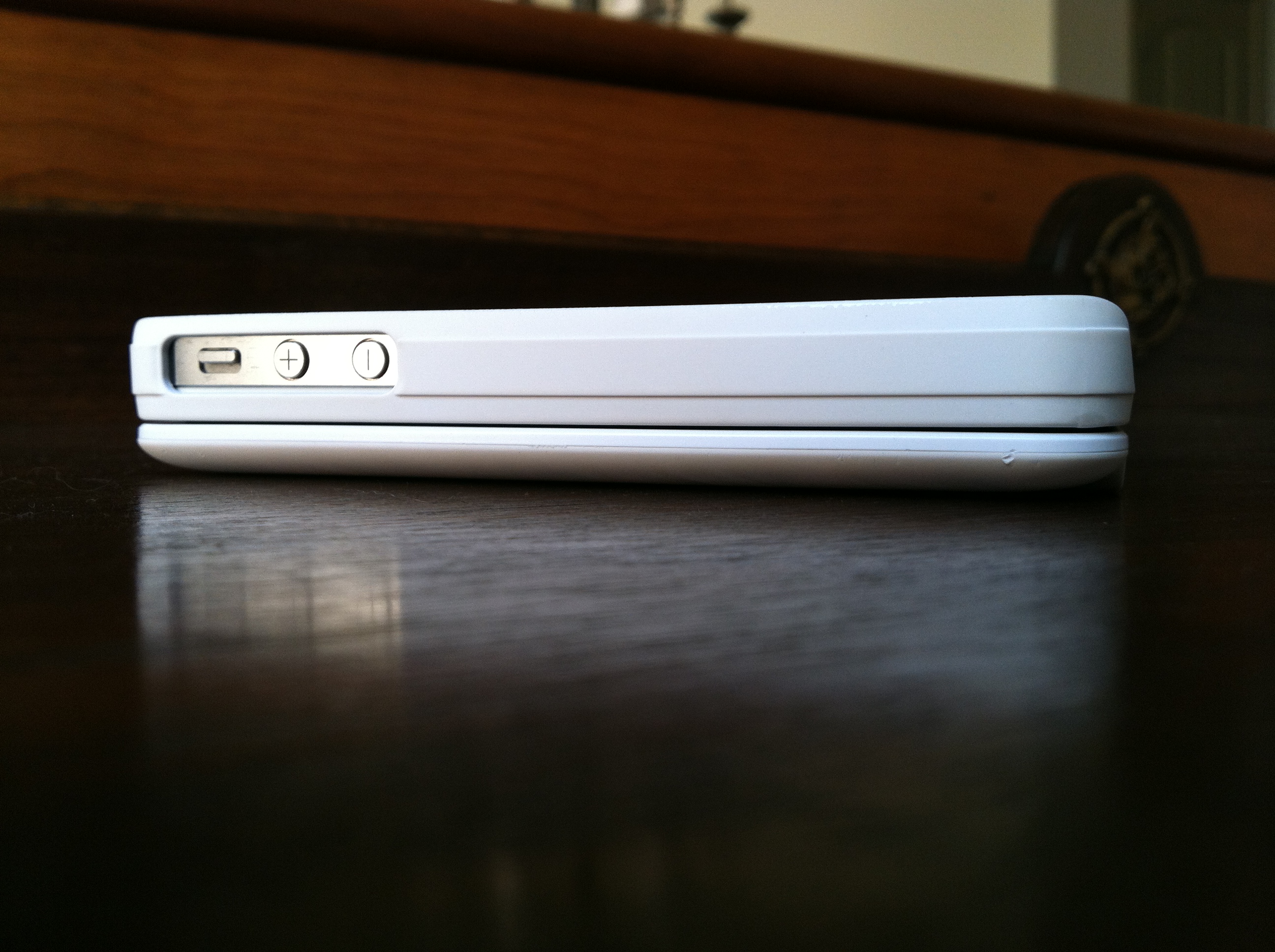
Usually adding this much protection in one case makes your iPhone very bulky and heavy, but the LifeProof case manages to keep a sleek-profile by adding only 1/16 inches (1.5mm) to your iPhone.

The LifeProof case is also very light, weighing in at 28 grams, so you don’t have to worry about it adding any extra weight to your iPhone. Also, the LifeProof case is available in 4 unique colors; Black, White, Pink, & Purple.

The designers at LifeProof did an excellent job creating the LifeProof case as well, by adding slots for the charging port as well as the headphone jack at the top of the iPhone. Also on the back, the designers did a great job with the camera by making sure that it was very protected while taking away from the clarity of the 4S’ 8 megapixel and new optics.

Protection

This is the main thing that everyone cares about for the LifeProof case. Can it protect your iPhone if you drop it? What about going underwater? What happens if you run it over?

LifeProof has run many tests on their new LifeProof case (videos here), and so have I, and I can whole-heartedly say that the LifeProof case is a tank of a iPhone case.

LifeProof states on their website that the LifeProof case “has a unique design that makes it waterproof to a rated depth of 2 Meters (6.6ft)”, and I tested that thoroughly and I can prove this statement true, having submerged my iPhone many times in pools, bath-tubs, sinks, coolers, etc… and each time my iPhone came out of the LifeProof case dry as a bone.

LifeProof also states on their website that the LifeProof case “is designed for a high degree of shock and impact protection and has been tested to Military Specifications MIL-STD-810F-516.5. Meaning that it can be dropped on all surfaces and edges onto concrete from a height of 2 meters (or 6.6ft).” I can also say this statement is true and more so, as I have dropped my iPhone from greater distances and it came out of the LifeProof case perfectly fine.

Overall

Right now this is THE iPhone case to beat in terms of protection, functionality, and design. LifeProof has done an amazing job in creating their first product and I can’t wait to see what they come up with next. You can read more about the LifeProof case and purchase it on LifeProof’s company website here.

Review: Boxwave KeyboardBuddy iPhone Case

Millions of people are very happy with Apple’s on-screen virtual keyboard, but many still desire a tactile response only a physical keypad can provide. Apple has stated in the past that it sees no point in adding a hardware QWERTY keyboard onto the iPhone, but the company goes back and forth so many times with iOS products that no one knows what to believe.

Knowing this, BoxWave thought of a way to use the iPhone’s Bluetooth technology and build a case that had a physical QWERTY keyboard. It’s great for people who want Apple to add a QWERTY to the iPhone, but will it lure over virtual-keyboard-users over? How is it compared to the other Bluetooth Keyboard Cases for the iPhone? I’ll answer all of these questions and more in my review of the BoxWave KeyboardBuddy case for iPhone 4 & 4S.

Design

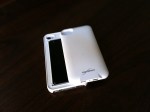
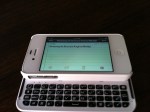
Design wise, the Keyboard Buddy is very sleek, especially considering that it adds a full hardware keyboard to the back of the device. The sliding mechanism is very solid, and there’s an enthusiastic click as you open and close it. It’s reminiscent of the slider on a device like the T-Mobile Sidekick – and that’s a good thing!

There’s also more than enough room to hit the top row of number keys, something other sliding cases often have trouble with. It charges via miniUSB, and BoxWave claims you should be able to go a huge 45 days without having to re-charge. The whole kit has a matte white, soft touch finish that adds a nice grip to the all-glass iPhone. Pairing the Keyboard buddy was an uneventful affair; the BoxWave was up and running in about 30 seconds after typing in a passcode. That’s when I could start putting this thing to the test!

Keyboard

The actual keyboard on the Keyboard Buddy is very similar to the one found on the Droid 2 or 3. Keys are laid out edge-to-edge, and there’s a decent amount of give with each click. The space bar is perfectly placed in the center of the keyboard, unlike some of the other Bluetooth keyboards on the market today. There’s a home key on the top left as well as a lock key right below it, two nice touches for sure.

It’s important to point out that when you choose to use a physical keyboard with your iOS devices, you lose all autocorrect functionality. I longed for things like automatic capitalization of “i” for example, and wish that it would automatically add apostrophes to words. Hopefully this is something Apple could enable as an option in a future version of iOS.

Overall

Overall, the BoxWave KeyboardBuddy case is an excellent option for BlackBerry users wanting to switch to the iPhone but not wanting to sacrifice their physical keyboards, as well as for older iOS users who have trouble seeing the letters on the iPhone’s virtual keyboard and like the satisfying click of a button when using a physical keyboard. I can type faster on the iPhone’s virtual keyboard, but I do like using the KeyboardBuddy to type out long emails or blog posts when I’m on my iPhone. You can read more about the BoxWave KeyboardBuddy and purchase it here.

Full gallery below: