Exciting Announcement: Same Great Quality Information With A New Website!

Hi readers, friends, and colleagues,

First off, a HUGE thank you for reading TeagueLoughman.com.

I founded this site in August of 2011 with a main focus on tech product reviews. Now, after almost four years, 1.8 million views, and our big move to Silicon Valley, I am extremely excited and ready to take the next step with my blog!

LAUNCHING MY NEW BLOG — TECHTEAGUE.COM

Upon moving to San Francisco / Bay Area, my fascination with all things tech grew extremely by the whole startup/entrepreneurial environment, thus I am expanding my bog to include more features, TechTeague.com.

New content featured on Tech Teague:

  • Technology — with exclusive focus on Innovations, Social Media,  and Product Reviews
  • Entrepreneurship — the best news, how-to’s, and more about Entrepreneurship
  • Productivity — sharing the best productivity tips and secrets to help you stay on top of your game
  • Conversations’ with exciting Young Entrepreneurs (both current and aspiring!)

As Tech Teague develops, of course ANY of your feedback, comments, or insights on how to make it better are GREATLY appreciated! You can contact me here.

PLEASE CHECK OUT TECHTEAGUE.COM NOW!

Enjoy —

Teague Loughman

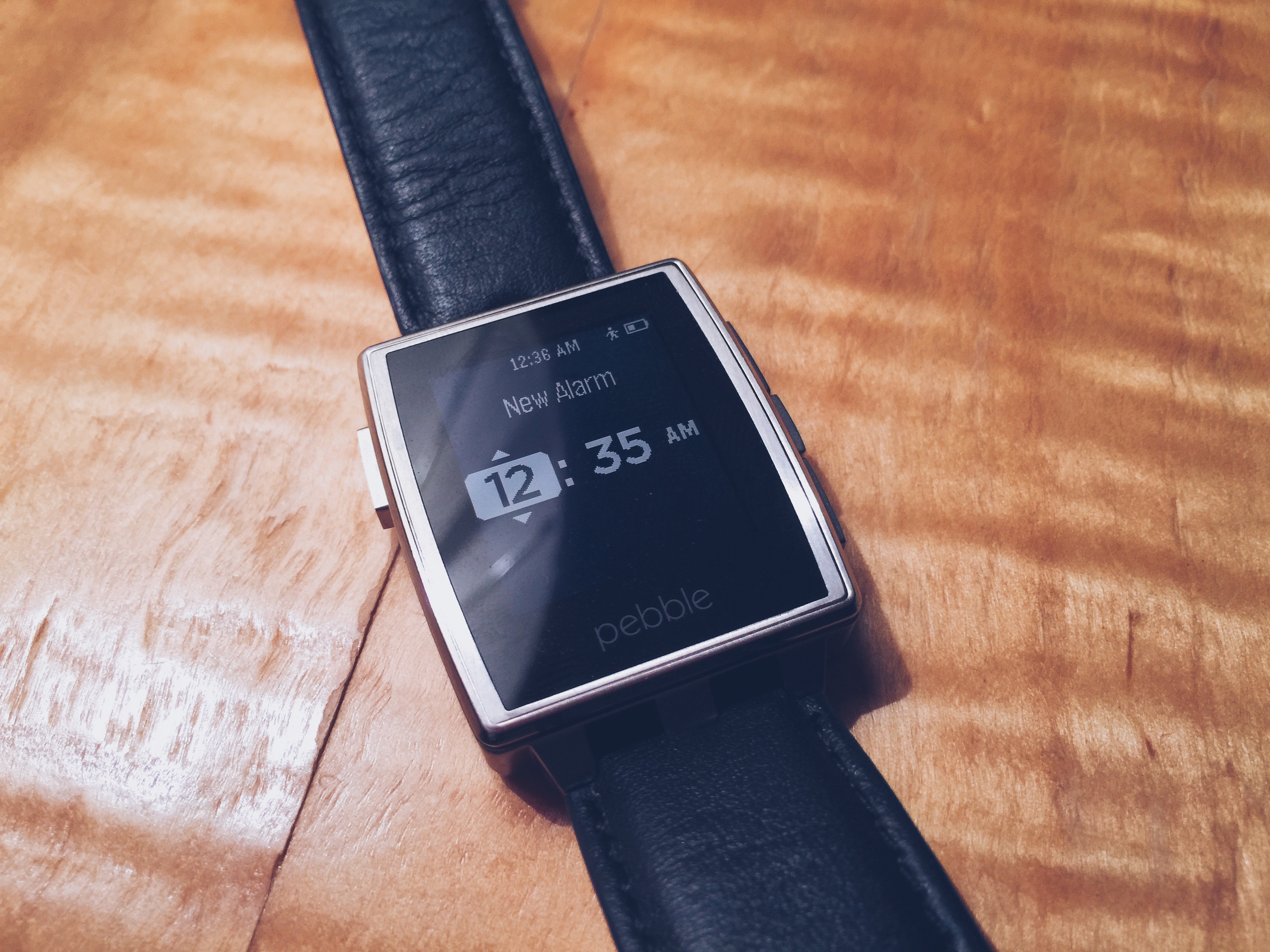
Pebble Steel Review: The Executive Smartwatch

Pebble Steel

Smartwatches are definitely “in” right now, and Pebble is leading the way! In 2012, Pebble launched a Kickstarter campaign for a future-esque LED-backlit (black and white) smartwatch, and has ever since been the leader in the smartwatch industry.

Pebble’s newest smartwatch the Pebble Steel: a sleeker, more modern version of it’s predecessor, the original PebbleThe main difference between the two watches you may ask? It’s all about the design. In fact, that is the only difference. The $199 Pebble Steel has the exact same tech-specs as the Pebble on the inside, but the outside is a whole new ballgame!
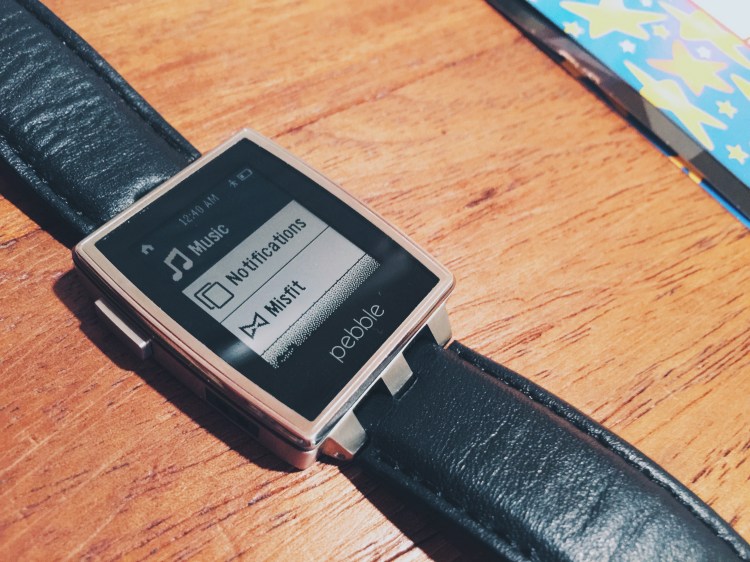
Pebble Steel

The design, accentuating the Steel’s sleek aluminum edges and options of either a leather or metallic watch bands, is very reminiscent of an Apple product. Compared to the original Pebble’s plastic-y outer shell, the Pebble Steel is definitely the more luxurious, and executive of the two.

The Pebble Steel is also considerably heavier than it’s predecessor, because of it’s stainless steel casing, and weighs in at a dignified 56g compared to Pebble’s 38g.

There are even more great hardware features about the Pebble Steel too! It is waterproof, shower- and swim-friendly. So, if you’ve been looking for a way to blast some Katy Perry while taking a shower, look no further! The Pebble Steel has you covered.
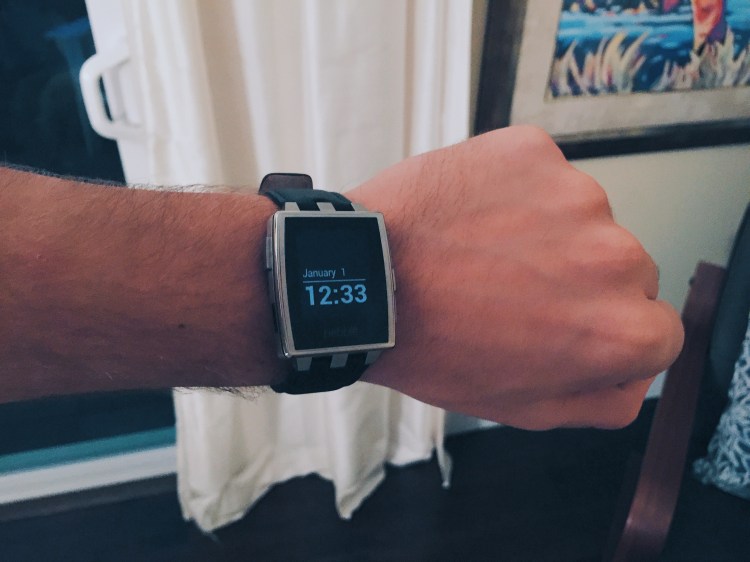
Pebble Steel

In addition, both the Pebble and the new Pebble Steel have a Kindle-like LED display that makes reading your Steel incredibly easy, even in bright sunlight.

On the software side, The Steel still does all the cool stuff the original Pebble can do: receives notifications for texts, emails, and your all-important Candy Crush, as well as controls music playback, and even checks in on Foursquare or Yelp… all right from your wrist!

With your iPhone or Android phone, you can sync up to eight apps to your Pebble Steel from the Pebble appstore (no, that’s not a typo, that’s what Pebble calls it). Here, you can download new watch faces, games, or apps like Foursquare and Yelp. Personally, I mainly used the Steel for notifications and as a watch.

Pebble Steel

Another thing that sets the Steel apart from the pack is the long-lasting battery life. The Steel easily lasted for five days straight without needing a charge. Pretty impressive for such a small piece of technology!

While the concept and design is very cool, for some, the practicality may be lacking. Sure, using Yelp to find an awesome sushi restaurant for lunch on my wrist is pretty neat, but why click the buttons eight-to-nine times on a little black-and-white LED display when I could just pull out my iPhone instead? The idea of it is definitely cool but it’s utility is a bit lacking (for now).
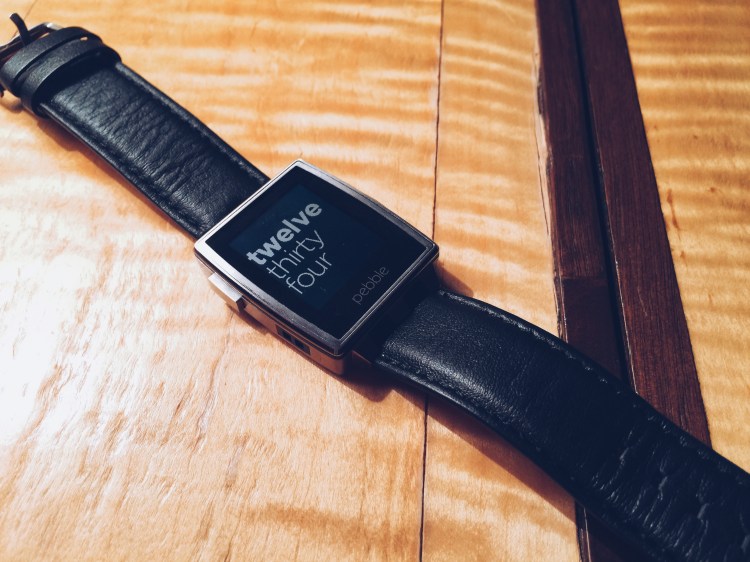
Pebble Steel

All in all, the Pebble Steel is definitely one of the best smartwatches on the market right now. Easily being able to access notifications, control music, and keep the time with beautiful watch faces all on your wrist is pretty impressive.

If you really want to get a smartwatch right now, the $199 Pebble Steel is your best bet. However, with the Apple Watch launching later this year, the Pebble Steel may soon have some competition. You can read more about and purchase the Pebble and Pebble Steel on Pebble’s website here.

——

Also, make sure to follow me  on Twitter and Instagram to stay up to date on all the latest in wearable technology.

Peel for iPhone 6 Plus Review

Peel-Super-Thin-Case

Like many others, I really like the feel of my iPhone with no case. Mainly because most cases add too much bulkiness to the extremely thin-design of the device. That said, letting your iPhone go “naked” without a case for protection is extremely risky!
iPhones are by no means unbreakable – just typing ‘shattered iPhone’ into Google comes up with almost two million images of smashed Apple smartphones.

Now, with the new thinner/bigger designs of both the iPhone 6 and 6 Plus, it makes these screens even more susceptible to shattering! Worry no further, my cybersphere friends! Peel cases for iPhone 6/Plus have you covered!

I really appreciate the incredible design of the iPhone 6/Plus (major creds to Jony Ive!). Therefore, protecting my iPhone with a big, bulky case kind of defeats the purpose of the phone’s ultra-thin design. The Peel case is super-thin. Coming in at just 0.35mm thick, Peel is so thin that it almost feels like I don’t have a case on my iPhone!

So, what’s another awesome thing about all of Peel’s cases? They are 100% branding free, so your iPhone will look as minimalistic as possible. No annoying or obtrusive logos here!

DSC00478-590x318

Now, you might be thinking: “If the Peel case is so thin, it probably won’t protect my precious iPhone very well.” But hold on! During my time with the case, the Peel actually did a very good job of protecting my iPhone. From accidental drops (from about hip-height), to resting it on a table, to falling out of the car, the Peel case definitely proved it can protect an iPhone just as well as some of the other cases on the market. That said, however, the Peel case probably doesn’t fair as well when you drop your iPhone from any higher than hip-height, as compared to cases from LifeProof or Otterbox, for example (but the slim design wins out for me!).

One semi-irritation/complaint that many people have had with the newest generation of iPhones is that the back camera protrudes from the device, causing a bit of wobbliness when the iPhone is laid flat. (See CultOfMac’s post here). Problem solved when using the Peel case! It is just thick enough to put a stop to the wobbliness caused by the sixth-generation’s camera lens sticking out. Peel case also helps protecting your iPhone’s camera lens! By not having the lens stick out, the Peel case protects the lens from everyday scratches, dust, etc that forms when you set your device down on a table or counter-top. Top-notch design!

The Peel case is absolutely perfect for people who don’t like having a case on their iPhone, and at the same time don’t want to damage their precious Apple smartphone. Peel’s super-thin cases are (you guessed it!) super thin, they protect your iPhone and its camera, they are completely 100% branding free, and they come in three different classy colorways to match your iPhone – gold, silver, or black. Additionally, coming in at just $24.99, the Peel case is a perfect gift for that special techie-someone.

You can read more about, and purchase Peel cases for iPhone 5c, 5s, 6, and 6 Plus on Peel’s website here.

Olloclip for iPhone 6 Review

When Apple announced their newest line of iPhones, like many other people, I was extremely excited – finally some new iPhones! Not only was I excited about the iPhones as “phones”, but also I was really excited about the new camera upgrades for both iPhones – the iPhone 6 and 6 Plus.

The new camera upgrades in the iPhone 6/Plus boast some pretty remarkable features. Here’s a short list:

  • Focus Pixels: new sensors in the iPhone’s 8MP camera for faster auto-focus
  • Improved face detection: group pictures and portraits are a whole better with faster, and more accurate face detection focus
  • Auto image stabilization: helps get rid of motion blur and hand shakiness by taking four rapid-fire pictures with a short exposure time, then combining them all together into one awesome selfie.

There’s only one thing that wasn’t added to the awesome new iPhones’ cameras: a macro lens! And that’s where Olloclip knocks it out of the park!

Olloclip’s 4-in-1 system slips right onto the top of your iPhone 6, 6 Plus, or even your iPad. It has extremely versatile modular lenses that give you the option of 10x macro, 15x macro, fisheye, and even wide-angle photography.

The Olloclip is incredibly easy to use, and swapping between the four different lenses is extremely fast – with just a quick unscrew and flip, you can go from macro to fisheye in under 10 seconds!

Thanks to Olloclip, taking pictures on your iPhone has never been so fun!

My two favorite lenses are definitely the wide-angle and fisheye lenses. If you are traveling and taking pictures of tall buildings and monuments, the wide-angle lens is particulary helpful to try and capture as much as possible in the frame. On the otherhand, the fisheye lens makes your sunset or close-up pictures even cooler!

But hey, don’t just take my word for it! Check out some of the pictures I took while testing the Olloclip on my iPhone 6 Plus:

And if you’re looking for some truly awesome photos, from actual professional photographers (and not just from a seventeen year-old with an iPhone!), I have included some pictures taken with the Olloclip courtesy of Olloclip’s website:

The Olloclip 4-in-1 lens system is perfect for photog-junkies, as well as everyday people, like me, who like to take beautiful and unique pictures with their iPhones.

At just $69.99, the Olloclip is the perfect gift for that Instagram-obsessed person on your list this holiday season.

You can find out more about and purchase the Olloclip 4-in-1 lens system on Olloclip’s website.

Aecraft Peak for MacBook Air Review

Aecraft_Peak2

Aecraft Peak is one of the newest MacBook Air cases/sleeves to hit the Mac third-party accessories market. The big question is, can Peak compete in the already overpopulated Computer Case marketplace?

In short, Peak crushes it!  Clever innovation, thoughtful design and functional material, adapts the successful “iPad case concept” and revamps the design for use with Apple’s MacBook Air

Peak’s landmark feature, is the exceptional folding concept!  This unique concept provides the user with an easier and more comfortable typing experience plus protection in transport.   Much like Apple’s iPad Smart Cover case, Peak folds in upon itself to create a laptop stand and a comfort wrist rest, that is at the perfect angle for typing. I know what you’re thinking… “I can type just fine” or “How can my typing be even more comfortable?”.

macbook-cover-stand-peak-aecraft-02

Peak has two different snap-in-clip buttons: one that keeps the laptop sleeve shut, and one that elevates the laptop for easier typing. The design and concept both very straightforward! Here’s how to do it in two easy steps:

— Take out your Macbook Air

— Snap in the first-from-the-top clip to create the typing angle

— That’s all there is to it!

Now to the typing angle concept, overall…Pretty good (albeit, somewhat hard to explain!).  Elevated typing with Peak just feels… right.   Simply, it is one of those things that you didn’t know was great until you tried it.

Peak even offers health benefits! Using Aecraft’s sleeve lowers the possible risk of arthritis because of the elevated typing angle (probably helps with carpal tunnel too!). All in all, Peak is both healthier and more comfortable for your fingers than just typing with your MacBook flat on the table!

Last but not least, the innovative use of two sturdy, complementary materials provides a great “look” and the felted back design makes for a built-in backing…your laptop slides effortlessly around your work space, with no more scratch/streak marks on your work space.

Now utilizing Acecraft Peak with my MacBook Air daily,  I can’t believe I have lived without it for so long.   And for just $190, Peak arrives on the accessory market very well priced!

macbook-cover-stand-peak-aecraft-08

The Peak truly is a triple threat MacBook Air accessory — acting as a case to protect while transporting your MacBook Air, as an elevation stand for your laptop and, and also offers a built-in, ergonomically correct stand for ease of typing!  You can read more about and purchase Peak for MacBook Air for $190 on Aecraft’s website.

Apple’s iPhone 6 Plus: First Impressions

iPhone 6 Plus

I received my white iPhone 6 Plus via UPS late Friday afternoon. After signing ‘here, here, and also here’ for the Plus, I greedily ripped off the simple, yet elegant packaging much like a small child on Christmas morning.

During the Apple Keynote on September 14th, CEO Tim Cook announced that the iPhone 6 and 6 Plus were revolutionary devices like you’ve never seen before, and man was he right! As soon as I held the 6 Plus in my hand, I knew that this was going to be Apple’s Android-killing smartphone.

The iPhone 6 Plus is super speedy (read, scary fast) with the new A8 processor, very responsive, and very, very big. To be honest, I am trying still getting used to the new, huge size. When comparing the 6 Plus to my old iPhone 5S, it’s like comparing Dwayne “The Rock” Johnson to “Mini-Me” in Austin Powers — it’s just that big!

But you know what makes the size even better? 😉 The new Retina HD display! Scrolling down my Instagram feed has never been more beautiful! Black and whites are sharp, colors are saturated perfectly and everything is vivid and super, easy-to-read clear. (My mom tried using it for 5 minutes and didn’t even need her reading glasses!)

One little thing that annoys me, however, is that some App Developers have not yet updated their applications for the iPhone 6 and 6 Plus’ new, larger displays – UGGH! This causes some apps to look pixellated, or it makes menus and text larger than needed to be (much like the 2x zoom button when opening iPhone applications on iPads).

I haven’t really put the 6 Plus’ camera through its paces quite yet, but I am planning on going to the beach sometime this week to test it out. (Follow my Instagram for these pictures!)

The iPhone 6 Plus is major contender for best smartphone on the market, if not the only one! The bigger and clearer screen, faster processor, and at first impression better camera,  all together really exemplify Apple’s ability to read the market’s needs and develop a smartphone that people will really want to use and buy!

Stay tuned for my full review of the iPhone 6 Plus and iPhone 6 coming soon.

What You Need To Know About Apple’s iPhone 6 and iWatch Event

Apple Sept. 9 Event

Tim Cook kicked off the event with a big bang by announcing two new iPhone’s: the iPhone 6 and the iPhone 6 Plus. The Apple CEO showcased a new type of payment system that Apple has been working on, dubbed Apple Pay. The now famous “One Last Thing…”  revealed the widely-rumored Apple Watch. If you want to learn more about all of these new and exciting products from Apple, keep on reading my roundup of Apple’s September 9th Event!

iPhone

Tim Cook revealed two types of iPhones – the 4.7 inch iPhone 6 and the 5.5 inch iPhone 6 Plus – that’s 1.5 inches bigger than the iPhone 5S! Both iPhone 6 models are lighter, clearer, faster, bigger, and even have more memory than the previous model; with 16 GB, 64 GB, and 128 GB flavors!

The resolution of both models have also been cranked up! The iPhone 6 crams in 1334 x 750 pixels and the 6 Plus has an amazing 1920 x 1080 pixels. The result? Clearer and darker text, more vivid and brighter colors – what more could you ask for!

Both of the new iPhone 6 models are also thinner – with the iPhone 6 coming in just 6.9mm and the iPhone 6 Plus at 7.1mm, which is pretty incredible compared to the iPhone 5S’ 7.6mm.

In addition, both the iPhone 6 and 6 Plus boast updated cameras: with an upgraded primary camera at the rear, with Focus Pixels and Autofocus technology to allow for faster focus (a feature normally found on DSLR’s!)  Video capabilities have also been upgraded on both new models:  HD 1080p video at 30fps. “Burst-mode for selfies” and better slo-mo video at 120fps or 240fps round out the camera upgrades.

The iPhone 6 models are faster with the addition of Apple’s A8 processor. As a result, the iPhone 6/6 Plus have up to 25% faster processing power and 50% faster graphics as compared to the previous iPhone 5S.

Now, you’re probably thinking to yourself: “With all these new features and additions, what about the battery life?!”. Well, fret no more! Apple has heard the concerns about the iPhone 5S’ battery life, and increased the battery on both of the new iPhone 6 models to make it 50% more efficient than the previous model. Wahoo!

Apple Pay

Using the NFC chip in the iPhone 6 models, 6-model owners will be able to use their devices to pay with a tap for everyday purchases with a new feature Apple announced yesterday, called Apple Pay. Apple Pay’s goal is

to revolutionize the “fairly antiquated payments process” with Touch ID, Passbook, and the “Secure Element”, a dedicated chip that sores encrypted payment information.

“This whole process is based on this little piece of plaster, whether it’s a debit or credit card”, CEO Tim Cook said on stage. “We’re totally reliant on the exposed numbers, and the outdated and vulnerable magnetic interface – why by the way is five decades old – and the security codes which all of us know aren’t so secure.”

Apple Pay plans to change all that! Here’s how it works: add a credit card from your iTunes account, or add a new card using the phone’s iSight camera. Once your card is on file with Apple Pay, you’ll be able to use your phone to check out at participating vendors — both brick and mortar, as well as online — by authenticating with Touch ID.

In a store, you’ll hold your iPhone in front of a reader and place your finger over the fingerprint sensor to confirm. In an app, you’ll select Apple Pay as your payment method and confirm with Touch ID. Additionally, Apple Pay works with the newly announced Apple Watch – which makes buying things even more streamlined. “That’s it!” Cook adds. “It is so cool!”

Apple Watch

The famous “one last thing” for the event was the announcement

and long-awaited revealing of a new smartwatch, named Apple Watch. The Apple Watch is Apple’s first foray into the world of wearable technology. Completely customizable and personal, the Apple Watch combines fashion with technology in extraordinary ways.

Apple Watch works directly with a user’s iPhone (with a brand new user interface!), for example: recieving an email will cause the Apple Watch to lightly vibrate on your rist. Raise it up to look at the notificaiton, and the Apple Watch will turn on for you. You can then swipe up on the screen ot view action buttons that you can fully interact with.

When it comes down to choosing an Apple watch, you have three options: the Apple Watch (leather), Apple Watch Edition (18-karat gold), and the Apple Watch Sport (a rubber polymer that holds up well to sweat and gym use). The actual watch face depends on the collection of Apple Watch you choose. And since watches are certainly not “one size fits all”; there are two sizes of Apple Watch that have matching sized bands.

Apple Watch requires an iPhone (generation 4 and up) to work, pricing will begin at $349 ,and it will be available to purchase in “early 2015”. Apple hasn’t given a lot more info on the Apple Watch, however you can check out the dedicated Apple Watch site here.

2014 WWDC Event Recap: What You Need To Know

On June 2nd, 2014, Apple held it’s 25th annual Worldwide Developer Conference in lovely San Francisco, California. During the 10:00 AM keynote, Tim Cook took the stage to announce the newest software versions for Mac and iOS: OS X Yosemite and iOS 8, respectively.

Mac

At the Keynote, Apple’s SVP of Software Engineering Craig Federighi, announced the features of their newest Mac software, OS X Yosemite. Yosemite is one of the biggest software updates in the history of Macs – with a new, clean design (resembles iOS 7), updates to Notification Center (app widgets – yay!), iCloud Drive, as well as improvements to Mail, Safari, Spotlight, and more.

With a public beta coming sometime this summer, and a shipping date set for Fall, OS X Yosemite is sure to be a big hit! Apple has added many highly-requested features to their newest operating system, such as AirDrop between iOS and Mac (finally!), and the ability to receive/send phone calls and text messages from your Mac, which is connected via iPhone – pretty impressive!

My favorite features of the new update are the translucent app-windows, a “dark mode” feature that dims toolbars to focus on your work, as well as the new Spotlight search, which now basically lets you search for everything and anything on your Mac, Internet, iTunes, and beyond – extremely cool and future-esque!

iOS

Apple also announced the newest version of operating system for their iPod, iPad, and iPhone line of devices, iOS 8. As with OS X Yosemite, Apple really listened to what the people want – even adding some features previously only available through the jailbreak community as well!

iOS 8 big highlight additions include: * Interactive notifications (quick pull down of the banner) * Better Spotlight search * Group Message improvements and the abilities to add/delete members * An updated keyboard with predictive text capabilities dubbed QuickType * A much-rumored Health app * The ability to password protect certain apps like Photos or Messages * And much, much more!

In an interesting twist, Tim Cook also announced that the iOS 8 software would be more open to developers. Cook even added the option of using a third-party keyboard instead of the regular Apple Keyboard – which is something that’s been on many developers’ wishlist for years!

Other Announcements

Tim Cook reiterated “Continuity” – a new feature that is a part of both iOS 8 and OSX Yosemite. Continuity blurs the lines between phones, laptops, iPads, and desktops. One of the two main features of Continuity is an improved AirDrop which finally allows users to transfer photos and documents between iOS and Mac devices. The second main feature of Continuity adds a “Handoff” feature, which through Wifi/Bluetooth, your computer and iOS device exchange program information in real time. For example: lets say you start to draft an email on your iPad, but then quickly realize that it’s longer than expected, and you would rather write it on your Mac. Now with Handoff, there’s no need to worry about accidentally deleting all of your email text or saving it as a draft and having to wait for your computer to sync. Handoff, with with just a tap of a button, simply allows you to pick up right where you left off on your iPad, on your Mac! Three words: brilliance, speed, and efficiency.

Overall

Overall, WWDC 2014 brought HUGE Apple announcements, and it certainly was a big day for Tim Cook & Team! If you want to read more about Mac OS X Yosemite, Apple has dedicated a page specifically for it here. Additionally, here is the page with more information about iOS 8.

Also, be sure to keep checking back to TeagueLoughman.com for my official review of iOS 8 in the coming weeks!

Pre-WWDC: What You Should Do


wwdc14-home-branding

Tomorrow’s the big day – Apple’s Worldwide Developer Conference kicks off tomorrow (June 2nd) in beautiful San Francisco!

Apple has a Keynote planned for 10AM Pacific time tomorrow morning, and in it they are rumored to be announcing the latest version of their iOS software, iOS 8, which will officially ship sometime this fall.

If you want to get your hands on iOS 8 early, you need to register your iPhone’s UDID through a developer’s account so your iPhone doesn’t become bricked or unusable.

In my opinion, the best website to do this is iOSReg. To register your UDID, it is just $3.99 and you will have an email confirmation and your iPhone registered in under 1 minute — which is the fastest UDID register-time available on the internet! Here is the full link: www.iosreg.com

If you need any help registering your iDevice or have any predictions or comments about the WWDC Keynote tomorrow morning, make sure to drop your comments below!

Also, look for another post coming later this week with a full iOS 8 walkthrough!


Review: Une Bobine Charging Cord for iPhone

afxxGlKWTaNm4RRAxPNZTKUpoj2s0gzpJmbi-fHqgEI

Charging cables for iPhones have always recieved a bad rap: it’s too short, it breaks too easily, or it’s a hassle to actually plug your iPhone into the charging slot – the cord is all knotted up, you have to fumble around with the Lightning connector, etc. In turn, many resort to purchasing charging docks/stations for their smartphones.

Jon Fawcett, the founder and CEO of [Fuse] Chicken, has set out to change all these negative experiences. His goal: to perfect the iPhone charging cable experience. His product: Une Bobine. [Fuse] Chicken indeed changes the charging cable industry.

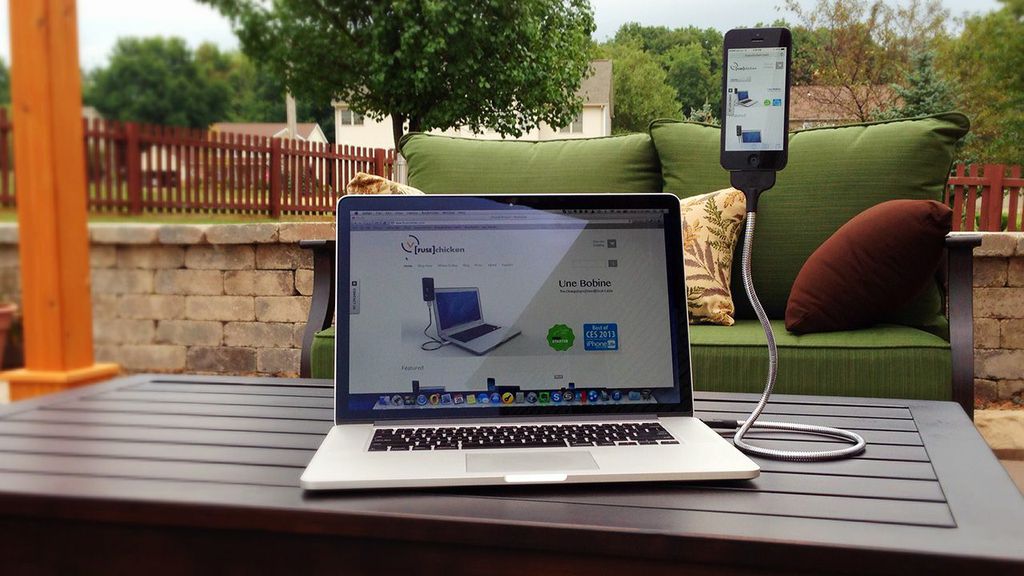
Funded through Kickstarter, Une Bobine is a metallic, yet bendable Lightning-to-USB iPhone charger. Simply adjust the cable based on your viewing preference. Une Bobine is also surprisingly sturdy. It truly can hold your iPhone at almost any angle/position you want – this comes in very handy for FaceTiming (no more up-the-nose shots!), using your iPhone as an extension of your computer, shooting video, and the best part… the Une Bobine also doubles as a car mount!

DaQC1Kp1MIQzZRYRfToyfzL3BS24UYdMUQVpVZXJaFQ

The “car-mount” feature of Une Bobine is really incredible as it cradles your iPhone like a GPS-mounted system in your car… but you don’t have to have it stuck in the same place – you can move it to any position/angle that best suits your needs at the time!
Another great thing about Une Bobine is that it may also support future iPhone generations (hopefully coming out this Fall!) because of the Lightning cable technology.

Une Bobine works with most iPhone cases as well (a major plus over the official Apple iPhone 5/5S Charging Dock that doesn’t support any cases!). Note: I say it works with most cases. During my testing of Une Bobine, I found that it doesn’t support my Apple leather case-line for the iPhone 5S, much like the official Apple dock. Other than that little nitty-gritty, I found no other cons of using [Fuse] Chicken’s Une Bobine!

All in all, Une Bobine is a pretty straightforward cord that blurs the lines between iPhone charging cables and docks. Une Bobine has an unexpected, but useful feature that allows it to be doubled as a in-car GPS mount for your iPhone. You can read more about Une Bobine and purchase this neat charging cord off of [Fuse] Chicken’s website here.