October 2013 Apple Event Round-Up

apple-lots-to-cover

On Tuesday, October 22nd, 2013 in San Francisco, California, Apple held a media event to discuss their new and innovative line of MacBooks and iPads, and boy did they deliver!

During this new event, Apple announced several new products, such as Mac OSX 10 (Mavericks), a newly updated iLife & iWork suite of apps, as well as a new Mac Pro, and the brand new iPad Air, which is the latest & greatest in the iPad family of tablets.

Mac OSX 10 – Mavericks

OSX-multiple_displays_missioncontrol

Apple introduced their newest Mac software, Mavericks. This announcement really raised the competition stakes against Microsoft, as this update would be free to all Mac users, something Apple has never done before!

Among the various improvements in UI and speed, OSX 10 increases power efficiency, which allows for a longer lasting battery to allow for more surfing the web, responding to emails, or movie watching. Another improvement over Lion is the upgraded notification system which allows users to respond directly from the notification itself, which I find extremely easy to use and definitely beats going in the app itself just to respond to a tweet or email.

My favorite new feature of Mavericks is the introduction of Finder Tags, which allows for easier and quicker finding of files, documents, photos, and movies. You can create your own tags and easily tag any document or file you like by using a two-finger on your Mac trackpad, and selecting a Tag, so all of your School or Work related files are all in one organized location on your Mac.

In addition, coming preloaded on Mavericks are two new apps, Maps and iBooks. Maps is basically  the same as it is on iOS 7, however you do have the ability to send directions from your computer to your iPhone/iPad as a push notification, which is a really convenient feature! The introduction of iBooks on the Mac is excellent for textbooks or note-taking, however I still prefer to read books on the iPad over the Mac as it is more comfortable to hold, as well as the animations of the page swiping too!

Mac OSX 10 Mavericks is available today as a free update on all Macs. To download it, simply go into the Mac App Store and click ‘Check for Updates’.

Macbook

Macbook-Pro-Featured-Image

In the Macbook line of products, Apple announced three new members to the Mac family: the 13 inch Macbook Pro with Retina Display, the 15 inch Macbook Pro with Retina Display, as well as the new Mac Pro.

The 13 and 15 inch Macbook Pro are shipping with the beautiful, crystal-clear Retina Display, as well as some new upgrades internally, such as an improved battery (9 hours of battery life), 802.11c wifi (3x as fast as the previous versions), as well as an Intel 4th gen. Haswell chip. The new Macbook Pro’s come in at an unbelievable 0.71 inches thick, which is the lightest the Macbook Pro ever!

Apple also launched the new donut-shaped Mac Pro, which has the fastest chip, memory and graphic technology from Apple.

The Macbook Pro(s) are available on Apple’s website now starting at $1,499 for the 13-inch and $1,999 for the 15-inch. The new Mac Pro will be available by year’s end, starting at $2,999.

iPad

retina-ipad-mini-ipad-air

The main reason for this media event: the latest innovations to iPad. Apple announced two new versions to the iPad family: the new iPad Air and the iPad Mini with Retina Display.

On Tuesday, October 22nd, 2013 in San Francisco, California, Apple held a media event to discuss their new and innovative line of MacBooks and iPads, and boy did they deliver!

During this new event, Apple announced several new products, such as Mac OSX 10 (Mavericks), a newly updated iLife & iWork suite of apps, as well as a new Mac Pro, and the brand new iPad Air, which is the latest & greatest in the iPad family of tablets.

Overview

This media event was huge for Apple! Announcing their brand new Mac OSX, three new Macs, as well as updating their iLife & iWork suite of apps, and perhaps most overdue, two super upgrades to the iPad family.

You can read more about all of the details of the Apple event and watch the Keynote video on Apple’s website.
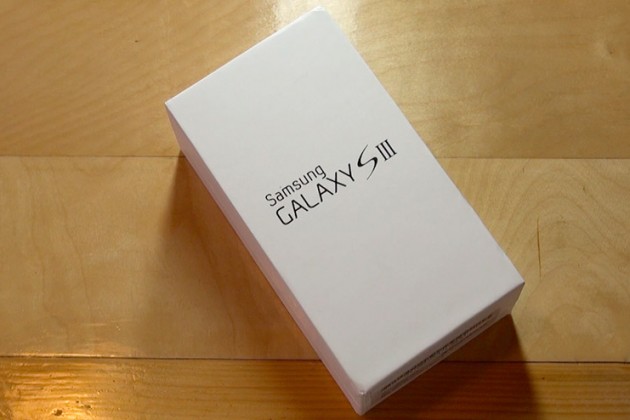
Quick Review: Samsung Galaxy S III for Verizon Wireless

Considering its predecessor, the Galaxy S II, sold millions upon millions of units, a lot of expectations have been mounted on Samsung’s shoulders for this quad-core smartphone. Is it really worth all the hype? How does it perform in everyday life? You can find out about all of this and more in my review of the Samsung Galaxy S II for Verizon Wireless.

 —-

Specs

– Screen: 4.8″ 720×1280
– Processor: 1.4 GHz quad-core Exynos
– Storage: 16GB/32GB/64GB, Up to 64GB SD card support
– Camera: 8-MP rear camera with LED flash, 1.9MP front-facing camera
– Connectivity: HSPA/3G, Wi-Fi 80.211b/g/n, Bluetooth 4.0, DLNA, A-GPS, GLONASS, NFC, Wi-Fi Direct, USB On The Go
– Ports: microUSB (MHL compatible), 3.5mm headphones
– Battery: 2100mAh, removable
– Price: $200 ($599 for full-retail)

What is it?

It’s the smartphone that was designed to put every other Android phone in the dust. It’s got a huge HD display with next-gen screen technology; Samsung’s new quad-core Exynos processor chip, and a bunch of new software; including this really cool eye-tracking ability to change the screens brightness!

Who’s It For?

This phone was built for a broad range of people, everyone from Android enthusiasts, to the people who still use a typewriter, all the way to the Apple Fanboys.

Design

There are many people who are just sold on the phone because they owned a previous Galaxy S device, as well as some people who don’t know anything about the phone but like the largeness of the device. That’s great, but what about the design and the feel of the device? Will it fit in your pocket? Ladies, what about your little clutch purse?

The new HyperGlaze polycarbonate chassis feels very cheap, nothing like the high-end smartphone as Samsung advertises. While it may be pretty to look at, it make’s the SIII feel very fragile, almost like a child’s toy.

The camera-button has lost it’s previous location, and now the the volume button placement makes it slightly tricky to activate the lock key on the other side.

However, while first impressions will be mixed, the build quality of the Galaxy S III is excellent. When the Galaxy SIII was unveiled, Samsung states that they created the new smartphone to resemble the Earth. The toughened glass front feels very solid when stroked and prodded, and the beautiful design of the chassis fits very well in the palm – very much like a pebble, thanks to the rounded edges.

Plus, on the back side of the device, there’s a compartment for a removable SD card, so smartphone users can further personalize their experience.

Using It

Samsung has changed the UI of the Galaxy S II (TouchWiz) a little bit, adding re-sizeable widgets and some brand new widgets like a brand new brightness toggle in the notifications tray.

The camera is very strong. It uses a very similar sensor as seen in the S II, and while the software optimisation has made it super quick and added in some key features, camera lovers might not want to use this as their daily camera of choice.

But overall, the phone just works. There’s no more lagging when flipping through the homescreens, playing games, or watching movies, like I experienced with the Galaxy S II. (My review here.)

Highlights

The Super AMOLED screen offers terrific sharpness and vivid colors when viewing pictures, movies, or playing games! Samsung has been known for there very vivid TV screens and they seem to have brought the best of their television screens to the new Galaxy S III.

Again, the Samsung Galaxy S was very fast, and I experienced no lag during my two weeks of testing.

Lowlights

The only real issue I have with the Galaxy S III is the design. If I am paying $200 ($599 for full-retail) I want my smartphone to feel like an expensive, solid device, not like a child’s toy.

Overall

Should you buy it? If you haven’t bought a new smartphone since 2010, and are looking for an Android phone, yes. But, if you are still on the edge about buying it, I would wait until the new iPhone (5th generation) comes out, and compare the two.

Get past the design and you’re looking at one of 2012’s leading smartphones: crazy powerful, with a beautiful screen, and more storage than an average USB stick.

It’s not perfect (I haven’t seen any phones this year hit that bar) but it’s very, very close… and it will probably be enough to entice those that simply can’t bear the thought of waiting until October to pick up the iPhone 5.

You can read more about and purchase the Samsung Galaxy S III here.