Olloclip for iPhone 6 Review

When Apple announced their newest line of iPhones, like many other people, I was extremely excited – finally some new iPhones! Not only was I excited about the iPhones as “phones”, but also I was really excited about the new camera upgrades for both iPhones – the iPhone 6 and 6 Plus.

The new camera upgrades in the iPhone 6/Plus boast some pretty remarkable features. Here’s a short list:

  • Focus Pixels: new sensors in the iPhone’s 8MP camera for faster auto-focus
  • Improved face detection: group pictures and portraits are a whole better with faster, and more accurate face detection focus
  • Auto image stabilization: helps get rid of motion blur and hand shakiness by taking four rapid-fire pictures with a short exposure time, then combining them all together into one awesome selfie.

There’s only one thing that wasn’t added to the awesome new iPhones’ cameras: a macro lens! And that’s where Olloclip knocks it out of the park!

Olloclip’s 4-in-1 system slips right onto the top of your iPhone 6, 6 Plus, or even your iPad. It has extremely versatile modular lenses that give you the option of 10x macro, 15x macro, fisheye, and even wide-angle photography.

The Olloclip is incredibly easy to use, and swapping between the four different lenses is extremely fast – with just a quick unscrew and flip, you can go from macro to fisheye in under 10 seconds!

Thanks to Olloclip, taking pictures on your iPhone has never been so fun!

My two favorite lenses are definitely the wide-angle and fisheye lenses. If you are traveling and taking pictures of tall buildings and monuments, the wide-angle lens is particulary helpful to try and capture as much as possible in the frame. On the otherhand, the fisheye lens makes your sunset or close-up pictures even cooler!

But hey, don’t just take my word for it! Check out some of the pictures I took while testing the Olloclip on my iPhone 6 Plus:

And if you’re looking for some truly awesome photos, from actual professional photographers (and not just from a seventeen year-old with an iPhone!), I have included some pictures taken with the Olloclip courtesy of Olloclip’s website:

The Olloclip 4-in-1 lens system is perfect for photog-junkies, as well as everyday people, like me, who like to take beautiful and unique pictures with their iPhones.

At just $69.99, the Olloclip is the perfect gift for that Instagram-obsessed person on your list this holiday season.

You can find out more about and purchase the Olloclip 4-in-1 lens system on Olloclip’s website.

Apple’s iPhone 6 Plus: First Impressions

iPhone 6 Plus

I received my white iPhone 6 Plus via UPS late Friday afternoon. After signing ‘here, here, and also here’ for the Plus, I greedily ripped off the simple, yet elegant packaging much like a small child on Christmas morning.

During the Apple Keynote on September 14th, CEO Tim Cook announced that the iPhone 6 and 6 Plus were revolutionary devices like you’ve never seen before, and man was he right! As soon as I held the 6 Plus in my hand, I knew that this was going to be Apple’s Android-killing smartphone.

The iPhone 6 Plus is super speedy (read, scary fast) with the new A8 processor, very responsive, and very, very big. To be honest, I am trying still getting used to the new, huge size. When comparing the 6 Plus to my old iPhone 5S, it’s like comparing Dwayne “The Rock” Johnson to “Mini-Me” in Austin Powers — it’s just that big!

But you know what makes the size even better? 😉 The new Retina HD display! Scrolling down my Instagram feed has never been more beautiful! Black and whites are sharp, colors are saturated perfectly and everything is vivid and super, easy-to-read clear. (My mom tried using it for 5 minutes and didn’t even need her reading glasses!)

One little thing that annoys me, however, is that some App Developers have not yet updated their applications for the iPhone 6 and 6 Plus’ new, larger displays – UGGH! This causes some apps to look pixellated, or it makes menus and text larger than needed to be (much like the 2x zoom button when opening iPhone applications on iPads).

I haven’t really put the 6 Plus’ camera through its paces quite yet, but I am planning on going to the beach sometime this week to test it out. (Follow my Instagram for these pictures!)

The iPhone 6 Plus is major contender for best smartphone on the market, if not the only one! The bigger and clearer screen, faster processor, and at first impression better camera,  all together really exemplify Apple’s ability to read the market’s needs and develop a smartphone that people will really want to use and buy!

Stay tuned for my full review of the iPhone 6 Plus and iPhone 6 coming soon.

Review: Checkmark 2 for iPhone

Checkmark 2 - Lists

The original Checkmark to-do list application for iPhone was a stellar app. Now, with the newly released Checkmark 2 by Snowman, an already powerful to-do list manager, has now become even more of a productivity powerhouse.

The new Checkmark 2 adds a slew of new useful features, including, but not limited to: the popularly requested “List” view; one tap rescheduling of tasks; and iCloud support.

“List view” allows for multiple tasks to be grouped together under one common category – which is really helpful for projects (school, business, etc), as well as for simple lists (new movies or food to try).

One-tap rescheduling is also a new feature that is included in the new Checkmark 2, which makes it super easy to push a due date ahead by minutes, hours, or days in one simple tap!

iCloud support is another popularly-requested feature added in Checkmark 2. This feature may not seem that important now, however after you use Checkmark 2 and create multiple to-dos, lists, locations, etc, you would hate to have all that data be lost if something were to happen to your iPhone. That’s where the iCloud backup comes in and it will automatically sync and backup all of your data.

The design of Checkmark 2 truly envisions and adopts the wonderful, flat elements of iOS 7, yet adds it’s own unique style too! The cool shades of green, grey, paired with the white backdrop typical in iOS 7, really come together quite well to create a totally eye-alluring application, that is as beautiful to look at as it is fun to use.

Checkmark 2 (Light)

When it all comes down to it, a to-do list application really needs to do one thing quite well: create tasks quickly and efficiently. I must say that Checkmark 2 excels in this realm.

In Checkmark 2, you create tasks to three different categories: location-based, time-based, or as a list. For me, the location-based task ability is really useful.

For instance, when I am out and about and see an advertisement for a new movie that is coming out, I can quickly add a task in Checkmark 2 to remind me when I get home to look up showing times for this new movie – pretty handy stuff!

Organizing tasks into Lists is also a great way to break down those big, hefty projects into smaller, more obtainable goals!

One thing that I think is lacking in Checkmark 2 is syncing with Apple’s built-in Reminders app. What this does is it syncs the Reminders app tasks with the tasks you have already created in Checkmark 2. This allows you to make changes or add tasks from the Reminders app on your Mac, and then have it synced to your iPhone via the iCloud.

Checkmark 2 - Where

Overall, Checkmark 2 is an uber-smart, task productivity manager for your iPhone all in one clean, simple app, and for just the price of a cup of coffee ($2.99)! Checkmark 2 has already helped save me time and money, just by making my life more organized.

You can read more about and purchase Checkmark 2 from the Snowman’s website, or the through the App Store.

Scantastic for iPhone Review

imageScantastic is an exciting, new addition to a long line to the Scanner-Apps-for-iPhone World. Recently released to the App Store on December 24th, Scantastic is a clean, super-fast, user friendly iPhone application that allows for simple one-tap scanning of all your receipts, documents, essays, you name it — Scantastic will scan it. 

Scantastic is feature-packed with several different useful “tweaks”:

  1. simply tap the gorgeously designed app icon
  2. scan your document in less than 2 seconds!
  3. “threshold filtering” transforms your document into a simple, clean, black and white PDF. This is my favorite feature of Scantastic, as it makes your document look professionally scanned.
  4. After scanning, you simply shoot your new PDF off in a quick email or share it on social media, etc.

scantasitc-inhand-double-sw

The effort and design that went into creating Scantastic is truly incredible! All of the text and font choices are clear and easily readable! The dark/bright colors are very eye-alluring! As you can see from the screenshots, the UI is simply spectacular.

The design is almost so iOS 7 it feels iOS 8!

scantastic-iphone5-EN-2

Scantastic truly has all the bells & whistles. It will go above and beyond all your scanning needs – and what’s the best part? It’s all in your pocket! Scantastic is a powerful tool for global students and online classroom demands, as well as today’s business professional.

I strongly recommend reading more about and purchasing Scantastic for $1.99 on the Apple App Store.

Review: CalypsoCrystal Dune CrystalDock

CalypsoCrystal_CrystalDock_use_004_LO

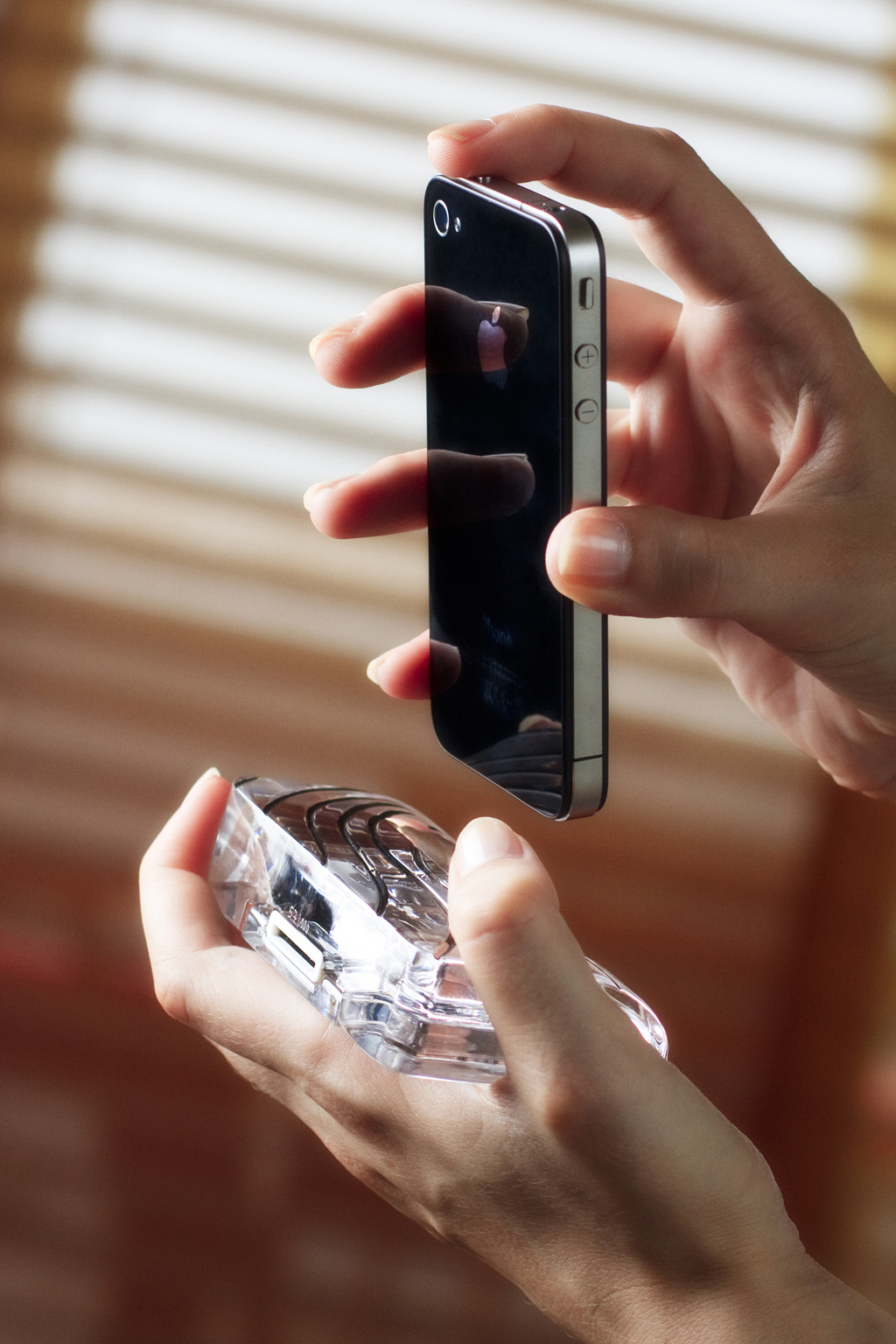
Calypso Crystal is a company that is all about luxury, style, and cutting edge. The CrystalDock definitely shows all of the above mentioned qualities and much, much more. However, can it compete with the technology powered iHome docks? Is it really worth the extra money?

All of these questions and more will be answered in my review of the Dune CrystalDock by Calypso Crystal.

CalypsoCrystal_CrystalDock_use_022_LO

——

The Dune CrystalDock is all about elegance, luxury, and simplicity, from how the dock is made precisely hand-cut to create asymmetric waves, and then polished to achieve a crystalline shine that sparkles in the sunlight, to the way the dock can be used, as a charging station for your iPhone 4, 4S, 3GS, or 3G.

CalypsoCrystal_CrystalDock_use_018_LO

The Dune CrystalDock does not yet support the iPhone 5 and it’s new Lightning charger design, but CalypsoCrystal has announced that they are working on a iPhone 5/Lightning version that will be coming out soon.

The lines carved into the Dune CrystalDock are incredibly detailed and very alluring to the eye. The crystal used in the Dune is of very high quality, and is sleek and luxurious enough to be found in a office or library, yet simple enough to be used on a kitchen counter to charge your iPhone. The dock is extremely sophisticated and would complement any executive’s desk or bedside table.

CalypsoCrystal_CrystalDock_use_005_LO

I appreciate how sleek and functional the dock is as well, with a well-thought-out slot in the back of the Dune for your charging Apple iPhone charging cable, as well as it only weighing in at just 350 grams, it is light, yet portable enough to carry with you wherever you go.

I highly recommend purchasing the Calypso Crystal Dune CrystalDock for the iPhone 4/3 models as it is luxurious, yet sophisticated. You can read more about and purchase the CrystalDock or any other of Calypso Crystal’s incredible products on their ****website. The CrystalDock starts at $119 and the most expensive is $349.

Make sure to check out my gallery below for more awesome HD shots of the Dune CrystalDock.

Review: LifeProof Case for iPhone 4/4S

Are you one of those people who like to tweet in the shower? How about Facebook in the bathtub? Taking pictures in the pool? There are tons of reasons, weird and not, why people would want to do these things, and that’s where the LifeProof iPhone case comes in.

A little about LifeProof:

LifeProof is a young, vibrant company based in San Diego that designs, manufactures and markets LifeProof cases for all-environmental protection, functionality and interactivity to SmartPhones and Tablet PCs.

The registered brand name ‘LifeProof’ is inspired by the protection and fully functional convenient operation of the device in rain, in water while swimming or surfing, in mud, sand, dust, snow or ice. The company mantra is ‘Freedom’ – freedom to be connected anywhere with your mobile device; freedom to build relationships, gain knowledge, exercise, and juggle work; freedom for all people anywhere to go everywhere.

So can this LifeProof case really protect your iPhone from all these elements? To find out, keep reading my review of the LifeProof case for iPhone!

—-

Quality

The LifeProof case is made out of very durable, hard plastic, that will protect your precious iPhone from scratches, drops, and more. All of the materials used in the LifeProof case are of very high-quality, and your paying for it. After my two weeks of testing the LifeProof case, I saw no signs of deterioration, scratches, or any of the color chipping or rubbing off, something that I feel is pretty incredible after all the torturous things I put the LifeProof case through. (If you don’t believe me, look at the image gallery.)

Usability/Design

Usually adding this much protection in one case makes your iPhone very bulky and heavy, but the LifeProof case manages to keep a sleek-profile by adding only 1/16 inches (1.5mm) to your iPhone.

The LifeProof case is also very light, weighing in at 28 grams, so you don’t have to worry about it adding any extra weight to your iPhone. Also, the LifeProof case is available in 4 unique colors; Black, White, Pink, & Purple.

The designers at LifeProof did an excellent job creating the LifeProof case as well, by adding slots for the charging port as well as the headphone jack at the top of the iPhone. Also on the back, the designers did a great job with the camera by making sure that it was very protected while taking away from the clarity of the 4S’ 8 megapixel and new optics.

Protection

This is the main thing that everyone cares about for the LifeProof case. Can it protect your iPhone if you drop it? What about going underwater? What happens if you run it over?

LifeProof has run many tests on their new LifeProof case (videos here), and so have I, and I can whole-heartedly say that the LifeProof case is a tank of a iPhone case.

LifeProof states on their website that the LifeProof case “has a unique design that makes it waterproof to a rated depth of 2 Meters (6.6ft)”, and I tested that thoroughly and I can prove this statement true, having submerged my iPhone many times in pools, bath-tubs, sinks, coolers, etc… and each time my iPhone came out of the LifeProof case dry as a bone.

LifeProof also states on their website that the LifeProof case “is designed for a high degree of shock and impact protection and has been tested to Military Specifications MIL-STD-810F-516.5. Meaning that it can be dropped on all surfaces and edges onto concrete from a height of 2 meters (or 6.6ft).” I can also say this statement is true and more so, as I have dropped my iPhone from greater distances and it came out of the LifeProof case perfectly fine.

Overall

Right now this is THE iPhone case to beat in terms of protection, functionality, and design. LifeProof has done an amazing job in creating their first product and I can’t wait to see what they come up with next. You can read more about the LifeProof case and purchase it on LifeProof’s company website here.

Review: Boxwave KeyboardBuddy iPhone Case

Millions of people are very happy with Apple’s on-screen virtual keyboard, but many still desire a tactile response only a physical keypad can provide. Apple has stated in the past that it sees no point in adding a hardware QWERTY keyboard onto the iPhone, but the company goes back and forth so many times with iOS products that no one knows what to believe.

Knowing this, BoxWave thought of a way to use the iPhone’s Bluetooth technology and build a case that had a physical QWERTY keyboard. It’s great for people who want Apple to add a QWERTY to the iPhone, but will it lure over virtual-keyboard-users over? How is it compared to the other Bluetooth Keyboard Cases for the iPhone? I’ll answer all of these questions and more in my review of the BoxWave KeyboardBuddy case for iPhone 4 & 4S.

Design

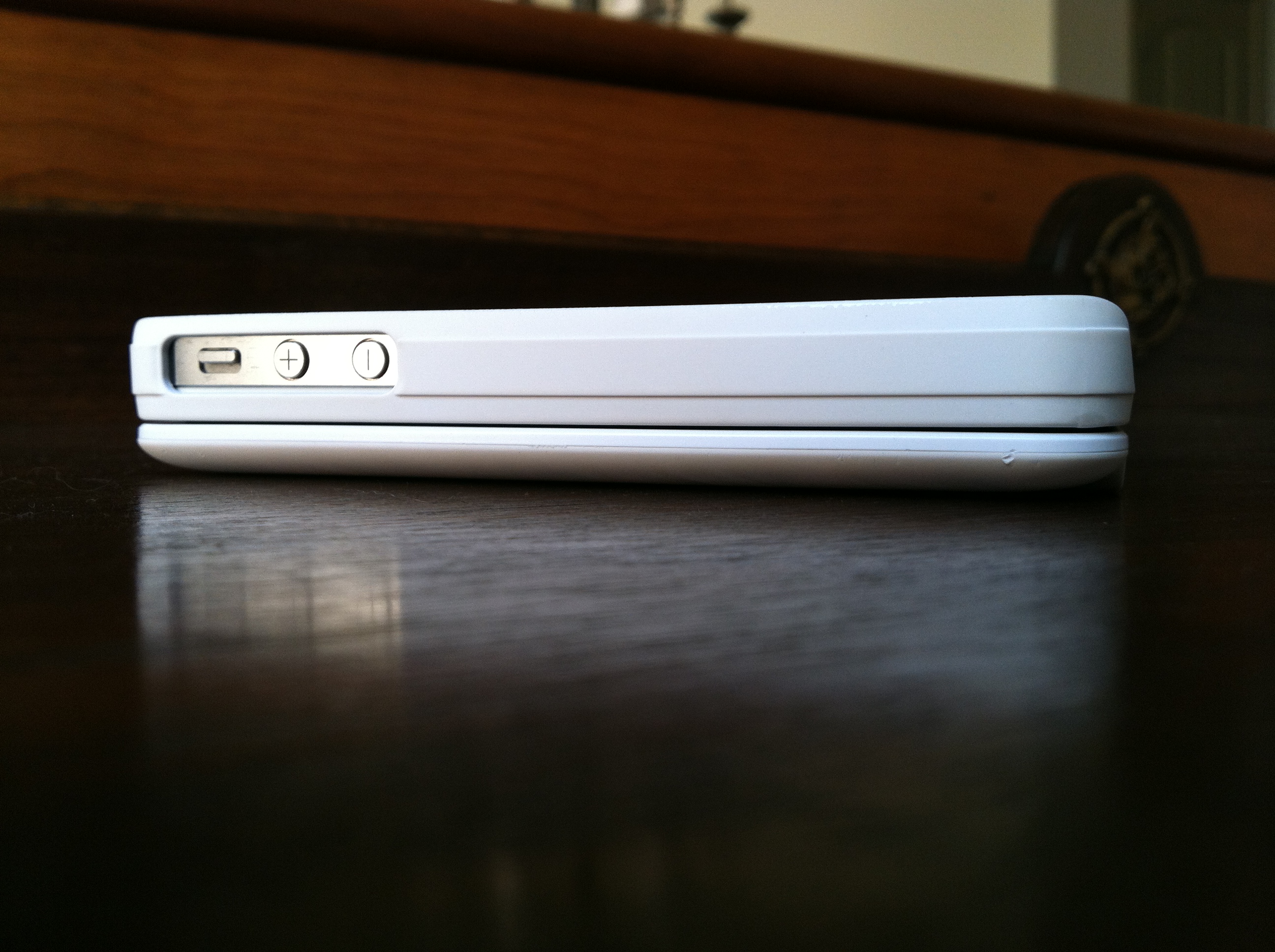
Design wise, the Keyboard Buddy is very sleek, especially considering that it adds a full hardware keyboard to the back of the device. The sliding mechanism is very solid, and there’s an enthusiastic click as you open and close it. It’s reminiscent of the slider on a device like the T-Mobile Sidekick – and that’s a good thing!

There’s also more than enough room to hit the top row of number keys, something other sliding cases often have trouble with. It charges via miniUSB, and BoxWave claims you should be able to go a huge 45 days without having to re-charge. The whole kit has a matte white, soft touch finish that adds a nice grip to the all-glass iPhone. Pairing the Keyboard buddy was an uneventful affair; the BoxWave was up and running in about 30 seconds after typing in a passcode. That’s when I could start putting this thing to the test!

Keyboard

The actual keyboard on the Keyboard Buddy is very similar to the one found on the Droid 2 or 3. Keys are laid out edge-to-edge, and there’s a decent amount of give with each click. The space bar is perfectly placed in the center of the keyboard, unlike some of the other Bluetooth keyboards on the market today. There’s a home key on the top left as well as a lock key right below it, two nice touches for sure.

It’s important to point out that when you choose to use a physical keyboard with your iOS devices, you lose all autocorrect functionality. I longed for things like automatic capitalization of “i” for example, and wish that it would automatically add apostrophes to words. Hopefully this is something Apple could enable as an option in a future version of iOS.

Overall

Overall, the BoxWave KeyboardBuddy case is an excellent option for BlackBerry users wanting to switch to the iPhone but not wanting to sacrifice their physical keyboards, as well as for older iOS users who have trouble seeing the letters on the iPhone’s virtual keyboard and like the satisfying click of a button when using a physical keyboard. I can type faster on the iPhone’s virtual keyboard, but I do like using the KeyboardBuddy to type out long emails or blog posts when I’m on my iPhone. You can read more about the BoxWave KeyboardBuddy and purchase it here.

Full gallery below:

Quick Review: Motorola Xyboard 10.1

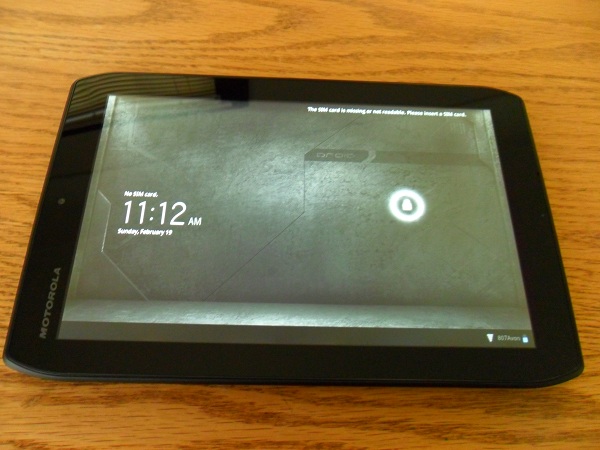
The new Droid Xyboard is a beast of a tablet. Motorola’s newest tablet runs on Verizon’s super-fast 4G LTE Network, it runs on Android’s 3.2 Honeycomb (4.0 Ice Cream Sandwich Upgradeable), as well as having two cameras; 5 megapixel on the back with a HD Webcam on the front, and a huge 7,000 mAh battery. All that said, can it compete with Apple’s third-generation iPad? Keep on reading for my review of the Droid Xyboard 10.1 running on Verizon’s 4G LTE Network.

Highlights

  • Verizon  – Verizon’s 4G Network is easily the fastest LTE network in the United States. In my testing around the Dallas Area, the Xyboard never dropped below 2 bars of LTE. I consistently received download speeds of around 19 MB/s and an upload speed 10 MB/s.
  • Display – The display on the Xyboard 10.1 is another high point, responding to touch input quickly and loading websites, apps and videos sharply, clearly and brightly. Unlike the iPad or the Galaxy Tab 10.1, the Xyboard has a mini-HDMI port built-in, which makes it easy to hook the tablet up to a TV set.
  • Camera – The 5.0 MP back-camera on the Droid Xyboard 10.1 is one of the best cameras on a tablet to date. The addition of the LED Flash is what makes the Xyboard’s camera stand out. Lowlight pictures were perfect – never overexposed nor too bright.
  • Software / Specs – On other devices, Android 3.2 Honeycomb always seemed to be very slow and laggy, but with the help of the dual-core 1.2 GHZ processor, the Xyboard flew through webpages, emails, apps, and homescreens. I never had an app force-quit or crash while using the Xyboard 10.1, and I credit that to Motorola by putting great specs into the Xyboard to get the most out of Honeycomb.

Lowlights

  • Size – Holding the Droid Xyboard 10.1 in landscape orientation is just fine, but when switching it over to portrait it felt awkward to hold and touch the screen. When using the iPad, the transition from landscape to portrait is seemless, but on the Xyboard it feels more like a liability.
  • Software – Honeycomb is a lowlight and a highlight of the Droid Xyboard. While it runs very fast, the User Interface is very clunky and not easily learned by all people.
Overall


This is THE best Android Tablet, no doubt about it! Great display, amazing camera, super-fast processor, and running on Verizon’s 4G LTE Network, the Droid Xyboard absolutely smokes the other Android Competition and in some ways, even the Apple iPad.

I would recommend the Droid Xyboard 10.1 for Android enthusiasts, business people, or teachers. But if you are a first-time smartphone or tablet user, I would recommend checking out something else. You can read more about and purchase the Motorola Xyboard here.

Review: Jabra Sport Bluetooth Headphones

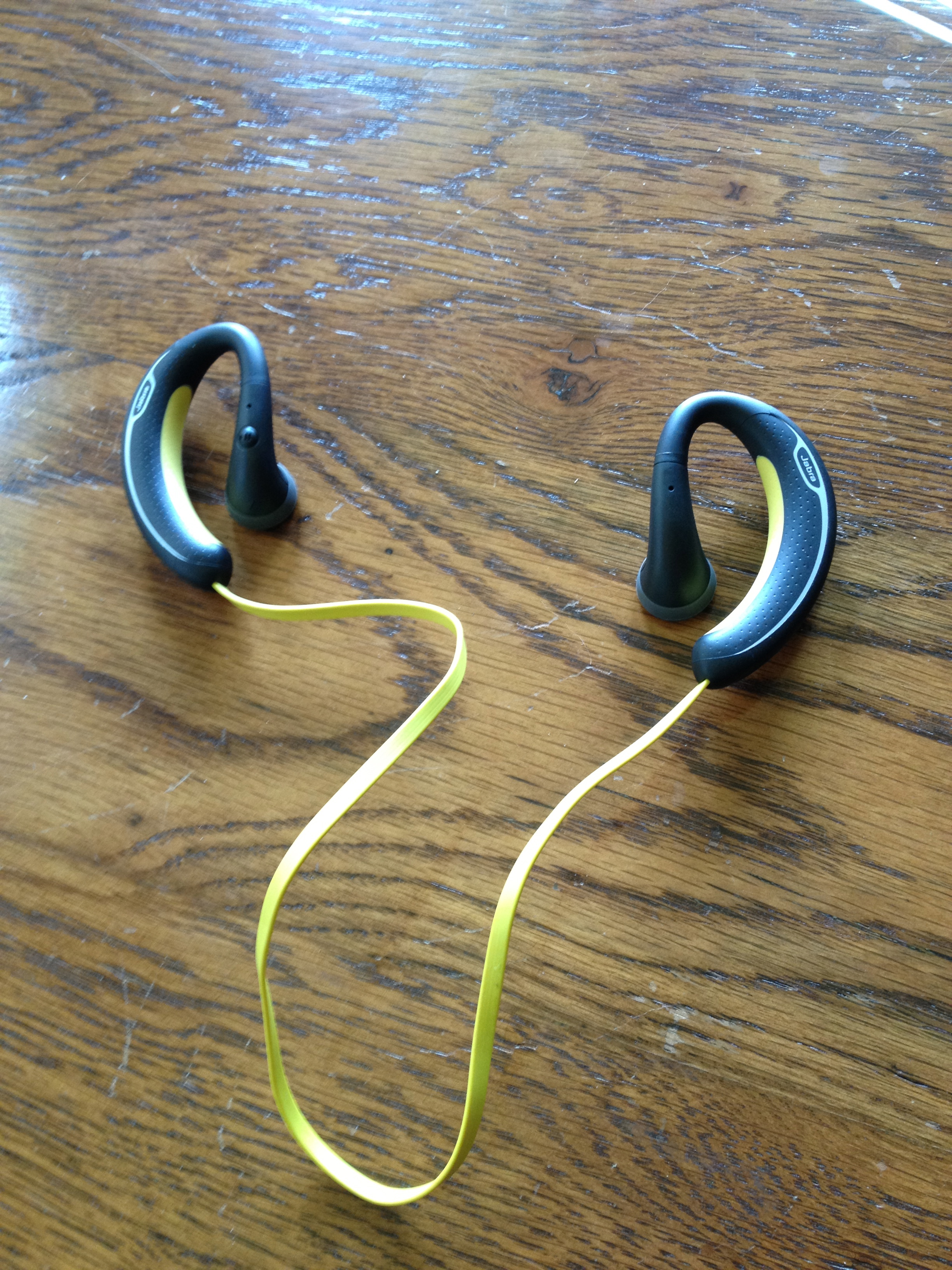
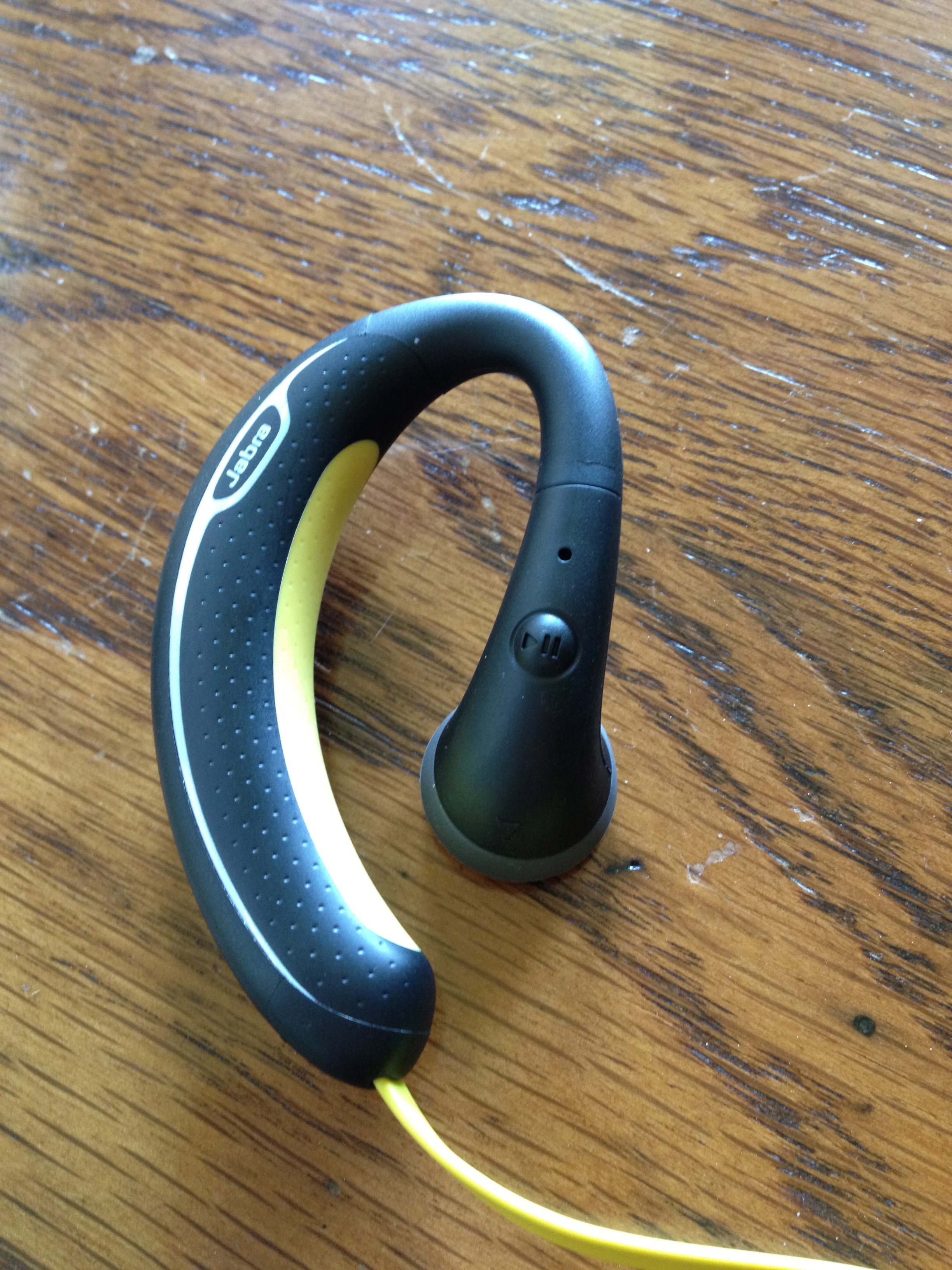
I listen to music a lot. Whether it be when I’m working out, running, or relaxing by a pool. It’s a daily part of my life. I believe to get the most out of your music, you need to hear it with a good pair of headphones. So naturally when I heard about the Jabra Sport Headphones I knew I had to get a pair, and write a review on them. So, can these headphones compete in the competitive, over-populated in-ear headphone market? How do they compare to the popular Beats By Dre iBeats? For all of this and more, keep reading my review of the Jabra Sport Headphones!

Usability


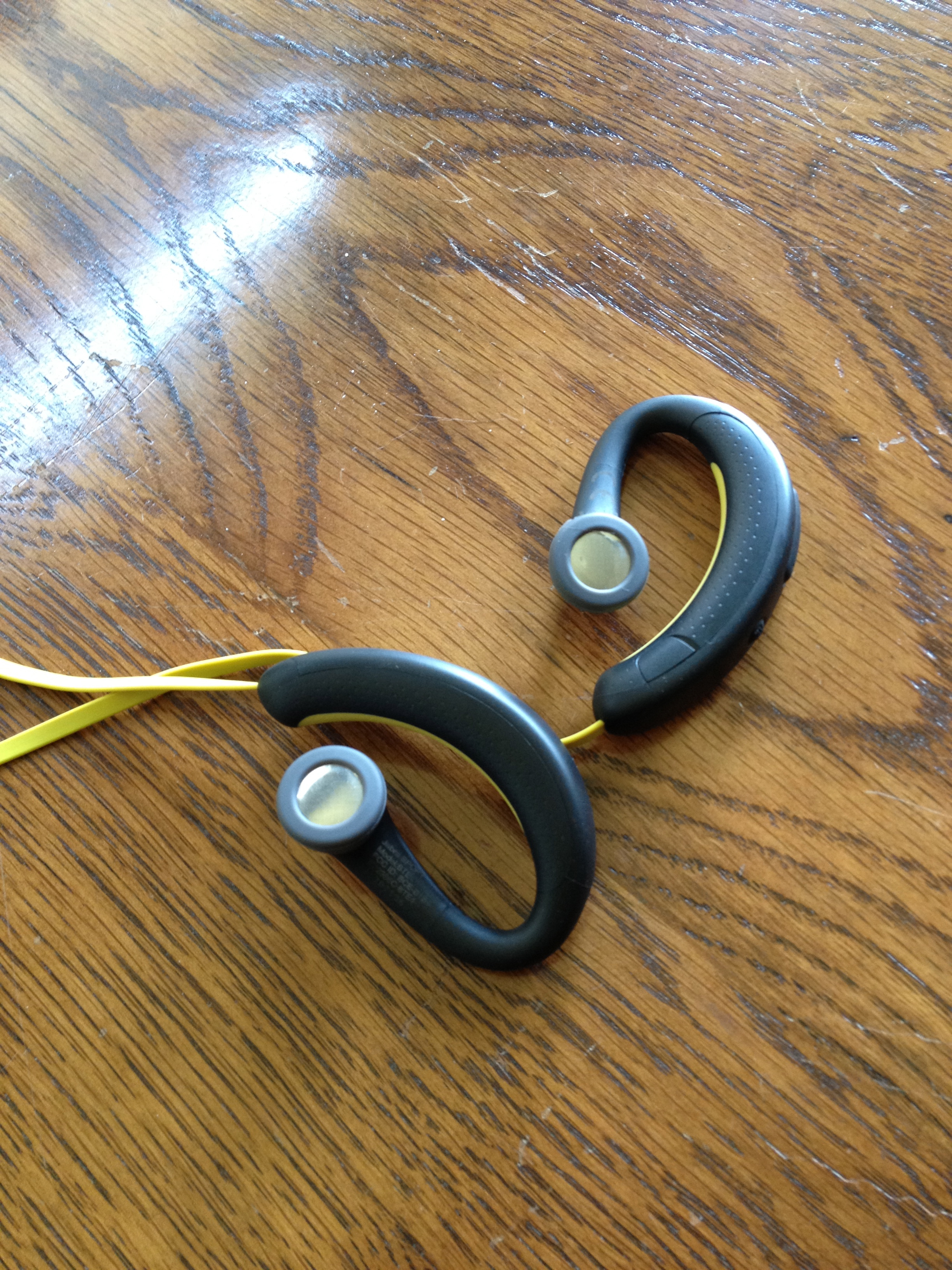
After using these for the last week, I am pleased to say that these headphones are extremely comfortable. As soon as you put them on, you forget that you are even wearing headphones! They stay in your ears well, without feeling too loose. That said, they might not be as comfortable for people with smaller or delicate ears.

Sound Quality / Calling


I was pleasantly surprised by the sound quality with the Jabra Sport. Bass came through very clearly, and there was no sound distortion whatsoever. The Jabra Sport was definitely created for people with an active lifestyle, and always on the move (running, working-out, walking, working in the garden, etc.)! These are not leisure headphones for long car trips or airplane rides.

Calls made through the Jabra Sport headphones were quite good. I was a little skeptic about the microphone being so far from my face, but I was quite impressed with it. Callers could hear me with no trouble at all. Hearing the call in both ears also makes it much easier to hear when you’re in a noisy surrounding.

Similar to other Jabra headsets, the Sport announces callers and informs you when the headset has been turned on or off, is in pairing mode, and allows for voice commands. These features work fairly well.(Caveat: although I never completely trust voice commands, still I always double-check the screen to ensure it’s calling the right person.)

Overall


Overall, these headphones are great for people who live an active lifestyle and want freedom from wires and the ability to easily answer calls and switch back to their music afterwards, without taking a break from their activity. However, if you’re an audiophile, you may want to keep looking. You can read more about and purchase the Jabra Sport here.

Full Gallery Below:

Review: Colcasac Zagora iPad Sleeve

I love using my iPad without a case or skin on it. I could never understand why people want to add bulk and weight to a beautifully thin and light device. That’s why I have always been a sleeve-type guy – something to keep my iPad from being scratched or dented while being transported, yet something that easily allows you to take the iPad out and hold it in your hands the way Steve Jobs intended. That’s the reason I started my search for a new iPad sleeve. Most of the sleeves on the market now are very sterile and boring in their appearance.

My search for the perfect iPad sleeve ended when I discovered the ColcaSac iPad sleeve. ColcaSac is a small company based in Salt Lake City, Utah that makes five different iPad sleeves, as well as numerous iPhone and MacBook sleeves. Their designs are simple, yet sophisticated. The ColcaSac I am reviewing is the Zagora model, which is available to purchase for $35.

The outside of the sleeve is made of a beautiful basketweave hemp canvas that gives it a slight rugged look and the inside of the Colcasac has a soft cotton interior that helps the iPad screen stay free of fingerprint marks or smears. The feature I like most on the exterior of the Colcasac iPad sleeve is the pocket on the front – it’s perfect for holding your iPhone or your iPad charger while on the go.

Alot of the iPad sleeves on the market now have a pretty big flaw – they don’t hug or protect the iPad tightly. That’s not a problem with the Colcasac. With ColcaSac’s new sleeve I can open the sleeve (it uses a Velcro fold to close), hold it upside down, and have the iPad slide out nice and slowly.

Considering the design and quality materials they use, the $35 price tag for the ColcaSac is an absolute steal. It’s also a smart and beautiful choice for iPad owners who want something aesthetically different from the usual offerings of iPad sleeves found on Amazon or in Apple Stores.

Overall, this is THE sleeve to beat for the iPad. Tight fit, pocket on the front, and high-end materials used all for $35. You can read more about the Colcasac iPad sleeve or purchase it here.