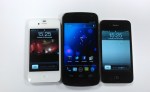
Review: Samsung Galaxy Nexus

The Samsung Galaxy Nexus has a lot of bragging rights. The Galaxy Nexus was built by Samsung in collaboration with Google to create a new addition to what has already been a fantastic line of Nexus devices. The newest addition the Nexus family is as thick as Apple’s iPhone 4S, but also boasts super fast 4G LTE capability, a speedy dual-core CPU, 16GB or 32Gb of storage, 1GB of RAM, a 5 megapixel camera with 1080p HD video support, NFC chip, and Google’s newest Android software, Ice Cream Sandwich or Android 4.0, if you like.

Ice Cream Sandwich is one of the biggest steps forward in the Android Software history. Like Apple’s iOS Software, Android 4.0 unites tablet and mobile phone so they will finally run the same software. More on this in my review below.

With all these new features and very strong specs, can this be the phone to beat? How does it stack up against Apple’s iPhone 4S? Or what about Microsoft’s Windows Phone 7? Lastly, is the Galaxy Nexus worth all the hype? Find out for yourself in my review below!

Hardware / Design

  • Packaging & Accessories

Samsung knows how to package their products perfectly. The box of the Samsung Galaxy Nexus is just the like the device itself; sleek and unassuming. It isn’t too hard on the eyes, but it will rouse your intrigue and make you want to see what’s inside. After you take off the top, you come face to face with the phone itself. Unwrapping that, you have access to the earbuds, USB cord, and wall charger. Also included in the box are a Owners Manual, as well as a Tips & Tricks guide. The earbuds included with the are what you would expect coming from a mobile phone – average – nothing spectacular, nothing terrible.

  • The Galaxy Nexus

The Galaxy Nexus is a beautiful phone. The curves and the thin design of the device make the sheer size, (coming in at 5.33 inches tall by 2.67 inches wide) almost obsolete as the Galaxy Nexus weighs 0.3 pounds.

The case used on the Galaxy Nexus is a dark grey plastic. In recent products, Samsung has decided to use this plastic (instead of the metal and glass combination that Apple uses in the iPhone 4 & 4S), which is a bit of a disappointment. Holding the Galaxy Nexus in one hand and the iPhone 4S in the other, the iPhone feels much stronger and more durable than the shiny, flimsy plastic case used on the Nexus. On the front of the GN, Samsung is using a new screen named the Contour Display, which is ascribed to the slightly curved screen. The risk Google and Samsung took to create the first curved screen on a mobile phone really paid off well – the curvature of the Contour Display makes the Galaxy Nexus fit perfectly in the hand, as well as the aesthetically pleasing look.

Android’s newest emphasis on clean and simple means just that – they have kept the buttons and protrusions to a minimum. As customary for a Samsung Android device, the Galaxy Nexus has an on / off button on the right, and a volume rocker on the left. On the top of the device, you will find a speaker grille, a proximity sensor, and a 1.3 megapixel camera which is capable of recording in 720p HD video. On the back of the Galaxy Nexus, there is a 5 megapixel camera paired with a single LED Flash that is capable of recording in 1080p HD (more on this in the Camera section of my review).  On the bottom, you have a micro USB port, 3.5mm headphone jack, as well as a LED notification light, which is very out of the ordinary for Android devices. The newly placed notification center light is RGB, which means that it can create many different shades of colors depending on the type of notification you received. For example, if you got a Gmail notification, the light would be blinking blue. If you received a Tweetdeck notification, it would alert you in yellow. This may not be the biggest selling point of the Galaxy Nexus, but as I say, “It’s the little things that make someone or something great”, and that is certainly true for Samsung and Google’s newest product. Sadly, there is no microSD card slot to enter more storage into the Nexus, so what you see is what you get.

I found the plastic casing on the back of the Galaxy Nexus to be very flimsy and when I tried to take the back off to take the battery out, it seemed as if it was going to break. Putting the battery door / back of the Galaxy Nexus back on the device proved to be a challenge as well – you have to slide your fingers down the back very firmly to get it back in place.

As with the past Nexus devices, the Galaxy Nexus has stepped up the competition to a new level in terms of design and manufacturing quality. It’s not too light to be considered very fragile or flimsy, but not bulky enough to be considered heavy or burdensome. One thing that could be improved upon on the Galaxy Nexus is the back casing.

Internals / Display

Google and Samsung left little to be desired when creating the internals for the Galaxy Nexus. They added 1GB of RAM, 16 or 32 GB of memory (I reviewed the 16 GB model), a speedy dual-core TI OMAP 4460 CPU clocked to 1.2GHz, as well as the standard radios (Bluetooth 3.0, Wi-Fi 802.11b/g/n, GPS). You will also find a barometer, accelerometer, ambient light sensor, gyroscope, and compass. The Galaxy Nexus also has support for NFC (Near Field Communications) to make purchases with your phone using apps like Google Wallet or Google Offers.

I was a little bit disappointed of the quality as well as the loudness of the speaker grille on the back of the Galaxy Nexus that is be used for speaker phone, notifications, as well as listening to music or watching movies. The sound came out very distorted and was not as loud as other phones I have reviewed (more recent android phones from Motorola and HTC, as well as Apple’s iPhone 4S). Earpiece quality however was superb. Perfect sound quality and no distortion to be found. Friends and family could hear me as well as I heard them!

The Galaxy Nexus is one of the first mobile phones to have a full 720p screen. With a 1280 x 720, 4.65-inch display, the screen is definitely one of the devices biggest selling points. I had a couple of small issues with the screen though – this is also the same with most of Samsung’s recent products using the Super AMOLED Display. When the brightness was medium or below, the screen would over-hue or wash-out dark colors such as black, brown, or purple. When the brightness was notched higher, these problems were easily overcome.

Spec-wise, the Galaxy Nexus is, if not THE best, one of the best devices out right now. Aside from a few display issues, the screen on the Galaxy Nexus will blow you away. I would compare the Super AMOLED Display to that of the iPhone 4S’ Retina display. Pure eye-candy.

Battery Life / Reception

With the spectacular Super AMOLED Display on the Galaxy Nexus and the blazing fast 4G LTE, you would think the battery life would be terrible – you’re wrong. The 1750 mAh battery will easily last a moderate to normal user a full day of video-chatting, surfing the web, writing emails, you name it. Although for the heavy user, I would recommend turning off 4G and getting a spare or extended battery. I would normally hit the 20% battery left notification around 5:00 PM after turning the phone on at 9:00 AM using 4G LTE.

Verizon Wireless has been known for their blazing fast 4G LTE speeds as well as great reception all over the United States – in Dallas, the 4G LTE speeds are some of the fastest in the United States. Most of the time I had three to four bars and rarely did I hit or go below two.

Call quality on the Galaxy Nexus is second-to-none. There was no distortions or problems of any kind while both talking and listening to people on the other end of my calls.

Camera

When launching the Galaxy Nexus, Google was trying to compete with Apple and the iPhone 4S, Nokia and Windows Phone 7, as well as some other phone manufacturers for Android such as HTC or Motorola. Most of the devices listed above have a 8 megapixel camera; The Galaxy Nexus has a 5 megapixel camera. Sure, the camera software on the Galaxy Nexus is great, but that can’t make up for it’s average lens.

Here are some sample images I took with the Galaxy Nexus. (Click on the images to see them in full size.)


As you can see in the pictures above, the Galaxy Nexus’ pictures are of very low quality, but, if you happen to forget your real camera, the Galaxy Nexus would do just fine. Just don’t expect it to take printable-quality photos. Though if you compare it to other leading mobile phone manufacturers, the Galaxy Nexus is using what would be acceptable last year, today.

For the video camera on the Galaxy Nexus, it can capture great 720p and 1080p recordings, though the quality suffers from the same issues as the still camera. Not enough optics. Google also added live effects to the Galaxy Nexus video camera. It focuses on a person, then can make their head bigger, smaller, it can change the backdrop of your subject, as well as making bug eyes, alien heads, and such. Not very useful features, but it shows what the Galaxy Nexus can do.

Software

With the introduction of Ice Cream Sandwich, Google is making a big, important step forward in the evolution of Android. Like I said before, it isn’t always about the hardware.  The new Operating System is a huge leap in functionality as well as UI and finish, and it’s nothing like any Android you know (or knew).

Almost every piece of the operating system, from the homescreen to the built-in apps, menus, and even widgets has been redesigned. That also goes for the font in the OS, which is a custom typeset named Roboto. I happen to think the new typeface is a welcome, clean addition to Android, and a big improvement over the old Droid Sans face.

Starting at the lock screen, things are very different. Google has added two new smart, useful tweaks to the Galaxy Nexus lock screen. The ability to unlock the phone using the front-facing camera to scan your face, conveniently named Face Unlock, as well as the option to jump right into the camera application directly from the lock-screen. Unfortunately, if you have a password or Face Unlock set up on the Galaxy Nexus, you cannot use this new feature.

Notifications have been cleaned up and tweaked too. Now you can access your notifications from the lock screen (given that you don’t have a password set), but you can also individually swipe messages or alerts to clear them. There’s also a convenient settings icon in the notification window, which will jump you directly in the settings app to  turn on wifi, change your password, or add a new email account.

When you hit the homescreen, you’ll see a the very familiar setup of five main screens, but with new navigation elements along the bottom. Going from the bottom up, you have a row of the on-screen buttons, then a customizable dock for your favorite apps or folders, plus a center button which brings you to your app and widget drawer. While flicking through your homescreens, you’ll realize that Google Search is now at the top of every single one. A subtle, yet very nice addition to the homescreen.

You can now make folders of apps by simply dragging one icon onto another, then to open it, all you have to do is tap on the folder icon. It’s very much like Apple’s iOS in that sense.

Opening the app drawer, you can easily access all your applications and widgets by swiping right-to-left. Again, much like iOS.

Menus, Settings, and lists have been changed as well and now it’s a lot easier to find the wifi or airplane mode toggles you’re looking for without hunting through many lists or menus.

Navigating through every screen on the Galaxy Nexus is buttery smooth. There’s no lag, no stutter. Animations are fluid, and everything feels fast and sleek. It’s like Ice Cream Sandwich is a lot more “there” than in previous versions of Android.

One last big piece worth mentioning is the vast change to multitasking in Ice Cream Sandwich (ICS). Previously, multitasking was done by holding down the home button and waiting for a pop-up of your last few apps to appear. Google has changed all of that in ICS by providing a dedicated “Multitask” button in your virtual button list on the bottom of the screen. When using this new multitasking system, you will see the app icon, as well as a screenshot of the screen you were in when you last used the app. To clear an application from this new multitasking center, much like the notification center, you swipe left-to-right on the app icon/screenshot.

The main reason for Google’s drastic redesign of the Android software is for reducing the clutter and confusion from past versions of Android. I would say Google has accomplished that in the new Ice Cream Sandwich. That’s not to say that there aren’t still some hiccups here and there, but generally Ice Cream Sandwich feels like a modern, elegant operating system that’s been thoughtfully designed.

Overall

The Galaxy Nexus is the best Android smartphone ever made! It’s one of the best smartphone’s out now, and with a couple of minor tweaks (particularly to the camera), it could be the best smartphone ever produced.

The hardware is elegant and smartly designed. The software is beautiful and useful. Google has changed a lot of the bad, and replaced it with a vast amount of good. It’s faster, smarter, and a lot more friendly than any of its ancestors. Ice Cream Sandwich easily gives iOS and Windows Phone a run for their money, and in some ways, it’s a superior operating system than either of them.

If there’s something wrong with the Galaxy Nexus, it would be the camera/video camera, as well as the sheer size of the device. Comparing the camera to the competition, the Galaxy Nexus just doesn’t stack up in hardware and in photo or video quality. Also, most people find the size of the Galaxy Nexus to be overbearing or too big for their hand. Both of these things can be easily fixed and hopefully in the next Nexus device, we will see those changes.
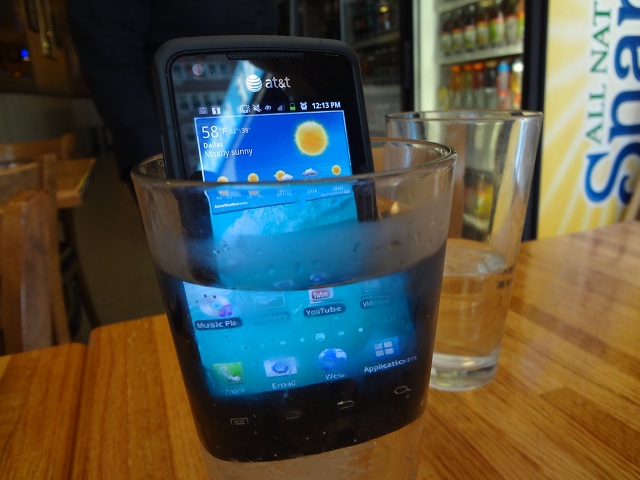
Quick Review: Samsung Rugby Smart

The Rugby Smart is the newest phone in Samsung’s very popular line of Rugby devices. Previous Rugby phones have been known for their durability and rugged design and the new Rugby Smart continues that tradition.

The Rugby Smart is dust-proof, can be submerged in up to 1m of water for 30 minutes, can be dropped from 12+ feet, and can withstand extreme temperatures from -60°F to +160°F. Oh yeah, and it runs on AT&T’s blazing fast 4G network. f

With a 1.4 GHZ processor, 5.0 Megapixel camera with 720p HD Recording capabilities, 3.7 inch Super AMOLED Display, and running on Android’s Gingerbread software, the Rugby Smart is not a phone to be messed with in the spec department.

Can this phone really withstand all the elements AT&T and Samsung are advertising? How does it compare to it’s Rugby predecessors? All of this and more in my review of the Samsung Rugby Smart.

Highlights

  • Design – Samsung did an excellent job designing the Rugby Smart – rugged and durable, but sleek and sophisticated enough to be used at a business meeting or presentation. Samsung also added a screw lock on the battery cover to provide added protection of the battery, SIM card and other internal components.
  • Hardware – The Rugby Smart is no slouch in the hardware department. With a blazing fast 1.4 GHZ processor, 5.0 Megapixel camera with HD Video Recording, 3.7 inch Super AMOLED Display, 32 GB of memory, running on Android’s Gingerbread OS, and 4G Speeds, the Rugby Smart makes a huge leap forward from it’s older relatives.
  • Camera – For a waterproof camera, the 5.0 Megapixel camera on the Samsung Rugby Smart is very good. No over saturating of colors here. See some of my sample pictures below.
  • MIL-STD 810F Military Standard Specifications – My contact at AT&T challenged me to torture the Rugby Smart, and despite all of my efforts, I sent her back a working phone! Bottom line, the Rugby Smart was dropped, drowned, buried, and more… and it still worked. That is really amazing.

Lowlights

  • Battery – The 1650 mAh might get a light to moderate user through the day, but for a person who is on their phone non-stop, making calls, sending emails, looking at websites, and downloading apps, I would recommend you keep a charger or spare battery nearby. For an example, I turned the phone on at 8:00 AM and I would normally get to around 2:00 PM when the phone would notify me that the battery was at 10%.

Conclusion

The Rugby Smart is a pretty impressive device – for the right person. The screen, camera, and internals are very high-end, but the battery is lacking.

If you’re a construction worker, frequent hiker or sports enthusiast, or a person that loves rugged devices, then the Rugby Smart should be right up your alley. It functions well and is indeed resistant to the elements that AT&T and Samsung advertise. It’s just not for hardcore Android fans who need the fastest, newest, phone. You can read more about and purchase the AT&T Samsung Rugby Smart for $99 on AT&T’s website.

Review: Ted Baker iPhone Leather Style Pouch

Are you a trend-setter? What about fashion? Looking for a new, stylish iPhone case? Well look no further – Ted Baker, the famous London designer, has partnered with Proporta to create a new pouch for your iPhone 4 or 4S. The new iPhone pouch is available in two unique colors – Black with an orange Bulldog lining or Brown with a red Spacemen lining. The newly released Ted Baker Pouch is made of the highest quality faux leather, and each is handmade for your pouch. Is new always the best? Can this pouch stand up to other competitors in the iPhone Accessories market? More on this in my review!

Product Quality

The leather in the TB iPhone Pouch is custom-made for your individual case. The leather of the TB Pouch is very soft and subtle, but thick and hard enough to protect your iPhone against scratches or accidental drops. The Ted Baker iPhone Pouch is truly a high-quality case, from the hand-made leather, to the Ted Baker design on the inside of the case, there is no doubt that the effort and keen eye of design is what makes this pouch so beautiful. I couldn’t find anything that I didn’t like about the quality of the product, it was a very high-quality iPhone accessory.

Function

The TB iPhone Pouch uses a unique string pulley system to get the iPhone out of the pouch – to get the iPhone out of the case, you need to pull down on the lace charm and then that pushes the iPhone up out of the case. This works very well for normal, everyday use, but when you want to access your iPhone more quickly, such as answering a phone call, or responding to a text, the pulley system adds another step to using your iPhone.

Overall

The Ted Baker iPhone Leather Pouch is a very stylish, high-end accessory for the iPhone 4 or 4S. The leather, albeit faux, used in the product is second-to-none. The interior design of the case is terrific as well, but, the pulley/lace system used to take your iPhone out of the case is cumbersome and adds another step to getting your iPhone out of the case. I would recommend this pouch to people who love to have great quality, design, and protection in an iPhone case. You can read more about and purchase the Ted Baker iPhone Leather Pouch for $50 on Proporta’s website.

Review: Megaphone by en&is

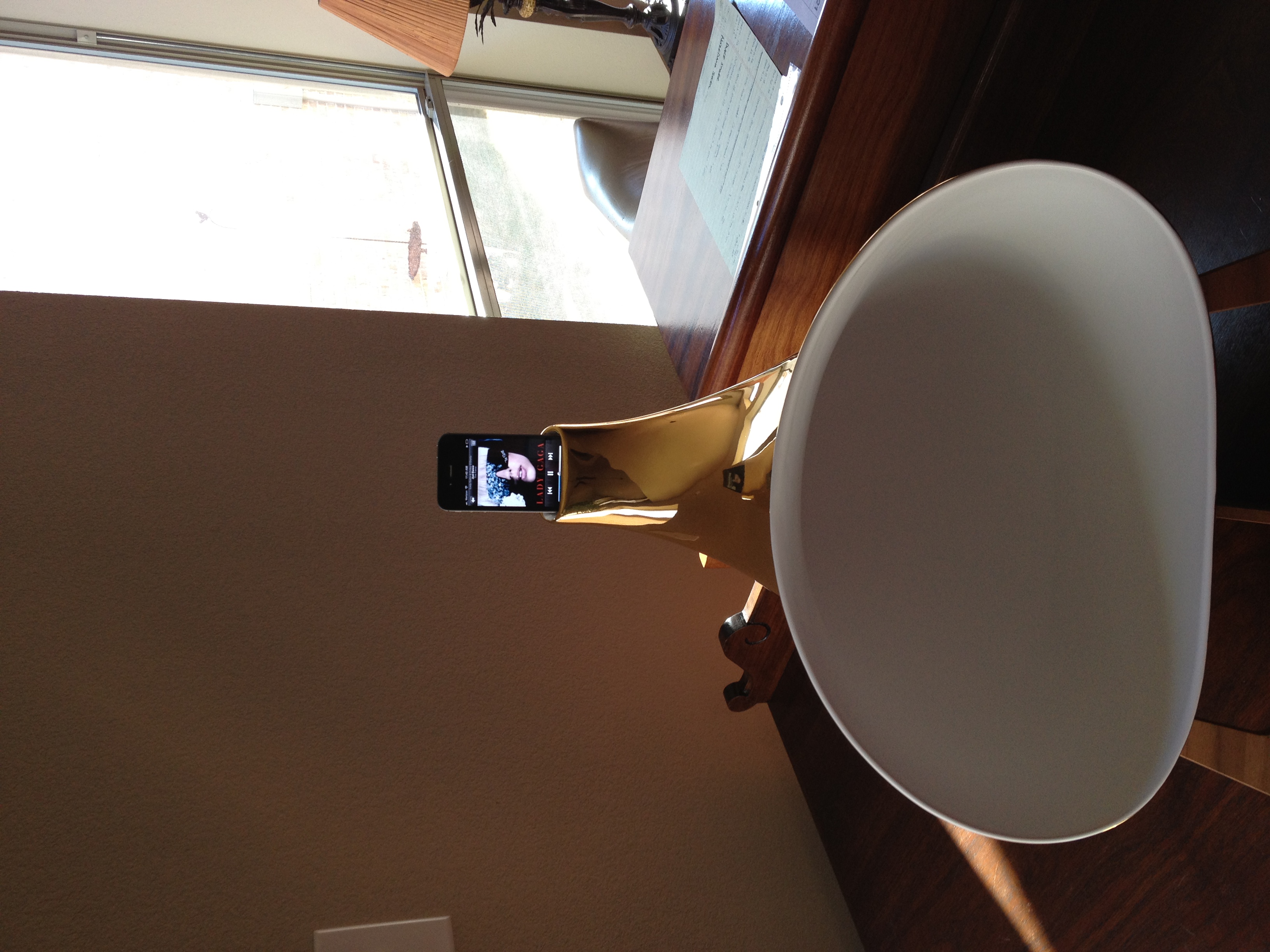
The gorgeously designed Megaphone Amplifier for iPhone created by the Italian company en&is is designed to boost the sound coming from your iPhone or iPod Touch without the use of electricity. People all over the world are using speakers with their iDevices to listen to music, watch movies, or using them for conference calls. The ingenious team at en&is have created this very stylish, yet sophisticated, Megaphone Amplifier which supports almost every iPhone (except the 1st generation iPhone) and is also compatible with the iPod touch. The Megaphone is available in three very distinctive colors; white, black, and gold. The white or black Megaphone costs around $500 USD (399.00 €), and the gold will cost around $800 USD (599.00 €). The Megaphone itself is made out of ceramic and was designed to amplify and optimize the sound for the best output without the need for power or electricity. More on this in my review!

Audio

In my review period, I listened to a variety of music – from dubstep to country – to make sure the Megaphone was tested with a full mix of audio sounds. After completing multiple tests, I realized that the amplifier could easily triple the volume of your iPhone or iPod Touch’s speaker. However, the amplifier lacked bass when listening to dance songs, also, when sitting very close to the Megaphone the audio sounds high-pitched and has a very small listening radius… but both of these issues become less noticeable when the distance between you and the device increases. For a sound test, please watch the video below.

Design

The design of the Megaphone is second to none. Every Megaphone is hand-made in Italy, and it truly is a work of art. The Megaphone looks like something Apple would make, with all the sleek, smooth lines and curves. The Megaphone is a great conversation piece to have in your living room or another large area, but for smaller living quarters, the MegaPhone may overwhelm the space coming in at 17l by 12w by 13h.

Overall

The Megaphone by en&is is a very unique amplifier for your iPhone or iPod touch. It’s a beautiful work of art, and if you are an art collector or have a passion for music and design, this is definitely the speaker to get. You can read more about the Megaphone and purchase the amplifier on en&is’ website.

Review: MacBook Air (13 inch model) [Mid-2011]

The original MacBook Air was more of a style symbol than a computer. Yes it could fit into a manilla envelope, but the $1,799 laptop  trailed behind other ultra-portables in performance, lacking USB ports or a SD slot, and packed a small and slow hard drive. For most people, there were just too many cons over pros for the high asking price.

Then came the major revision,  the second Air was priced significantly less at $1,299 ($999 for the 11-inch version) and included very fast solid state drives, and added one more USB port and a SD card slot. If you didn’t need an optical drive, it had almost about everything it needed to be both a ultraportable business as well as a primary computer, but the older processors still didn’t offer quite enough performance to do the job for some people. Also, in an oversight, the keyboard wasn’t a backlit one.

Which will now bring us to Apple’s 2011 version of the 13-inch MacBook Air. The new Air now has a with a snappy dual-core Core i5 processor (with an i7 option too), a back-lit keyboard, and a new Thunderbolt port, as well as booting Apple’s brand new Mac OS X (10.7). It may look the same as the last Air, but the additions change a lot more than you’d think so. Read on after the break for my full review.

Hardware & Design

The new 13-inch MacBook Air doesn’t look any different than its predecessor – but I don’t think anyone is going to complain about that! When closed, the Air is thicker at the back of the device and tapers like a tear drop, measuring 0.11 inches at the thinnest point and 0.68 at the thickest.

The Air is still stocked with two USB ports (on opposite edges), a 3.5mm headphone jack, and an SD card reader. One big thing that the new Air is still missing is a Ethernet port to connect to the internet while traveling, but Apple offers a USB-to-Ethernet adapter for $29.

Keyboard & Touchpad

Why change something when it’s perfect, right? Well, Apple agrees with that philosophy and kept the chiclet keyboard style, added a backlight and the LaunchPad and Mission Control function keys, which took the place of the Expose and Dashboard shortcuts on the top of the computer. Bottom-line is that the new MacBook Air keyboard has it all!

It’s hard not to go on and on about Apple’s glass touchpad — it simply is the best in the business. The 4.2 x 3.0-inch pad is plenty wide for accommodating all the new multitouch gestures supported in Lion. Not to mention, the sensitivity and responsiveness is just right. Two finger “natural” scrolling, three-finger pinching to bring up LaunchPad, and horizontal swipes to move between desktops, are all effortless and don’t require that extra pressure like most of the Windows 7 laptops.

Display & speakers

There’s no change to the 13.3-inch, 1440 x 900-resolution display. It still has the amazingly wide viewing angles, and though it’s glossy, it doesn’t appear to be as distracting or mirror-y as the MacBook Pro’s display. The speakers and webcam have also been untouched. Sadly, the VGA camera hasn’t gotten the FaceTime HD upgrade, but it served up plenty clear and well-lit images when I put it to the test with some FaceTime calling and PhotoBooth pictures. The Air’s speakers are one of the best laptop speakers in the “Thin Laptop” category. Sure, it’s not going to replace your desktop speakers, but it sounds perfectly pleasant when listening to some music.

Performance

Apple claims that the new Airs pack double the performance of last-years model, and that’s not a stretch. My review unit’s 1.7GHz ultra-low voltage Core i5-2557M processor, 4GB of RAM, and a 256GB SSD showed some impressive benchmark results — even besting a handful of higher spec’d PCs because of its SSD. In actual use, it is twice as fast as the old 13-inch Air. Thanks to the Core i5 muscle and a speedy solid-state drive, apps open almost instantaneously and running multiple applications doesn’t cause any lag. The laptop also boots in a quick 18 seconds.

The entire OS just purrs along and all those worries I once had about using an Air as my primary system have gone away in the past two days of heavy use. There’s no doubt this Air could easily replace my current Core 2 Duo MacBook Pro.

Battery life & Software

When I first saw the benchmarks and felt how much faster the Air was in everyday use, I was worried about the impact on battery life. However, my worries were put to rest. Apple’s 50Wh battery lasts just as long as it did before. I could easily get a day’s usage out of the computer without any need for rushing to go get my charger on an outlet.

The MacBook Airs are the first laptops to be sold with Apple’s new OS X 10.7. I’m not going to get into the software here, but the iOS-influenced operating system seems likes it was built exactly for a system like the Air. As I’ve mentioned above, the new gestures work like a charm and the solid state drives have things speeding along very quickly. I love the new “Natural” Scrolling and the new Mission Control as it gives me a better layout as to what I have open and running on my computer. I’ll also give props to the new Safari, which looks awesome in full screen mode, and the new mail app, which pulls on a lot of the iPad’s UI.

Conclusion

You will be forgiven for thinking that this new MacBook Air isn’t all that it has hyped up to be. It is much more than that! Sure, if you look at it on paper; Apple has only added Lion, a new processor, and a ThunderBolt port. In reality, it’s much more than that: it’s the first Air that’s capable enough to replace not only the old white MacBook but also the MacBook Pro for some mainstream users. The new processors are fast enough for almost any day-to-day task, and the Thunderbolt port allows the system to expand to almost full desktop strength using just a single cable. Oh, and Apple added the backlit keyboard back in.

One thing is clear: you can no longer write off the Air as merely a status symbol or secondary system. This is a grown-up laptop with the kind of horsepower and battery life that will make a lot of users very happy. And yes, it still fits in a manila envelope!

Review: AT&T’s HTC Titan

The new HTC Titan is a big and beautiful piece of technology running on AT&T’s super-fast 4G network. The main question that’s raised by the new 4.7 inch Titan is, how big is too big?  Comparing it to the iPhone, the Titan is a whole 1.2 inches bigger than the iPhones 4S’s retina display screen.

The age of the extra-large smartphone may be already here, but that’s not the only new wave that the Titan is creating. Along with the new 3.7-inch Radar, the Titan is one of HTC’s first phones to ship with the new OS, Mango 7.5. Can it compete with the new iPhone 4S? Or how about the Galaxy Nexus? What about AT&T’s new 4G network? How does it stand up to Sprint’s or Verizon’s? Is the slightly improved internal hardware bump worth the upgrade over a Mango-updated first-generation Windows Phone 7 handset? All of these questions will be answered in the review!

Hardware / design

At 9.9mm (0.39 inches) thick, the Titan is a bit thicker than the iPhone 4S’ 9.3mm (0.37), but when you take the rest of its dimensions (131.5 x 70.7mm / 5.18 x 2.78 inches) into consideration, it actually looks and feels very sleek. Its large frame carries the 160-gram (5.6 ounces) weight well, with a perfect balance between the top and bottom of the device. Exactly as with the Android-powered Sensation 4G before it, the Titan’s sides and back are composed of one, easily removable, aluminum shell. It houses the phone’s antenna in a small plastic compartment and the outside of the Titan is fitted with a dedicated camera button, volume rocker, power / lock key, a 3.5mm headphone jack, and a Micro USB port. It is worth noting that the single-piece aluminum case feels extremely sturdy and rigid, while fit and finish between it and the Titan’s internal components are simply flawless.

For some, reaching the power button in single-hand operation is a chore. The Titan will fit inside your trouser or jacket pocket, though you’ll be constantly aware of its hefty presence. While not officially “awkward”, the ease of use falls short compared to phones in the 3.5- to 4.3-inch range.

The 4.7-inch Super-LCD inside the Titan is simultaneously it’s biggest strength and it’s greatest weakness. This phone’s great appeal (and the reason it makes an awesome first impression) is in the wonderful color reproduction and viewing angles it offers at such an outlandish size. You may have seen the same display technology already used in the likes of the Desire S, Incredible S, and even the HD7S, but until you witness it on the Titan’s scale and used by such a minimalist design, you can’t appreciate just how amazing it is. Blacks are deep, whites are true and uniformly lit across the screen, and colors lose very little of their vibrancy as you start to look at the phone from oblique angles. Watching videos and browsing and composing photos on the Titan’s display is truly a delight!

Where the Titan’s screen lets me down is in its most basic of specifications: resolution. I found WVGA (800 x 480) inadequate for the screen size when reviewing the 4.5-inch Galaxy S II Epic 4G Touch and now that I am looking at it on a 4.7-inch phone, it feels even more so. The Windows Phone tiles are so large that they appear cartoonish and everything else about the Titan’s UI has a similarly magnified appearance. Importantly, the pixel density isn’t so sparse as to let you recognize individual pixels, but Windows Phone already has a number of intentionally oversized UI elements whose additional enlargement on the Titan starts to look a bit comical. This detracts from the phone’s theme of efficiency, as the user is forced to scroll through huge chunks of blank space and excessively large text, whereas they might have expected that buying a larger device would grant them more comfortable viewing.

Battery life & Reception

The Titan runs Qualcomm’s MSM8255 Snapdragon system-on-chip at 1.5GHz. It’s been a very popular chip in Android phones this year, with Sony Ericsson’s 2011 Xperia line using it and HTC inserting it into the Incredible S and Desire S, among other devices. What’s become very clear over time is that this second-generation Snapdragon SoC represents a huge leap forward in terms of power efficiency. That’s very important when comparing the Titan against the first-generation Windows Phone devices as they ran on the first-generation Snapdragon. Due to the S2 chip’s power HTC’s felt confident enough to hitch operational speed up to 1.5GHz. The astonishing thing is that combining that aggressive clock speed with the huge backlight required for the 4.7-inch LCD doesn’t kill the Titan halfway through the day! It consistently lasts beyond 20 hours of regular use (Gmail with push notifications enabled, occasional browsing, photography, video capture and playback, and GPS use) and if you go easy on it, you should have little trouble going from breakfast on Monday to lunch on Tuesday without looking for the charger.

Placing calls on the HTC Titan running on AT&T’s super-fast 4G network were loud and typically crystal clear. The phone was very consistent with the number of bars produced in different areas of Dallas. I had no trouble hearing my callers and they reported the same.

Camera

HTC goes above and beyond Microsoft’s typical specifications by giving the Titan an 8-megapixel, backside-illuminated camera sensor. The wide-angle lens in front of it reaches a max aperture of f/2.2. Those specs are the exact same as the camera on the MyTouch 4G Slide and I wouldn’t be surprised if HTC is re-using the same hardware in the Titan. Either way, pictures shot with the company’s new Windows Phone are of a very high quality, offering a good balance between detail retention and noise reduction. Shrunken down for web use, most of the images coming out of the Titan look splendid.

Windows Phone 7.5 doesn’t make any major alterations to the way the camera software works — you can still go straight into composing a picture by holding down the camera key on the phone’s side, and captured stills can be swiped into view from the left side of the screen. The very easy transition between image capture and gallery browsing remains unchanged, which is a good thing considering how brilliantly it has always worked.

The one issue typical to smartphones that the Titan hasn’t been able to overcome is a limited dynamic range. Strong highlights, such as someones face or the leaves on a tree, tend to be blown out, taking any useful detail with them. HTC is boasting the Titan’s low-light performance, and I would describe it as very average. The front-facing 1.3-megapixel camera is, as you might have guessed, mediocre. Video can be captured at resolutions up to 720p and generally looks attractive and detailed. The one thing that disappointed me was the presence of motion blur on subjects that weren’t moving all that quickly across the video.

Software

All you need to know about the Titan’s software and performance can be edited down to just one sentence: it runs Windows Phone 7.5. Responsiveness, screen resolution, and the all of the preloaded capabilities are identical between the Titan and any other handset running the Mango update. HTC throws its own Hub into the mix, which of course includes a weather app with full-screen animations, but all the other features that it adds (photo enhancer, notes, stocks, and news apps) are also available on all of the company’s Mango-updated smartphones. Another great software addition to the Titan is its inclusion of the HTC Watch app and integrated movie store. Until now, Watch was only available on Android devices like the Sensation and Flyer.

As to the experience of using Windows Phone 7.5 itself, it’s highly impressive. Email threads — called “conversation view” by Microsoft — are a major advance for what was already a very attractive email client, Twitter integration throughout the OS keeps Windows Phone right up to date with the competition, and the new visual multitasking overview is a huge triumph. The tiles have been made more intelligent in what they can display to the user. Microsoft was first to introduce a smart lock screen that provides time, date, alarm, and calendar information alongside notifications for unread messages and missed calls, and it is still among the best that the mobile phone industry has come up with yet.

Tethering, or the ability of your phone to function as a mobile hotspot, has also been added in Mango and works flawlessly on the Titan. You can share your data connection with up to five wireless devices and choose whether to secure it with a password. Internet Explorer 9 in Mango is again unrecognizable from any other Windows Phone 7.5 Mango device.

Moving to Windows Phone requires that you first accept there’ll be apps for other platforms that you can’t access. Microsoft has the budget, as evidenced by its acquisition of Skype, to ensure that big names won’t stay absent from the Windows Phone Marketplace for too long. Compared to Apple’s App Store or even Google’s Android Marketplace, the Windows Phone 7 Market still hasn’t caught up to two mentioned above in both application quantities, and quality applications.

 Overall

Similar to past years, HTC has delivered another thoroughly competitive device with the Titan. The build quality is as good as, if not better than, any other phone in the company’s recent smartphone portfolio, while the improvements in Mango have pulled Windows Phone 7 right up alongside the best in the mobile business in a number of aspects.  Only a limited number of people, mostly professional basketball players, will find this smartphone a perfect fit, as with the rest of us struggling to hold or use the device. App-crazy smartphone users might also be better off looking at a phone running on Apple’s iOS or Google’s Android software, as the Windows Phone Marketplace still has some catching up to do to match its more illustrious competitors. Buying the Titan depends on your priorities: if a big screen for watching movie’s or playing games is interesting and the idea of a more limited third-party app selection and a little extra bulk in your pocket doesn’t sound that bad to you, the Titan is an easy recommendation.