2014 WWDC Event Recap: What You Need To Know

On June 2nd, 2014, Apple held it’s 25th annual Worldwide Developer Conference in lovely San Francisco, California. During the 10:00 AM keynote, Tim Cook took the stage to announce the newest software versions for Mac and iOS: OS X Yosemite and iOS 8, respectively.

Mac

At the Keynote, Apple’s SVP of Software Engineering Craig Federighi, announced the features of their newest Mac software, OS X Yosemite. Yosemite is one of the biggest software updates in the history of Macs – with a new, clean design (resembles iOS 7), updates to Notification Center (app widgets – yay!), iCloud Drive, as well as improvements to Mail, Safari, Spotlight, and more.

With a public beta coming sometime this summer, and a shipping date set for Fall, OS X Yosemite is sure to be a big hit! Apple has added many highly-requested features to their newest operating system, such as AirDrop between iOS and Mac (finally!), and the ability to receive/send phone calls and text messages from your Mac, which is connected via iPhone – pretty impressive!

My favorite features of the new update are the translucent app-windows, a “dark mode” feature that dims toolbars to focus on your work, as well as the new Spotlight search, which now basically lets you search for everything and anything on your Mac, Internet, iTunes, and beyond – extremely cool and future-esque!

iOS

Apple also announced the newest version of operating system for their iPod, iPad, and iPhone line of devices, iOS 8. As with OS X Yosemite, Apple really listened to what the people want – even adding some features previously only available through the jailbreak community as well!

iOS 8 big highlight additions include: * Interactive notifications (quick pull down of the banner) * Better Spotlight search * Group Message improvements and the abilities to add/delete members * An updated keyboard with predictive text capabilities dubbed QuickType * A much-rumored Health app * The ability to password protect certain apps like Photos or Messages * And much, much more!

In an interesting twist, Tim Cook also announced that the iOS 8 software would be more open to developers. Cook even added the option of using a third-party keyboard instead of the regular Apple Keyboard – which is something that’s been on many developers’ wishlist for years!

Other Announcements

Tim Cook reiterated “Continuity” – a new feature that is a part of both iOS 8 and OSX Yosemite. Continuity blurs the lines between phones, laptops, iPads, and desktops. One of the two main features of Continuity is an improved AirDrop which finally allows users to transfer photos and documents between iOS and Mac devices. The second main feature of Continuity adds a “Handoff” feature, which through Wifi/Bluetooth, your computer and iOS device exchange program information in real time. For example: lets say you start to draft an email on your iPad, but then quickly realize that it’s longer than expected, and you would rather write it on your Mac. Now with Handoff, there’s no need to worry about accidentally deleting all of your email text or saving it as a draft and having to wait for your computer to sync. Handoff, with with just a tap of a button, simply allows you to pick up right where you left off on your iPad, on your Mac! Three words: brilliance, speed, and efficiency.

Overall

Overall, WWDC 2014 brought HUGE Apple announcements, and it certainly was a big day for Tim Cook & Team! If you want to read more about Mac OS X Yosemite, Apple has dedicated a page specifically for it here. Additionally, here is the page with more information about iOS 8.

Also, be sure to keep checking back to TeagueLoughman.com for my official review of iOS 8 in the coming weeks!

Scantastic for iPhone Review

imageScantastic is an exciting, new addition to a long line to the Scanner-Apps-for-iPhone World. Recently released to the App Store on December 24th, Scantastic is a clean, super-fast, user friendly iPhone application that allows for simple one-tap scanning of all your receipts, documents, essays, you name it — Scantastic will scan it. 

Scantastic is feature-packed with several different useful “tweaks”:

  1. simply tap the gorgeously designed app icon
  2. scan your document in less than 2 seconds!
  3. “threshold filtering” transforms your document into a simple, clean, black and white PDF. This is my favorite feature of Scantastic, as it makes your document look professionally scanned.
  4. After scanning, you simply shoot your new PDF off in a quick email or share it on social media, etc.

scantasitc-inhand-double-sw

The effort and design that went into creating Scantastic is truly incredible! All of the text and font choices are clear and easily readable! The dark/bright colors are very eye-alluring! As you can see from the screenshots, the UI is simply spectacular.

The design is almost so iOS 7 it feels iOS 8!

scantastic-iphone5-EN-2

Scantastic truly has all the bells & whistles. It will go above and beyond all your scanning needs – and what’s the best part? It’s all in your pocket! Scantastic is a powerful tool for global students and online classroom demands, as well as today’s business professional.

I strongly recommend reading more about and purchasing Scantastic for $1.99 on the Apple App Store.

Quick Review: Peel Super Thin Case for iPhone 5S

photo 5

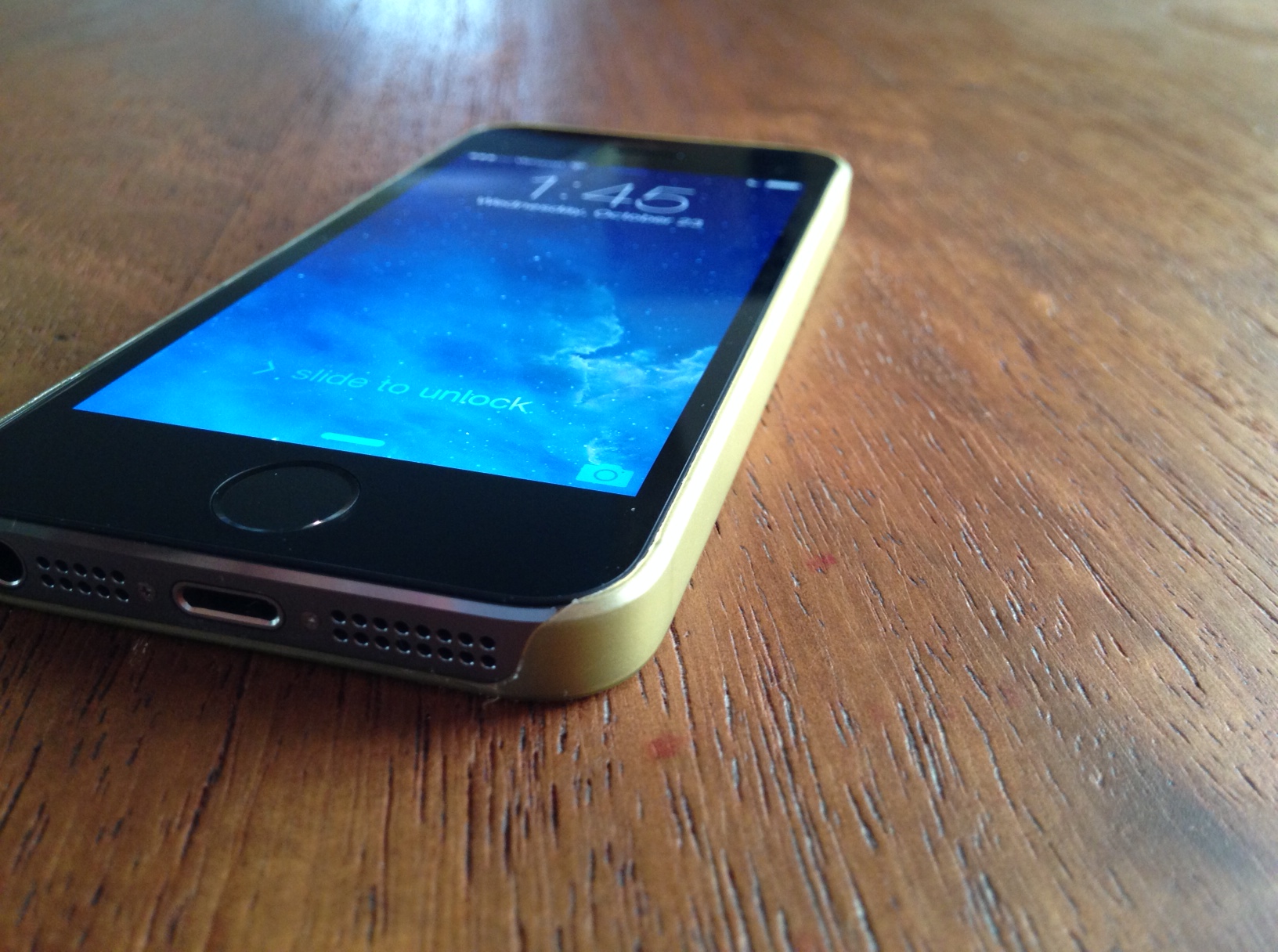
The Peel Super Thin Case for iPhone is exactly what it says it’s going to be: a simple, thin, and branding-free iPhone case that showcases the incredible design of the iPhone 5S.

The Peel Case weighs in at just 0.35mm thick, which is perfect for people who love to have the “naked” feel on their beloved Apple smartphone.

The Peel case ships in three different color variations that resemble that of the iPhone 5S – Black, Gold, & White. I reviewed the Gold version of the case, and I would definitely recommend the Gold color option to everyone who wanted to purchase the champagne-gold iPhone 5S, but due to low stock & high demand, were not able to get acquire one. The gold finish on the Peel Super Thin Case definitely satisfies my champagne/gold smartphone woes, as it makes my new Black / Slate Grey iPhone 5S look more like the Gold iPhone that I thought I really wanted.

As far as protection for your iPhone goes using the Peel case, I would not say that protection is it’s strongest selling-point, however protection was not #1 on the priority list when designing this product.

The Peel Case for iPhone 5S is an excellent case for people who love to use (and show off!) a “naked”-feeling iPhone 5S, and the complete branding-free, see-through, and thin design of the Peel Super Thin Case definitely add to it’s appeal. However, if your protection needs for your iPhone 5S are a little higher than setting it down on tables or the occasional drop, I would recommend looking at a bit heavier/bulkier cases to protect your iPhone.

The Peel Super Thin Case for iPhone 5S, 5C, 5, & 4/S are available on Peel’s website for an amazing deal of just $20.

Make sure to check out my gallery below for more pictures of the Peel Super Thin Case for iPhone 5S in Gold!

Review: CalypsoCrystal Dune CrystalDock

CalypsoCrystal_CrystalDock_use_004_LO

Calypso Crystal is a company that is all about luxury, style, and cutting edge. The CrystalDock definitely shows all of the above mentioned qualities and much, much more. However, can it compete with the technology powered iHome docks? Is it really worth the extra money?

All of these questions and more will be answered in my review of the Dune CrystalDock by Calypso Crystal.

CalypsoCrystal_CrystalDock_use_022_LO

——

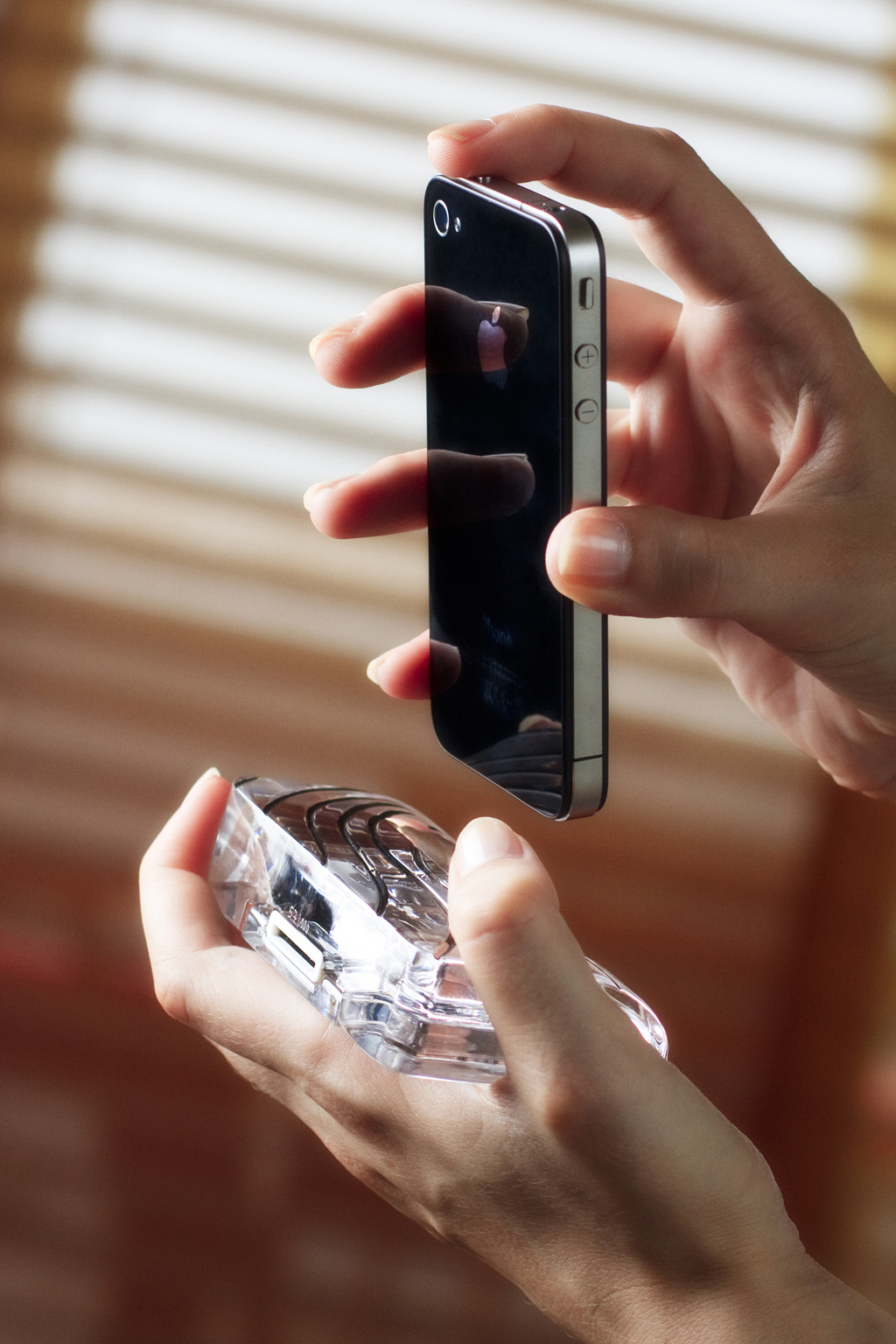
The Dune CrystalDock is all about elegance, luxury, and simplicity, from how the dock is made precisely hand-cut to create asymmetric waves, and then polished to achieve a crystalline shine that sparkles in the sunlight, to the way the dock can be used, as a charging station for your iPhone 4, 4S, 3GS, or 3G.

CalypsoCrystal_CrystalDock_use_018_LO

The Dune CrystalDock does not yet support the iPhone 5 and it’s new Lightning charger design, but CalypsoCrystal has announced that they are working on a iPhone 5/Lightning version that will be coming out soon.

The lines carved into the Dune CrystalDock are incredibly detailed and very alluring to the eye. The crystal used in the Dune is of very high quality, and is sleek and luxurious enough to be found in a office or library, yet simple enough to be used on a kitchen counter to charge your iPhone. The dock is extremely sophisticated and would complement any executive’s desk or bedside table.

CalypsoCrystal_CrystalDock_use_005_LO

I appreciate how sleek and functional the dock is as well, with a well-thought-out slot in the back of the Dune for your charging Apple iPhone charging cable, as well as it only weighing in at just 350 grams, it is light, yet portable enough to carry with you wherever you go.

I highly recommend purchasing the Calypso Crystal Dune CrystalDock for the iPhone 4/3 models as it is luxurious, yet sophisticated. You can read more about and purchase the CrystalDock or any other of Calypso Crystal’s incredible products on their ****website. The CrystalDock starts at $119 and the most expensive is $349.

Make sure to check out my gallery below for more awesome HD shots of the Dune CrystalDock.

Review: LifeProof frē for iPhone 5

4proofs_slider_water_v2

When I reviewed the iPhone 5, I couldn’t stop talking about the new innovative design and larger screen size. That said, the iPhone 5 (like any other iPhone) is very easy to break or smash, so you need to invest in researching and buying for a good case. Enter, the new LifeProof frē case for iPhone 5.

Like the original LifeProof case for the iPhone 4/4S (my review here), the new LifeProof frē protects your precious iPhone from all sorts of weather/danger hazards like water,dirt,snow,dust, and shock. The frë also boasts a brand new thinner design, coming in at 0.5” thin & 5.4” long, as well as a much-needed audio sound enhancement for the speakers.

Can the frē live up to its predecessor and still be used on your iPhone? How does it compare to Otterbox’s Armor series of cases? Is it really worth $79.99 for an iPhone case? All of these questions and more will be answered in my review of the LifeProof frē iPhone 5 case.

——

photo 1

As soon as you take a look at the new LifeProof frē, the first thing that will catch your eye is the new contemporary design. LifeProof totally went back to the drawing board and thought up a slew of fresh new takes on the frē case, starting with the back of the iPhone accessory with a clear back window that allows the Apple logo to be displayed in all of its glory.

The frē for iPhone 5 has completely re-engineered speakers to deliver maximum acoustic output and sound quality. From booming, deep bass to pin-dropping whispers, the new Sound Enhancement System on the frē works and sounds a million times better than its precursor case for iPhone 4/4S.

photo 3

As for protecting your iPhone, you can’t get any better than the frē. LifeProof tests all of their LifeProof line accessories to be up to standard with all military specifications (Military Standard 810F-516), which keeps the case strong and durable under any stressful conditions.

I have fervently tested the LifeProof frē for iPhone 5 Case with multitude of different trials and experiments, from dropping the frē from varying heights, to going for a swim with my iPhone, the frē case has passed all of my testings with flying colors (something that is not easy to do).

—-

photo 5

Overall, I would highly recommend the LifeProof frē for iPhone 5 case to anyone that uses their iPhone in places where it can become easily broken or damaged, like working in construction or fishermen. The LifeProof frē can also be used for people like me, who want to have the best protection for their precious investment of an iPhone 5.

Compared to Otterbox’s $100 Armor Series, the $79.99 LifeProof frē completely outshines the Armor Series cases in design, functionality, as well as customer support. Plus, who doesn’t love saving money?!

The LifeProof frē for iPhone 5 is the perfect case for protecting your fifth-generation iPhone from all sorts of possible danger, while still maintaining the phone’s sleek design and form factor. You can read more about the LifeProof frē for iPhone 5 on LifeProof’s website and purchase the accessory here.

Review: Apple iPad Mini

ipad-mini-mock
The iPad Mini – a device that has been rumored since the original iPad was announced in 2010 – is finally here. With it, comes some new features and tricks like the newly updated 7.9 inch display, Apple’s A5 chip, and the 5 megapixel back camera, to name a few.

Can this new iPad beat out the Kindle Fire HD or the Google Nexus 7?

How is the new iPad Mini compared to the iPad?

Which iPad should I get?

All of these questions will be answered and more in my review of the Apple iPad Mini.

————-

Hardware

ipad-mini-1-rerview

The iPad Mini is available in 2 color options, White & Silver or Black & Slate and it comes in 3 storage options: 16GB, 32GB, or 64GB. I reviewed the Black & Slate 64GB model.

The iPad Mini screams through web-browsing, playing games, & checking your emails. I experienced no lag at all, which is very impressive, especially with the new, smaller form-factor. The Apple-made A5 chip is the same processor that’s used in the iPhone 4S & iPad 2, which allows the Mini to cruise through everyday tasks, but for hard-core gamers, I would recommend checking out Apple’s new iPad with Retina Display.

The cameras on the iPad Mini are perfect for FaceTiming with friends and family, with the front-facing camera having a 1.2 MP sensor with HD video recording capabilities and the back camera having 5 MP and 1080p HD video recording. If your into taking and sharing pictures for Instagram or Facebook, it might be better to use your iPhone or smartphone as the iPad Mini’s back camera is considerably weaker than the iPhone 5’s 8 MP camera.

Apple created the iPad Mini mainly for people who are constantly on the go, plus the younger set too! The new display size is definitely more portable coming in at 7.9 inches compared to the iPad’s 9.7 inch Retina display. The iPad Mini’s display may not be “Retina” like it’s sister, the iPad, but because of the smaller display size, text & pictures look very sharp and crisp on the Mini’s display.

Software

ipad-mini-landscape

Apple’s iOS software has kept getting better and better each year. Now with the release of iOS 6 this past fall, it is even better. iOS is all based on simplicity and functionality, while still keeping a beautiful user interface.

The iPad Mini comes with Siri, Apple’s new personal assistant, which allows you to ask anything from where to go for dinner or what the score was of the New York Jets latest game, all by talker to “her”. Sometimes Siri isn’t always on par though, and every so often she misunderstands a word or statement, but it’s easy to correct by tapping on the text that you entered and editing using the on-screen keyboard. In most of my testing however, Siri always handled my requests readily with few mistakes.

Also coming pre-loaded on the iPad Mini is FaceTime capabilities, Apple Maps, and iMessage, which adds more great features to the iPad Mini.

FaceTime is a great way to connect with friends and family using the front-facing camera. FaceTime works wherever there’s Wifi available and it uses the front and back facing cameras. Using the app is very simple, and after a few clicks, you’ll be talking with friends and loved ones in no time.

Apple Maps has received a lot of bad coverage in the media over leading users to the wrong addresses or places, but Apple has released a PR announcement saying that they know this is something to work on, and they are putting a lot of effort into making this a better feature in iOS 6. In my testing, all of my Maps navigations correctly led me to the right locations.

iMessage is another way to connect with friends and family over Wifi. You can iMessage anyone that has an iPhone, iPad, or iPod Touch, once you set up your Apple ID your good to go!

Overall

ipad-mini-siri

Overall, the iPad Mini is great for people on the go, or for students who need to write notes and read textbooks. The iPad Mini is super-fast, crystal-clear, and has over 275,000 iPad apps on the App Store at your fingertips. If you are a hard-core gamer or are a professional photographer who might need better graphics or the Retina Display, then I suggest looking at a regular iPad.

The iPad Mini is available from Apple.com starting at $329 USD.

Review: Apple iPhone 5

The Apple iPhone 5 – a smartphone that has been rumored, wished, and talked about – is finally here and it’s packing a huge punch with a brand new A6 processor, bigger screen, new design, and super fast 4G LTE. Not a bad upgrade from the iPhone 4S!

Apple is one of the leading tech companies all around the world, with their vast product line of Macs, iPods, iPhones, & displays. Every year, there is always that one must-have smartphone and most of the time, Apple’s iPhone is that particular device.

Can this new iPhone 5 keep up that must-have smartphone standard? Is it that much better than the iPhone 4/4S to warrant an upgrade? Is 4G LTE that much faster than 3G? All of these questions and more will be answered in my review of the Apple iPhone 5 below.

—-

Design
Apple has always been known for their unique sense of design and in particular, their design used on the iPhone 4 & 4S smartphones. The iPhone 4/4S had people from all around the world ranting and raving about the sleek, glass and aluminum combination of the smartphones. These Apple devices set a standard for smartphone manufacturers to not only release high-quality products, but high-quality products with a great design and the new iPhone 5’s design takes Apple quality to a new level of craftsmanship.

Apple added a bigger screen to the iPhone 5 coming in at 4 inches (9 millimeters taller than the iPhone 4/4S). The iPhone 5 is the same width as the iPhone 4/4S, so typing with one hand is just as easy. With this added screen real-estate, the iPhone 5 also has 18% more pixels than the iPhone 4S for an impressive 1136-by-640 resolution, which makes playing games, watching movies, and even checking email, a vivid, visual delight! The color has also received a boost compared to previous iPhone models with a color saturation that is 44% greater than before.

The Apple new smartphone is just 7.6 millimeters thin and weighs in at 3.95 ounces, which despite the iPhone 5’s added screen size, makes the phone feel very thin & light in the hand; without feeling cheap or inexpensive. The iPhone 5 is 18% thinner, 20% lighter, and there is 12% less volume than the iPhone 4S.

Apple introduced a new design with the iPhone 5 as well, as the back of iPhone 5 is made of anodized 6000 series aluminum (same material used in Apple Macs) with the inlays along the top and bottom made of ceramic glass (white & silver model) or pigmented glass (black & slate model). This new design for the iPhone 5 makes it an even more beautiful device to look at and it truly is a work-of-art.

Hardware


The iPhone 5 is a beast of a smartphone, complete with 4G LTE, a blazing fast new A6 processor, and well as an 8 megapixel iSight camera on the back & an 1.2 megapixel FaceTime-ready HD webcam on the front.

The new A6 processor on the iPhone 5 makes almost everything faster. Opening apps, multitasking, editing movies or music, or creating Keynote projects, is now a breeze; without any lagging or hesitation. You might not think that the A6 processor does much on paper, but when you get your hands on an iPhone 5, you’ll realize how important it is for everyday things.

I reviewed an iPhone 5 running on Verizon’s 4G LTE network, which is one, if not THE fastest data network for a US mobile phone carrier. Downloading apps, movies, & music was very quick and again, it is a massive improvement over the 3G network that the 4S and iPhone 4 run on.

I didn’t really notice that much of a difference between the camera on the iPhone 4S and iPhone 5. What I did notice was a huge difference in the photo quality of the front camera on the iPhone 5 compared to previous generations, however. Photos using the front camera were much clearer and less pixel-y than before, which is perfect for people who enjoy taking pictures of themselves or FaceTiming friends & family.

Software


The software that is shipping with the iPhone 5 is Apple’s brand new iOS 6, which was announced at WWDC 2012 back in June and was released to the public on September 19th.

iOS 6 isn’t as much as a revolutionary software update as iOS 4/5 were, but is more geared to tweaking and creating a better user experience around all iOS devices. Some of the new features include; updated UI (from grey to light blue/silver) in the standard Apple apps, Passbook, Do Not Disturb, brand new Maps, Facebook integration, FaceTime over 3G/4G LTE, new emojis 🙂 (LOL), and many more updates as well.

Passbook is an app that allows you to save boarding passes, movie tickets, retail coupons, loyalty cards, and more are now all in one place. You can add passes to Passbook through apps, emails, & website from participating businesses. It’s a great idea and I love using it with my gift cards, as I don’t have to go digging through my car’s pockets to find my gift card. Passbook will also send you push notifications when you arrive at a location that you have a Passbook pass for, which is very handy if your at the airport or walk into a store to redeem your favorite gift cards!

Do Not Disturb has to be my most used feature on iOS 6. Do Not Disturb allows push notifications to come through to your phone, but when the notifications come in, the screen will not turn on and a sound will not be played. However, when you turn the screen back on, all your notifications will be waiting on your lock screen. I use Do Not Disturb regularly! Another great feature about Do Not Disturb is that you can allow your “Favorites” calls and text messages to come through normally but still collect other notifications not set as your Favorites in the lock screen.

Apple has redesigned their Maps application from the ground up, which means they have completely gotten rid of their Google-hosted maps, which is a good and bad thing. The good is that it looks stunning, but the new Maps app isn’t as updated as the Google Maps with driving directions and correct locations. Also added in the new Maps app, is visual and spoken turn-by-turn directions as well as real-time traffic updates.

Overall, the new iOS 6 software isn’t REvolutionary but more EVolutionary. With all these new features and tweaks, it makes using the iPhone 5 even easier & faster than before. Every year, Apple makes its iOS software even better, and this year is not any different.

Overall


The new iPhone 5 is a beast of a device – with the new design, upgraded hardware, bigger & brighter screen, faster 4G LTE speeds, and new iOS 6 software, the iPhone 5 has yet again set the smartphone bar very high for competing mobile phone manufacturers.

The iPhone 5 is available in two colors: Black & Slate, or White & Silver. Prices for the iPhone 5 on a cellular contract are 16 GB ($199), 32 GB ($299), and 64 GB ($399).

The new iPhone 5 is available on Verizon Wireless, AT&T, and Sprint.

You can read more about and purchase the iPhone 5 on Apple’s website.

Review: Olloclip lens for iPhone

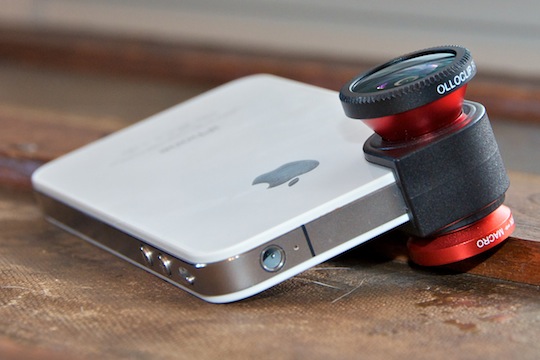
Designed by a startup duo in California, the Olloclip was a project successfully funded by Kickstarter.com. The accessory brings the functionality of three lenses to your iPhone 4 or 4S, macro, fish-eye, and wide-angle, and it almost does that well enough for you to leave the professional equipment at home! I had a blast shooting with the Olloclip, and I think you will too. Read on in my review of the Olloclip to find out why!

Usability

The Olloclip is very easy to use. You don’t need to install any software, though it’s compatible with any and all iPhone apps. And mounting or swapping lenses just takes a second. I also want to point out that using the wide-angle lens for shooting video was a completely different experience than without the lens. When shooting video, you can definitely see what you’re missing when shooting without the Olloclip. (See video and image samples below)

Appearance

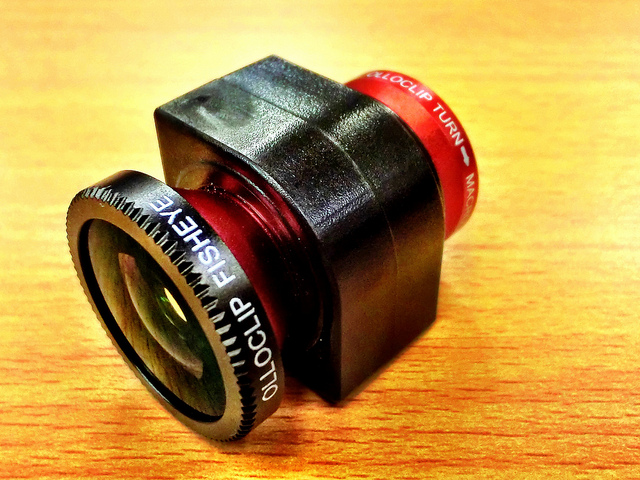
At first glance, the Olloclip only appears to include two lenses, but unscrewing the wide-angle reveals the cleverly hidden macro lens. To use any of the built-in lenses, simply slide the Olloclip over the iPhone’s camera. The Olloclip fits quite snug, so you can rotate the phone, walk around, and even slip your phone into a bag without worrying about the lens slipping off. It’s also easy to reposition — to swap the wide-angle for the fisheye, for example, just flip the entire clip around so that the lens you want to use is facing forward.

The Olloclip comes with lens caps for both primary lenses, and a small carrying pouch that also doubles as a microfiber cleaning cloth. The device is available with either black or red barrels – both constructed from high-quality aluminum. The multi-element lenses are constructed of precision-ground glass, and that’s clearly reflected in the image quality I was able to achieve.

Image Quality
Pictures I shot with all three lenses were sharp and vibrant, and very distinctive from those captured with the iPhone’s native lens. Some pictures had barrel distortions, but for the fish-eye lens, that’s the point right?

I was most impressed with the macro lens, which basically functions as a powerful magnifying glass for your iPhone. I was able to capture incredible detail with this lens. This point alone is enough to justify the expense of adding the Olloclip!

Sample Pictures

Overall

Overall, the Olloclip gives the iPhone’s camera a much-needed lift with three filters and fun effects. I’d especially recommend it for both professional and novice photographers who love adding effects to their photos while keep the quality of their images very high. You can read more about and purchase the Olloclip here.

Review: Ted Baker iPhone Leather Style Pouch

Are you a trend-setter? What about fashion? Looking for a new, stylish iPhone case? Well look no further – Ted Baker, the famous London designer, has partnered with Proporta to create a new pouch for your iPhone 4 or 4S. The new iPhone pouch is available in two unique colors – Black with an orange Bulldog lining or Brown with a red Spacemen lining. The newly released Ted Baker Pouch is made of the highest quality faux leather, and each is handmade for your pouch. Is new always the best? Can this pouch stand up to other competitors in the iPhone Accessories market? More on this in my review!

Product Quality

The leather in the TB iPhone Pouch is custom-made for your individual case. The leather of the TB Pouch is very soft and subtle, but thick and hard enough to protect your iPhone against scratches or accidental drops. The Ted Baker iPhone Pouch is truly a high-quality case, from the hand-made leather, to the Ted Baker design on the inside of the case, there is no doubt that the effort and keen eye of design is what makes this pouch so beautiful. I couldn’t find anything that I didn’t like about the quality of the product, it was a very high-quality iPhone accessory.

Function

The TB iPhone Pouch uses a unique string pulley system to get the iPhone out of the pouch – to get the iPhone out of the case, you need to pull down on the lace charm and then that pushes the iPhone up out of the case. This works very well for normal, everyday use, but when you want to access your iPhone more quickly, such as answering a phone call, or responding to a text, the pulley system adds another step to using your iPhone.

Overall

The Ted Baker iPhone Leather Pouch is a very stylish, high-end accessory for the iPhone 4 or 4S. The leather, albeit faux, used in the product is second-to-none. The interior design of the case is terrific as well, but, the pulley/lace system used to take your iPhone out of the case is cumbersome and adds another step to getting your iPhone out of the case. I would recommend this pouch to people who love to have great quality, design, and protection in an iPhone case. You can read more about and purchase the Ted Baker iPhone Leather Pouch for $50 on Proporta’s website.

Review: AT&T’s HTC Titan

The new HTC Titan is a big and beautiful piece of technology running on AT&T’s super-fast 4G network. The main question that’s raised by the new 4.7 inch Titan is, how big is too big?  Comparing it to the iPhone, the Titan is a whole 1.2 inches bigger than the iPhones 4S’s retina display screen.

The age of the extra-large smartphone may be already here, but that’s not the only new wave that the Titan is creating. Along with the new 3.7-inch Radar, the Titan is one of HTC’s first phones to ship with the new OS, Mango 7.5. Can it compete with the new iPhone 4S? Or how about the Galaxy Nexus? What about AT&T’s new 4G network? How does it stand up to Sprint’s or Verizon’s? Is the slightly improved internal hardware bump worth the upgrade over a Mango-updated first-generation Windows Phone 7 handset? All of these questions will be answered in the review!

Hardware / design

At 9.9mm (0.39 inches) thick, the Titan is a bit thicker than the iPhone 4S’ 9.3mm (0.37), but when you take the rest of its dimensions (131.5 x 70.7mm / 5.18 x 2.78 inches) into consideration, it actually looks and feels very sleek. Its large frame carries the 160-gram (5.6 ounces) weight well, with a perfect balance between the top and bottom of the device. Exactly as with the Android-powered Sensation 4G before it, the Titan’s sides and back are composed of one, easily removable, aluminum shell. It houses the phone’s antenna in a small plastic compartment and the outside of the Titan is fitted with a dedicated camera button, volume rocker, power / lock key, a 3.5mm headphone jack, and a Micro USB port. It is worth noting that the single-piece aluminum case feels extremely sturdy and rigid, while fit and finish between it and the Titan’s internal components are simply flawless.

For some, reaching the power button in single-hand operation is a chore. The Titan will fit inside your trouser or jacket pocket, though you’ll be constantly aware of its hefty presence. While not officially “awkward”, the ease of use falls short compared to phones in the 3.5- to 4.3-inch range.

The 4.7-inch Super-LCD inside the Titan is simultaneously it’s biggest strength and it’s greatest weakness. This phone’s great appeal (and the reason it makes an awesome first impression) is in the wonderful color reproduction and viewing angles it offers at such an outlandish size. You may have seen the same display technology already used in the likes of the Desire S, Incredible S, and even the HD7S, but until you witness it on the Titan’s scale and used by such a minimalist design, you can’t appreciate just how amazing it is. Blacks are deep, whites are true and uniformly lit across the screen, and colors lose very little of their vibrancy as you start to look at the phone from oblique angles. Watching videos and browsing and composing photos on the Titan’s display is truly a delight!

Where the Titan’s screen lets me down is in its most basic of specifications: resolution. I found WVGA (800 x 480) inadequate for the screen size when reviewing the 4.5-inch Galaxy S II Epic 4G Touch and now that I am looking at it on a 4.7-inch phone, it feels even more so. The Windows Phone tiles are so large that they appear cartoonish and everything else about the Titan’s UI has a similarly magnified appearance. Importantly, the pixel density isn’t so sparse as to let you recognize individual pixels, but Windows Phone already has a number of intentionally oversized UI elements whose additional enlargement on the Titan starts to look a bit comical. This detracts from the phone’s theme of efficiency, as the user is forced to scroll through huge chunks of blank space and excessively large text, whereas they might have expected that buying a larger device would grant them more comfortable viewing.

Battery life & Reception

The Titan runs Qualcomm’s MSM8255 Snapdragon system-on-chip at 1.5GHz. It’s been a very popular chip in Android phones this year, with Sony Ericsson’s 2011 Xperia line using it and HTC inserting it into the Incredible S and Desire S, among other devices. What’s become very clear over time is that this second-generation Snapdragon SoC represents a huge leap forward in terms of power efficiency. That’s very important when comparing the Titan against the first-generation Windows Phone devices as they ran on the first-generation Snapdragon. Due to the S2 chip’s power HTC’s felt confident enough to hitch operational speed up to 1.5GHz. The astonishing thing is that combining that aggressive clock speed with the huge backlight required for the 4.7-inch LCD doesn’t kill the Titan halfway through the day! It consistently lasts beyond 20 hours of regular use (Gmail with push notifications enabled, occasional browsing, photography, video capture and playback, and GPS use) and if you go easy on it, you should have little trouble going from breakfast on Monday to lunch on Tuesday without looking for the charger.

Placing calls on the HTC Titan running on AT&T’s super-fast 4G network were loud and typically crystal clear. The phone was very consistent with the number of bars produced in different areas of Dallas. I had no trouble hearing my callers and they reported the same.

Camera

HTC goes above and beyond Microsoft’s typical specifications by giving the Titan an 8-megapixel, backside-illuminated camera sensor. The wide-angle lens in front of it reaches a max aperture of f/2.2. Those specs are the exact same as the camera on the MyTouch 4G Slide and I wouldn’t be surprised if HTC is re-using the same hardware in the Titan. Either way, pictures shot with the company’s new Windows Phone are of a very high quality, offering a good balance between detail retention and noise reduction. Shrunken down for web use, most of the images coming out of the Titan look splendid.

Windows Phone 7.5 doesn’t make any major alterations to the way the camera software works — you can still go straight into composing a picture by holding down the camera key on the phone’s side, and captured stills can be swiped into view from the left side of the screen. The very easy transition between image capture and gallery browsing remains unchanged, which is a good thing considering how brilliantly it has always worked.

The one issue typical to smartphones that the Titan hasn’t been able to overcome is a limited dynamic range. Strong highlights, such as someones face or the leaves on a tree, tend to be blown out, taking any useful detail with them. HTC is boasting the Titan’s low-light performance, and I would describe it as very average. The front-facing 1.3-megapixel camera is, as you might have guessed, mediocre. Video can be captured at resolutions up to 720p and generally looks attractive and detailed. The one thing that disappointed me was the presence of motion blur on subjects that weren’t moving all that quickly across the video.

Software

All you need to know about the Titan’s software and performance can be edited down to just one sentence: it runs Windows Phone 7.5. Responsiveness, screen resolution, and the all of the preloaded capabilities are identical between the Titan and any other handset running the Mango update. HTC throws its own Hub into the mix, which of course includes a weather app with full-screen animations, but all the other features that it adds (photo enhancer, notes, stocks, and news apps) are also available on all of the company’s Mango-updated smartphones. Another great software addition to the Titan is its inclusion of the HTC Watch app and integrated movie store. Until now, Watch was only available on Android devices like the Sensation and Flyer.

As to the experience of using Windows Phone 7.5 itself, it’s highly impressive. Email threads — called “conversation view” by Microsoft — are a major advance for what was already a very attractive email client, Twitter integration throughout the OS keeps Windows Phone right up to date with the competition, and the new visual multitasking overview is a huge triumph. The tiles have been made more intelligent in what they can display to the user. Microsoft was first to introduce a smart lock screen that provides time, date, alarm, and calendar information alongside notifications for unread messages and missed calls, and it is still among the best that the mobile phone industry has come up with yet.

Tethering, or the ability of your phone to function as a mobile hotspot, has also been added in Mango and works flawlessly on the Titan. You can share your data connection with up to five wireless devices and choose whether to secure it with a password. Internet Explorer 9 in Mango is again unrecognizable from any other Windows Phone 7.5 Mango device.

Moving to Windows Phone requires that you first accept there’ll be apps for other platforms that you can’t access. Microsoft has the budget, as evidenced by its acquisition of Skype, to ensure that big names won’t stay absent from the Windows Phone Marketplace for too long. Compared to Apple’s App Store or even Google’s Android Marketplace, the Windows Phone 7 Market still hasn’t caught up to two mentioned above in both application quantities, and quality applications.

 Overall

Similar to past years, HTC has delivered another thoroughly competitive device with the Titan. The build quality is as good as, if not better than, any other phone in the company’s recent smartphone portfolio, while the improvements in Mango have pulled Windows Phone 7 right up alongside the best in the mobile business in a number of aspects.  Only a limited number of people, mostly professional basketball players, will find this smartphone a perfect fit, as with the rest of us struggling to hold or use the device. App-crazy smartphone users might also be better off looking at a phone running on Apple’s iOS or Google’s Android software, as the Windows Phone Marketplace still has some catching up to do to match its more illustrious competitors. Buying the Titan depends on your priorities: if a big screen for watching movie’s or playing games is interesting and the idea of a more limited third-party app selection and a little extra bulk in your pocket doesn’t sound that bad to you, the Titan is an easy recommendation.