
Are you one of those people who like to tweet in the shower? How about Facebook in the bathtub? Taking pictures in the pool? There are tons of reasons, weird and not, why people would want to do these things, and that’s where the LifeProof iPhone case comes in.
A little about LifeProof:
LifeProof is a young, vibrant company based in San Diego that designs, manufactures and markets LifeProof cases for all-environmental protection, functionality and interactivity to SmartPhones and Tablet PCs.
The registered brand name ‘LifeProof’ is inspired by the protection and fully functional convenient operation of the device in rain, in water while swimming or surfing, in mud, sand, dust, snow or ice. The company mantra is ‘Freedom’ – freedom to be connected anywhere with your mobile device; freedom to build relationships, gain knowledge, exercise, and juggle work; freedom for all people anywhere to go everywhere.
So can this LifeProof case really protect your iPhone from all these elements? To find out, keep reading my review of the LifeProof case for iPhone!
—-

Quality
The LifeProof case is made out of very durable, hard plastic, that will protect your precious iPhone from scratches, drops, and more. All of the materials used in the LifeProof case are of very high-quality, and your paying for it. After my two weeks of testing the LifeProof case, I saw no signs of deterioration, scratches, or any of the color chipping or rubbing off, something that I feel is pretty incredible after all the torturous things I put the LifeProof case through. (If you don’t believe me, look at the image gallery.)
Usability/Design
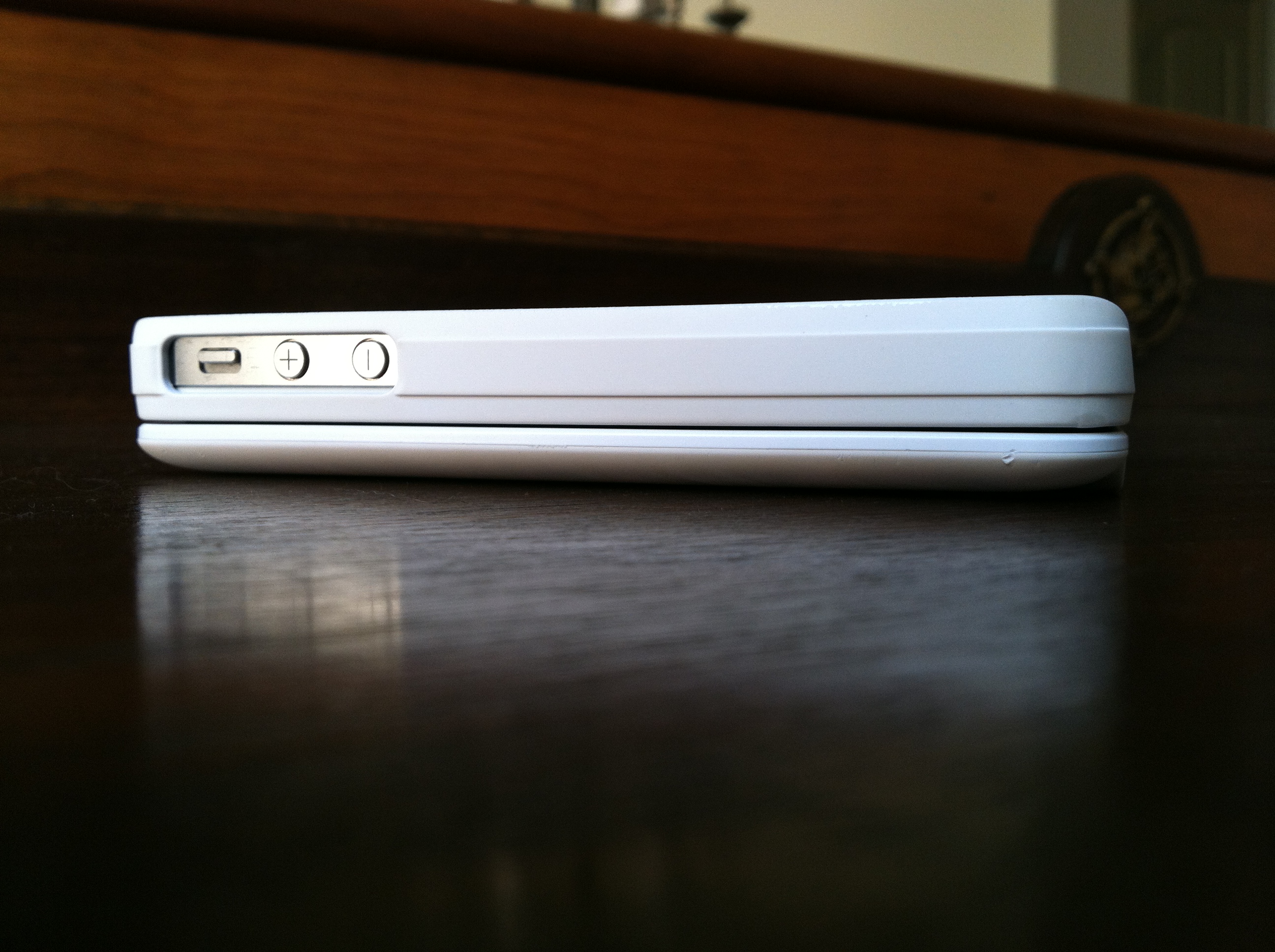
Usually adding this much protection in one case makes your iPhone very bulky and heavy, but the LifeProof case manages to keep a sleek-profile by adding only 1/16 inches (1.5mm) to your iPhone.
The LifeProof case is also very light, weighing in at 28 grams, so you don’t have to worry about it adding any extra weight to your iPhone. Also, the LifeProof case is available in 4 unique colors; Black, White, Pink, & Purple.
The designers at LifeProof did an excellent job creating the LifeProof case as well, by adding slots for the charging port as well as the headphone jack at the top of the iPhone. Also on the back, the designers did a great job with the camera by making sure that it was very protected while taking away from the clarity of the 4S’ 8 megapixel and new optics.
Protection
This is the main thing that everyone cares about for the LifeProof case. Can it protect your iPhone if you drop it? What about going underwater? What happens if you run it over?
LifeProof has run many tests on their new LifeProof case (videos here), and so have I, and I can whole-heartedly say that the LifeProof case is a tank of a iPhone case.
LifeProof states on their website that the LifeProof case “has a unique design that makes it waterproof to a rated depth of 2 Meters (6.6ft)”, and I tested that thoroughly and I can prove this statement true, having submerged my iPhone many times in pools, bath-tubs, sinks, coolers, etc… and each time my iPhone came out of the LifeProof case dry as a bone.
LifeProof also states on their website that the LifeProof case “is designed for a high degree of shock and impact protection and has been tested to Military Specifications MIL-STD-810F-516.5. Meaning that it can be dropped on all surfaces and edges onto concrete from a height of 2 meters (or 6.6ft).” I can also say this statement is true and more so, as I have dropped my iPhone from greater distances and it came out of the LifeProof case perfectly fine.
Overall

Right now this is THE iPhone case to beat in terms of protection, functionality, and design. LifeProof has done an amazing job in creating their first product and I can’t wait to see what they come up with next. You can read more about the LifeProof case and purchase it on LifeProof’s company website here.




 Teague Loughman