Review: Puurco iPhone Wallet Case

I love using my iPhone without anything on it. Who doesn’t? But to keep your iPhone protected from scratches, dents, or accidental drops, you might want to look into buying a sleeve or case for your precious iDevice, and that’s where the Puurco iPhone Wallet Case comes in to play!

A little about Puurco:

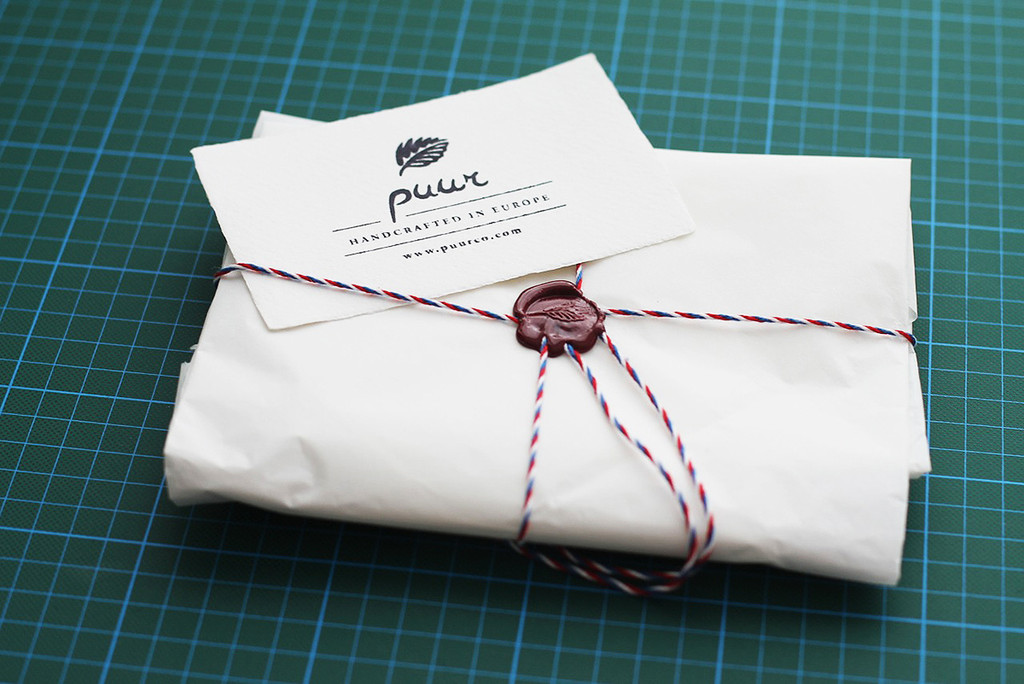
PuurCo is a European label for handmade sleeves and bags for your electronic devices. It was founded by Susan and Martin in the beautiful city of Prague, in the heart of Europe, in 2012.

The history and tradition of the Czech Republic has inspired them to make quality, handmade products from natural materials. Due to the time-consuming handmade process, though, their production is limited.

Want to know if the Puurco iPhone Case is the answer to all your “iPhone Accessory Dreams”? Keep on reading my review to find out!

—-

Style / Design

Made from a combination of anthracite 100% Merino wool felt from Germany and high quality leather, the Purrco iPhone case feels and looks great in your hand or pocket. Also, the credit-card-pocket is made from high quality 100% vegetable-tanned leather and hand-stitched to base, which gives it a very soft and elegant touch.

Usability

The iPhone 4 and 4S have a spectacular design and who would want to cover that up with a big, bulky case? A lot of people wouldn’t (myself included), and that’s where Puurco iPhone Case comes into play.

Using the Purrco iPhone Wallet Case on your iPhone is the best of both worlds – you protect your iPhone from getting scratched, dented, or dinged when you’re not using it, but when you are, you still get the amazing feel and look of the iPhone itself. Another great thing about the Puurco Wallet case is that it is super easy to fit into pocketbooks, purses, man-purses, pockets, or even briefcases!

It’s super easy to get your iPhone out of the Wallet Case, just pull the top half of your phone, and it slides right out of the case. No confusing pulley systems or flaps on this iPhone case!

Overall

Overall, the Puurco iPhone Wallet Case is an amazing sleeve for your iPhone. It looks stylish and sophisticated all while protecting your iPhone whenever you’re not using it.

Another great feature about the Purrco iPhone case is that it also has a wallet, so you can carry around your money, credit cards, hotel room keys, or frequent-Froyo-customer cards.

If you want to purchase or read more about the Puurco iPhone case, you can do all of  that on Puurco’s website.

Review: Boxwave KeyboardBuddy iPhone Case

Millions of people are very happy with Apple’s on-screen virtual keyboard, but many still desire a tactile response only a physical keypad can provide. Apple has stated in the past that it sees no point in adding a hardware QWERTY keyboard onto the iPhone, but the company goes back and forth so many times with iOS products that no one knows what to believe.

Knowing this, BoxWave thought of a way to use the iPhone’s Bluetooth technology and build a case that had a physical QWERTY keyboard. It’s great for people who want Apple to add a QWERTY to the iPhone, but will it lure over virtual-keyboard-users over? How is it compared to the other Bluetooth Keyboard Cases for the iPhone? I’ll answer all of these questions and more in my review of the BoxWave KeyboardBuddy case for iPhone 4 & 4S.

Design

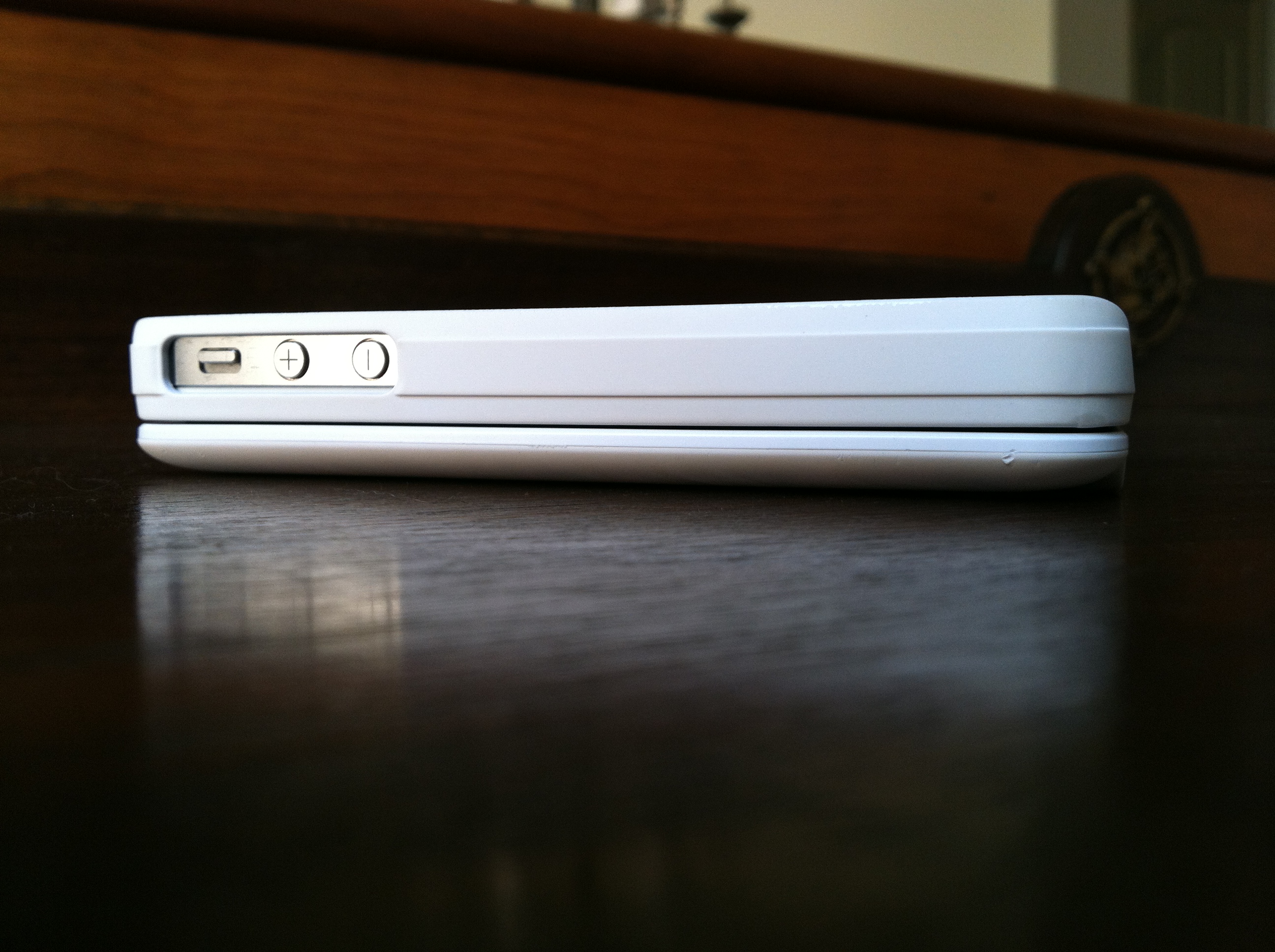
Design wise, the Keyboard Buddy is very sleek, especially considering that it adds a full hardware keyboard to the back of the device. The sliding mechanism is very solid, and there’s an enthusiastic click as you open and close it. It’s reminiscent of the slider on a device like the T-Mobile Sidekick – and that’s a good thing!

There’s also more than enough room to hit the top row of number keys, something other sliding cases often have trouble with. It charges via miniUSB, and BoxWave claims you should be able to go a huge 45 days without having to re-charge. The whole kit has a matte white, soft touch finish that adds a nice grip to the all-glass iPhone. Pairing the Keyboard buddy was an uneventful affair; the BoxWave was up and running in about 30 seconds after typing in a passcode. That’s when I could start putting this thing to the test!

Keyboard

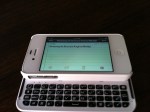
The actual keyboard on the Keyboard Buddy is very similar to the one found on the Droid 2 or 3. Keys are laid out edge-to-edge, and there’s a decent amount of give with each click. The space bar is perfectly placed in the center of the keyboard, unlike some of the other Bluetooth keyboards on the market today. There’s a home key on the top left as well as a lock key right below it, two nice touches for sure.

It’s important to point out that when you choose to use a physical keyboard with your iOS devices, you lose all autocorrect functionality. I longed for things like automatic capitalization of “i” for example, and wish that it would automatically add apostrophes to words. Hopefully this is something Apple could enable as an option in a future version of iOS.

Overall

Overall, the BoxWave KeyboardBuddy case is an excellent option for BlackBerry users wanting to switch to the iPhone but not wanting to sacrifice their physical keyboards, as well as for older iOS users who have trouble seeing the letters on the iPhone’s virtual keyboard and like the satisfying click of a button when using a physical keyboard. I can type faster on the iPhone’s virtual keyboard, but I do like using the KeyboardBuddy to type out long emails or blog posts when I’m on my iPhone. You can read more about the BoxWave KeyboardBuddy and purchase it here.

Full gallery below:

Quick Review: Motorola Xyboard 10.1

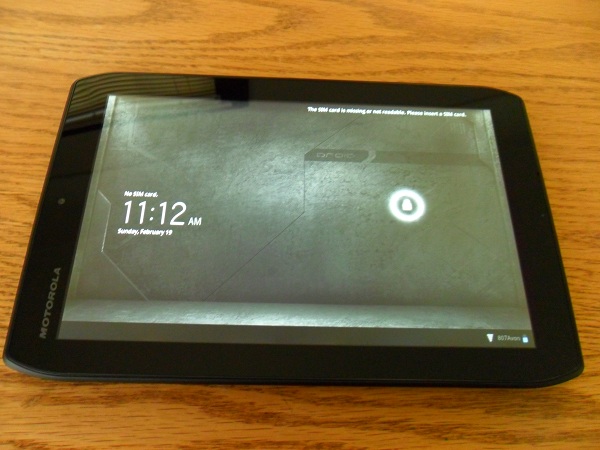
The new Droid Xyboard is a beast of a tablet. Motorola’s newest tablet runs on Verizon’s super-fast 4G LTE Network, it runs on Android’s 3.2 Honeycomb (4.0 Ice Cream Sandwich Upgradeable), as well as having two cameras; 5 megapixel on the back with a HD Webcam on the front, and a huge 7,000 mAh battery. All that said, can it compete with Apple’s third-generation iPad? Keep on reading for my review of the Droid Xyboard 10.1 running on Verizon’s 4G LTE Network.

Highlights

  • Verizon  – Verizon’s 4G Network is easily the fastest LTE network in the United States. In my testing around the Dallas Area, the Xyboard never dropped below 2 bars of LTE. I consistently received download speeds of around 19 MB/s and an upload speed 10 MB/s.
  • Display – The display on the Xyboard 10.1 is another high point, responding to touch input quickly and loading websites, apps and videos sharply, clearly and brightly. Unlike the iPad or the Galaxy Tab 10.1, the Xyboard has a mini-HDMI port built-in, which makes it easy to hook the tablet up to a TV set.
  • Camera – The 5.0 MP back-camera on the Droid Xyboard 10.1 is one of the best cameras on a tablet to date. The addition of the LED Flash is what makes the Xyboard’s camera stand out. Lowlight pictures were perfect – never overexposed nor too bright.
  • Software / Specs – On other devices, Android 3.2 Honeycomb always seemed to be very slow and laggy, but with the help of the dual-core 1.2 GHZ processor, the Xyboard flew through webpages, emails, apps, and homescreens. I never had an app force-quit or crash while using the Xyboard 10.1, and I credit that to Motorola by putting great specs into the Xyboard to get the most out of Honeycomb.

Lowlights

  • Size – Holding the Droid Xyboard 10.1 in landscape orientation is just fine, but when switching it over to portrait it felt awkward to hold and touch the screen. When using the iPad, the transition from landscape to portrait is seemless, but on the Xyboard it feels more like a liability.
  • Software – Honeycomb is a lowlight and a highlight of the Droid Xyboard. While it runs very fast, the User Interface is very clunky and not easily learned by all people.

Overall


This is THE best Android Tablet, no doubt about it! Great display, amazing camera, super-fast processor, and running on Verizon’s 4G LTE Network, the Droid Xyboard absolutely smokes the other Android Competition and in some ways, even the Apple iPad.

I would recommend the Droid Xyboard 10.1 for Android enthusiasts, business people, or teachers. But if you are a first-time smartphone or tablet user, I would recommend checking out something else. You can read more about and purchase the Motorola Xyboard here.

Review: Olloclip lens for iPhone

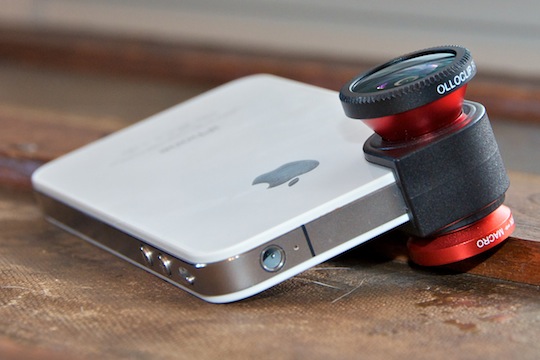
Designed by a startup duo in California, the Olloclip was a project successfully funded by Kickstarter.com. The accessory brings the functionality of three lenses to your iPhone 4 or 4S, macro, fish-eye, and wide-angle, and it almost does that well enough for you to leave the professional equipment at home! I had a blast shooting with the Olloclip, and I think you will too. Read on in my review of the Olloclip to find out why!

Usability

The Olloclip is very easy to use. You don’t need to install any software, though it’s compatible with any and all iPhone apps. And mounting or swapping lenses just takes a second. I also want to point out that using the wide-angle lens for shooting video was a completely different experience than without the lens. When shooting video, you can definitely see what you’re missing when shooting without the Olloclip. (See video and image samples below)

Appearance

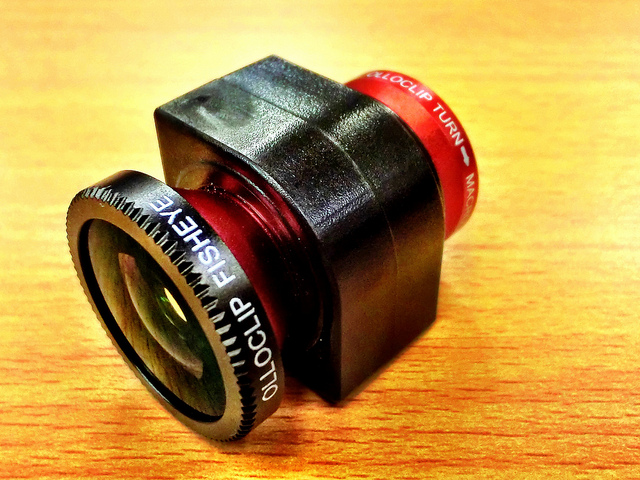
At first glance, the Olloclip only appears to include two lenses, but unscrewing the wide-angle reveals the cleverly hidden macro lens. To use any of the built-in lenses, simply slide the Olloclip over the iPhone’s camera. The Olloclip fits quite snug, so you can rotate the phone, walk around, and even slip your phone into a bag without worrying about the lens slipping off. It’s also easy to reposition — to swap the wide-angle for the fisheye, for example, just flip the entire clip around so that the lens you want to use is facing forward.

The Olloclip comes with lens caps for both primary lenses, and a small carrying pouch that also doubles as a microfiber cleaning cloth. The device is available with either black or red barrels – both constructed from high-quality aluminum. The multi-element lenses are constructed of precision-ground glass, and that’s clearly reflected in the image quality I was able to achieve.

Image Quality
Pictures I shot with all three lenses were sharp and vibrant, and very distinctive from those captured with the iPhone’s native lens. Some pictures had barrel distortions, but for the fish-eye lens, that’s the point right?

I was most impressed with the macro lens, which basically functions as a powerful magnifying glass for your iPhone. I was able to capture incredible detail with this lens. This point alone is enough to justify the expense of adding the Olloclip!

Sample Pictures

Overall

Overall, the Olloclip gives the iPhone’s camera a much-needed lift with three filters and fun effects. I’d especially recommend it for both professional and novice photographers who love adding effects to their photos while keep the quality of their images very high. You can read more about and purchase the Olloclip here.

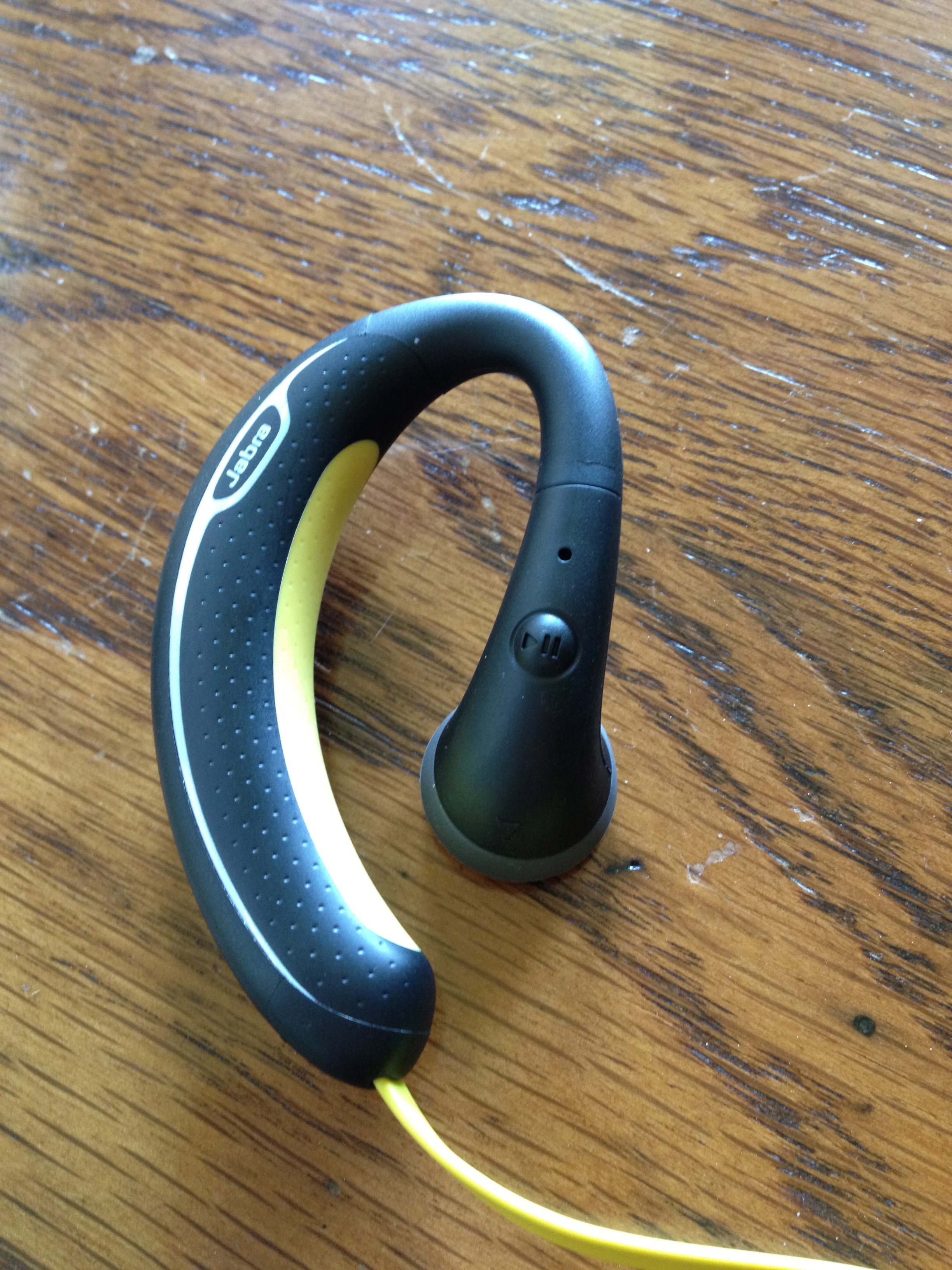
Review: Jabra Sport Bluetooth Headphones

I listen to music a lot. Whether it be when I’m working out, running, or relaxing by a pool. It’s a daily part of my life. I believe to get the most out of your music, you need to hear it with a good pair of headphones. So naturally when I heard about the Jabra Sport Headphones I knew I had to get a pair, and write a review on them. So, can these headphones compete in the competitive, over-populated in-ear headphone market? How do they compare to the popular Beats By Dre iBeats? For all of this and more, keep reading my review of the Jabra Sport Headphones!

Usability


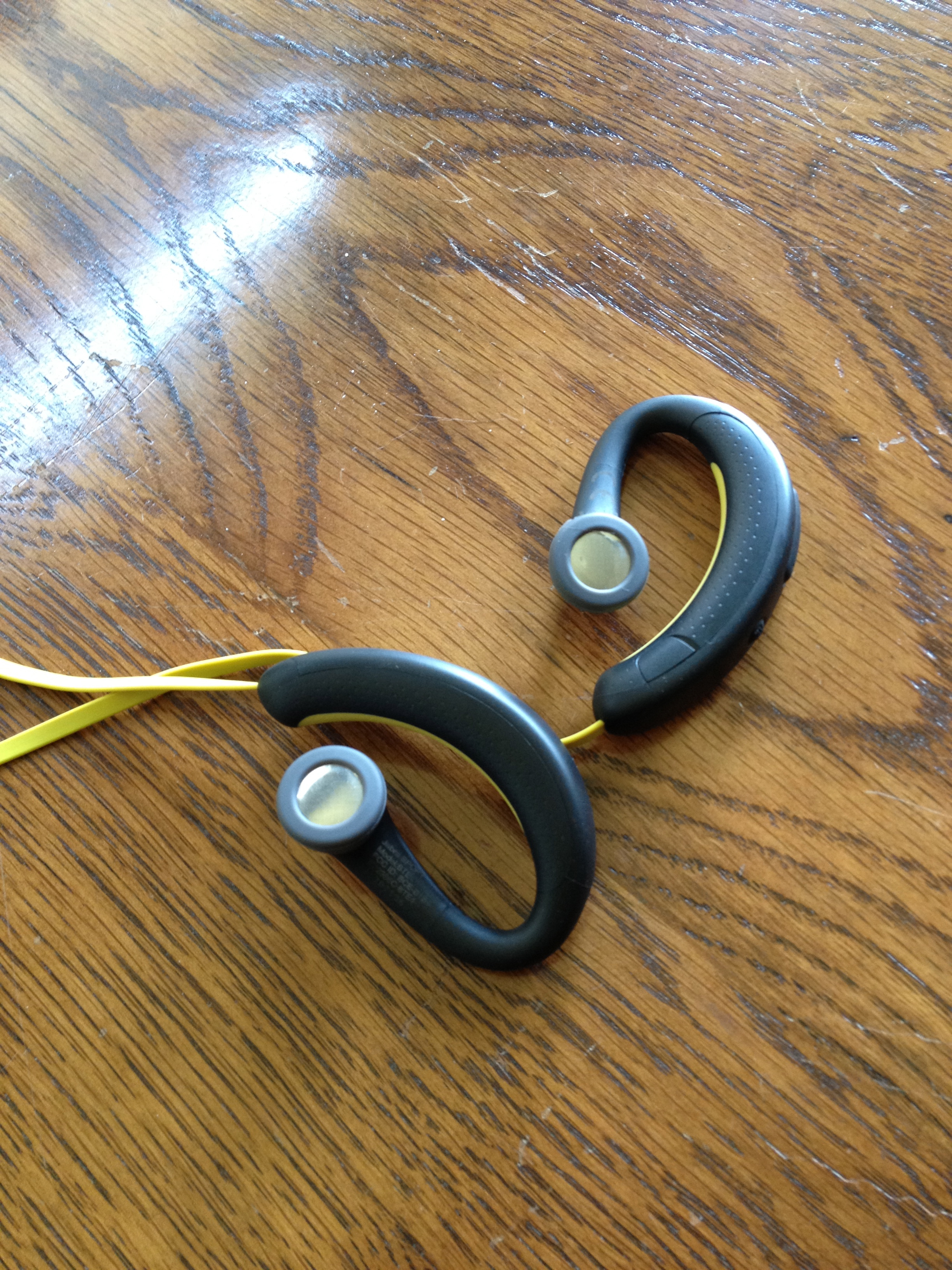
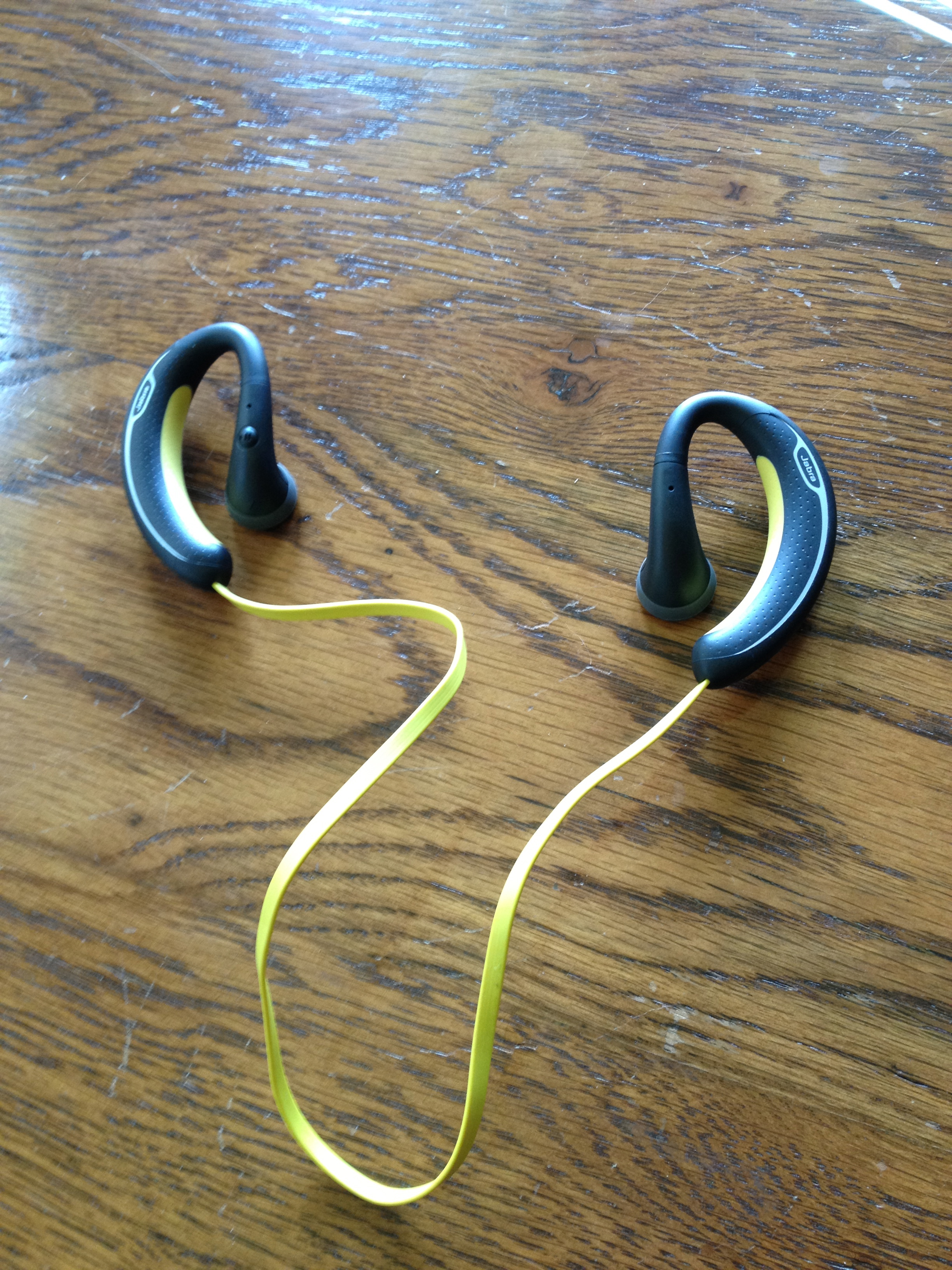
After using these for the last week, I am pleased to say that these headphones are extremely comfortable. As soon as you put them on, you forget that you are even wearing headphones! They stay in your ears well, without feeling too loose. That said, they might not be as comfortable for people with smaller or delicate ears.

Sound Quality / Calling


I was pleasantly surprised by the sound quality with the Jabra Sport. Bass came through very clearly, and there was no sound distortion whatsoever. The Jabra Sport was definitely created for people with an active lifestyle, and always on the move (running, working-out, walking, working in the garden, etc.)! These are not leisure headphones for long car trips or airplane rides.

Calls made through the Jabra Sport headphones were quite good. I was a little skeptic about the microphone being so far from my face, but I was quite impressed with it. Callers could hear me with no trouble at all. Hearing the call in both ears also makes it much easier to hear when you’re in a noisy surrounding.

Similar to other Jabra headsets, the Sport announces callers and informs you when the headset has been turned on or off, is in pairing mode, and allows for voice commands. These features work fairly well.(Caveat: although I never completely trust voice commands, still I always double-check the screen to ensure it’s calling the right person.)

Overall


Overall, these headphones are great for people who live an active lifestyle and want freedom from wires and the ability to easily answer calls and switch back to their music afterwards, without taking a break from their activity. However, if you’re an audiophile, you may want to keep looking. You can read more about and purchase the Jabra Sport here.

Full Gallery Below:

Review: Colcasac Zagora iPad Sleeve

I love using my iPad without a case or skin on it. I could never understand why people want to add bulk and weight to a beautifully thin and light device. That’s why I have always been a sleeve-type guy – something to keep my iPad from being scratched or dented while being transported, yet something that easily allows you to take the iPad out and hold it in your hands the way Steve Jobs intended. That’s the reason I started my search for a new iPad sleeve. Most of the sleeves on the market now are very sterile and boring in their appearance.

My search for the perfect iPad sleeve ended when I discovered the ColcaSac iPad sleeve. ColcaSac is a small company based in Salt Lake City, Utah that makes five different iPad sleeves, as well as numerous iPhone and MacBook sleeves. Their designs are simple, yet sophisticated. The ColcaSac I am reviewing is the Zagora model, which is available to purchase for $35.

The outside of the sleeve is made of a beautiful basketweave hemp canvas that gives it a slight rugged look and the inside of the Colcasac has a soft cotton interior that helps the iPad screen stay free of fingerprint marks or smears. The feature I like most on the exterior of the Colcasac iPad sleeve is the pocket on the front – it’s perfect for holding your iPhone or your iPad charger while on the go.

Alot of the iPad sleeves on the market now have a pretty big flaw – they don’t hug or protect the iPad tightly. That’s not a problem with the Colcasac. With ColcaSac’s new sleeve I can open the sleeve (it uses a Velcro fold to close), hold it upside down, and have the iPad slide out nice and slowly.

Considering the design and quality materials they use, the $35 price tag for the ColcaSac is an absolute steal. It’s also a smart and beautiful choice for iPad owners who want something aesthetically different from the usual offerings of iPad sleeves found on Amazon or in Apple Stores.

Overall, this is THE sleeve to beat for the iPad. Tight fit, pocket on the front, and high-end materials used all for $35. You can read more about the Colcasac iPad sleeve or purchase it here.

Review: Samsung Galaxy Nexus

The Samsung Galaxy Nexus has a lot of bragging rights. The Galaxy Nexus was built by Samsung in collaboration with Google to create a new addition to what has already been a fantastic line of Nexus devices. The newest addition the Nexus family is as thick as Apple’s iPhone 4S, but also boasts super fast 4G LTE capability, a speedy dual-core CPU, 16GB or 32Gb of storage, 1GB of RAM, a 5 megapixel camera with 1080p HD video support, NFC chip, and Google’s newest Android software, Ice Cream Sandwich or Android 4.0, if you like.

Ice Cream Sandwich is one of the biggest steps forward in the Android Software history. Like Apple’s iOS Software, Android 4.0 unites tablet and mobile phone so they will finally run the same software. More on this in my review below.

With all these new features and very strong specs, can this be the phone to beat? How does it stack up against Apple’s iPhone 4S? Or what about Microsoft’s Windows Phone 7? Lastly, is the Galaxy Nexus worth all the hype? Find out for yourself in my review below!

Hardware / Design

  • Packaging & Accessories

Samsung knows how to package their products perfectly. The box of the Samsung Galaxy Nexus is just the like the device itself; sleek and unassuming. It isn’t too hard on the eyes, but it will rouse your intrigue and make you want to see what’s inside. After you take off the top, you come face to face with the phone itself. Unwrapping that, you have access to the earbuds, USB cord, and wall charger. Also included in the box are a Owners Manual, as well as a Tips & Tricks guide. The earbuds included with the are what you would expect coming from a mobile phone – average – nothing spectacular, nothing terrible.

  • The Galaxy Nexus

The Galaxy Nexus is a beautiful phone. The curves and the thin design of the device make the sheer size, (coming in at 5.33 inches tall by 2.67 inches wide) almost obsolete as the Galaxy Nexus weighs 0.3 pounds.

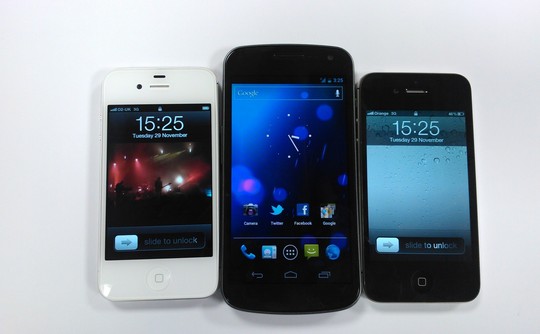
The case used on the Galaxy Nexus is a dark grey plastic. In recent products, Samsung has decided to use this plastic (instead of the metal and glass combination that Apple uses in the iPhone 4 & 4S), which is a bit of a disappointment. Holding the Galaxy Nexus in one hand and the iPhone 4S in the other, the iPhone feels much stronger and more durable than the shiny, flimsy plastic case used on the Nexus. On the front of the GN, Samsung is using a new screen named the Contour Display, which is ascribed to the slightly curved screen. The risk Google and Samsung took to create the first curved screen on a mobile phone really paid off well – the curvature of the Contour Display makes the Galaxy Nexus fit perfectly in the hand, as well as the aesthetically pleasing look.

Android’s newest emphasis on clean and simple means just that – they have kept the buttons and protrusions to a minimum. As customary for a Samsung Android device, the Galaxy Nexus has an on / off button on the right, and a volume rocker on the left. On the top of the device, you will find a speaker grille, a proximity sensor, and a 1.3 megapixel camera which is capable of recording in 720p HD video. On the back of the Galaxy Nexus, there is a 5 megapixel camera paired with a single LED Flash that is capable of recording in 1080p HD (more on this in the Camera section of my review).  On the bottom, you have a micro USB port, 3.5mm headphone jack, as well as a LED notification light, which is very out of the ordinary for Android devices. The newly placed notification center light is RGB, which means that it can create many different shades of colors depending on the type of notification you received. For example, if you got a Gmail notification, the light would be blinking blue. If you received a Tweetdeck notification, it would alert you in yellow. This may not be the biggest selling point of the Galaxy Nexus, but as I say, “It’s the little things that make someone or something great”, and that is certainly true for Samsung and Google’s newest product. Sadly, there is no microSD card slot to enter more storage into the Nexus, so what you see is what you get.

I found the plastic casing on the back of the Galaxy Nexus to be very flimsy and when I tried to take the back off to take the battery out, it seemed as if it was going to break. Putting the battery door / back of the Galaxy Nexus back on the device proved to be a challenge as well – you have to slide your fingers down the back very firmly to get it back in place.

As with the past Nexus devices, the Galaxy Nexus has stepped up the competition to a new level in terms of design and manufacturing quality. It’s not too light to be considered very fragile or flimsy, but not bulky enough to be considered heavy or burdensome. One thing that could be improved upon on the Galaxy Nexus is the back casing.

Internals / Display

Google and Samsung left little to be desired when creating the internals for the Galaxy Nexus. They added 1GB of RAM, 16 or 32 GB of memory (I reviewed the 16 GB model), a speedy dual-core TI OMAP 4460 CPU clocked to 1.2GHz, as well as the standard radios (Bluetooth 3.0, Wi-Fi 802.11b/g/n, GPS). You will also find a barometer, accelerometer, ambient light sensor, gyroscope, and compass. The Galaxy Nexus also has support for NFC (Near Field Communications) to make purchases with your phone using apps like Google Wallet or Google Offers.

I was a little bit disappointed of the quality as well as the loudness of the speaker grille on the back of the Galaxy Nexus that is be used for speaker phone, notifications, as well as listening to music or watching movies. The sound came out very distorted and was not as loud as other phones I have reviewed (more recent android phones from Motorola and HTC, as well as Apple’s iPhone 4S). Earpiece quality however was superb. Perfect sound quality and no distortion to be found. Friends and family could hear me as well as I heard them!

The Galaxy Nexus is one of the first mobile phones to have a full 720p screen. With a 1280 x 720, 4.65-inch display, the screen is definitely one of the devices biggest selling points. I had a couple of small issues with the screen though – this is also the same with most of Samsung’s recent products using the Super AMOLED Display. When the brightness was medium or below, the screen would over-hue or wash-out dark colors such as black, brown, or purple. When the brightness was notched higher, these problems were easily overcome.

Spec-wise, the Galaxy Nexus is, if not THE best, one of the best devices out right now. Aside from a few display issues, the screen on the Galaxy Nexus will blow you away. I would compare the Super AMOLED Display to that of the iPhone 4S’ Retina display. Pure eye-candy.

Battery Life / Reception

With the spectacular Super AMOLED Display on the Galaxy Nexus and the blazing fast 4G LTE, you would think the battery life would be terrible – you’re wrong. The 1750 mAh battery will easily last a moderate to normal user a full day of video-chatting, surfing the web, writing emails, you name it. Although for the heavy user, I would recommend turning off 4G and getting a spare or extended battery. I would normally hit the 20% battery left notification around 5:00 PM after turning the phone on at 9:00 AM using 4G LTE.

Verizon Wireless has been known for their blazing fast 4G LTE speeds as well as great reception all over the United States – in Dallas, the 4G LTE speeds are some of the fastest in the United States. Most of the time I had three to four bars and rarely did I hit or go below two.

Call quality on the Galaxy Nexus is second-to-none. There was no distortions or problems of any kind while both talking and listening to people on the other end of my calls.

Camera

When launching the Galaxy Nexus, Google was trying to compete with Apple and the iPhone 4S, Nokia and Windows Phone 7, as well as some other phone manufacturers for Android such as HTC or Motorola. Most of the devices listed above have a 8 megapixel camera; The Galaxy Nexus has a 5 megapixel camera. Sure, the camera software on the Galaxy Nexus is great, but that can’t make up for it’s average lens.

Here are some sample images I took with the Galaxy Nexus. (Click on the images to see them in full size.)

As you can see in the pictures above, the Galaxy Nexus’ pictures are of very low quality, but, if you happen to forget your real camera, the Galaxy Nexus would do just fine. Just don’t expect it to take printable-quality photos. Though if you compare it to other leading mobile phone manufacturers, the Galaxy Nexus is using what would be acceptable last year, today.

For the video camera on the Galaxy Nexus, it can capture great 720p and 1080p recordings, though the quality suffers from the same issues as the still camera. Not enough optics. Google also added live effects to the Galaxy Nexus video camera. It focuses on a person, then can make their head bigger, smaller, it can change the backdrop of your subject, as well as making bug eyes, alien heads, and such. Not very useful features, but it shows what the Galaxy Nexus can do.

Software

With the introduction of Ice Cream Sandwich, Google is making a big, important step forward in the evolution of Android. Like I said before, it isn’t always about the hardware.  The new Operating System is a huge leap in functionality as well as UI and finish, and it’s nothing like any Android you know (or knew).

Almost every piece of the operating system, from the homescreen to the built-in apps, menus, and even widgets has been redesigned. That also goes for the font in the OS, which is a custom typeset named Roboto. I happen to think the new typeface is a welcome, clean addition to Android, and a big improvement over the old Droid Sans face.

Starting at the lock screen, things are very different. Google has added two new smart, useful tweaks to the Galaxy Nexus lock screen. The ability to unlock the phone using the front-facing camera to scan your face, conveniently named Face Unlock, as well as the option to jump right into the camera application directly from the lock-screen. Unfortunately, if you have a password or Face Unlock set up on the Galaxy Nexus, you cannot use this new feature.

Notifications have been cleaned up and tweaked too. Now you can access your notifications from the lock screen (given that you don’t have a password set), but you can also individually swipe messages or alerts to clear them. There’s also a convenient settings icon in the notification window, which will jump you directly in the settings app to  turn on wifi, change your password, or add a new email account.

When you hit the homescreen, you’ll see a the very familiar setup of five main screens, but with new navigation elements along the bottom. Going from the bottom up, you have a row of the on-screen buttons, then a customizable dock for your favorite apps or folders, plus a center button which brings you to your app and widget drawer. While flicking through your homescreens, you’ll realize that Google Search is now at the top of every single one. A subtle, yet very nice addition to the homescreen.

You can now make folders of apps by simply dragging one icon onto another, then to open it, all you have to do is tap on the folder icon. It’s very much like Apple’s iOS in that sense.

Opening the app drawer, you can easily access all your applications and widgets by swiping right-to-left. Again, much like iOS.

Menus, Settings, and lists have been changed as well and now it’s a lot easier to find the wifi or airplane mode toggles you’re looking for without hunting through many lists or menus.

Navigating through every screen on the Galaxy Nexus is buttery smooth. There’s no lag, no stutter. Animations are fluid, and everything feels fast and sleek. It’s like Ice Cream Sandwich is a lot more “there” than in previous versions of Android.

One last big piece worth mentioning is the vast change to multitasking in Ice Cream Sandwich (ICS). Previously, multitasking was done by holding down the home button and waiting for a pop-up of your last few apps to appear. Google has changed all of that in ICS by providing a dedicated “Multitask” button in your virtual button list on the bottom of the screen. When using this new multitasking system, you will see the app icon, as well as a screenshot of the screen you were in when you last used the app. To clear an application from this new multitasking center, much like the notification center, you swipe left-to-right on the app icon/screenshot.

The main reason for Google’s drastic redesign of the Android software is for reducing the clutter and confusion from past versions of Android. I would say Google has accomplished that in the new Ice Cream Sandwich. That’s not to say that there aren’t still some hiccups here and there, but generally Ice Cream Sandwich feels like a modern, elegant operating system that’s been thoughtfully designed.

Overall

The Galaxy Nexus is the best Android smartphone ever made! It’s one of the best smartphone’s out now, and with a couple of minor tweaks (particularly to the camera), it could be the best smartphone ever produced.

The hardware is elegant and smartly designed. The software is beautiful and useful. Google has changed a lot of the bad, and replaced it with a vast amount of good. It’s faster, smarter, and a lot more friendly than any of its ancestors. Ice Cream Sandwich easily gives iOS and Windows Phone a run for their money, and in some ways, it’s a superior operating system than either of them.

If there’s something wrong with the Galaxy Nexus, it would be the camera/video camera, as well as the sheer size of the device. Comparing the camera to the competition, the Galaxy Nexus just doesn’t stack up in hardware and in photo or video quality. Also, most people find the size of the Galaxy Nexus to be overbearing or too big for their hand. Both of these things can be easily fixed and hopefully in the next Nexus device, we will see those changes.

Quick Review: Samsung Rugby Smart

The Rugby Smart is the newest phone in Samsung’s very popular line of Rugby devices. Previous Rugby phones have been known for their durability and rugged design and the new Rugby Smart continues that tradition.

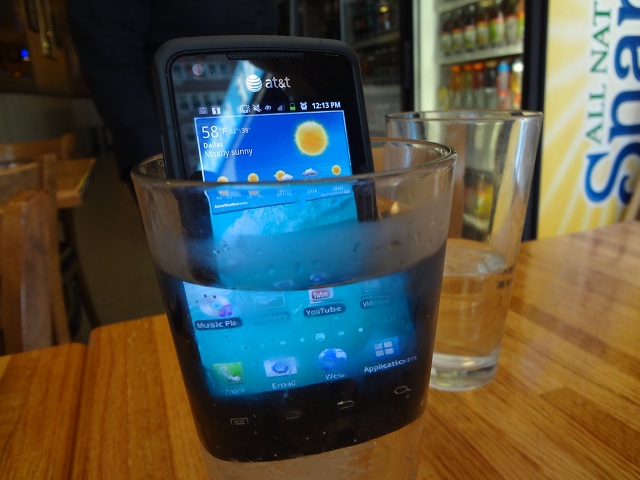
The Rugby Smart is dust-proof, can be submerged in up to 1m of water for 30 minutes, can be dropped from 12+ feet, and can withstand extreme temperatures from -60°F to +160°F. Oh yeah, and it runs on AT&T’s blazing fast 4G network. f

With a 1.4 GHZ processor, 5.0 Megapixel camera with 720p HD Recording capabilities, 3.7 inch Super AMOLED Display, and running on Android’s Gingerbread software, the Rugby Smart is not a phone to be messed with in the spec department.

Can this phone really withstand all the elements AT&T and Samsung are advertising? How does it compare to it’s Rugby predecessors? All of this and more in my review of the Samsung Rugby Smart.

Highlights

  • Design – Samsung did an excellent job designing the Rugby Smart – rugged and durable, but sleek and sophisticated enough to be used at a business meeting or presentation. Samsung also added a screw lock on the battery cover to provide added protection of the battery, SIM card and other internal components.

  • Hardware – The Rugby Smart is no slouch in the hardware department. With a blazing fast 1.4 GHZ processor, 5.0 Megapixel camera with HD Video Recording, 3.7 inch Super AMOLED Display, 32 GB of memory, running on Android’s Gingerbread OS, and 4G Speeds, the Rugby Smart makes a huge leap forward from it’s older relatives.

  • Camera – For a waterproof camera, the 5.0 Megapixel camera on the Samsung Rugby Smart is very good. No over saturating of colors here. See some of my sample pictures below.
  • MIL-STD 810F Military Standard Specifications – My contact at AT&T challenged me to torture the Rugby Smart, and despite all of my efforts, I sent her back a working phone! Bottom line, the Rugby Smart was dropped, drowned, buried, and more… and it still worked. That is really amazing.

Lowlights

  • Battery – The 1650 mAh might get a light to moderate user through the day, but for a person who is on their phone non-stop, making calls, sending emails, looking at websites, and downloading apps, I would recommend you keep a charger or spare battery nearby. For an example, I turned the phone on at 8:00 AM and I would normally get to around 2:00 PM when the phone would notify me that the battery was at 10%.

Conclusion

The Rugby Smart is a pretty impressive device – for the right person. The screen, camera, and internals are very high-end, but the battery is lacking.

If you’re a construction worker, frequent hiker or sports enthusiast, or a person that loves rugged devices, then the Rugby Smart should be right up your alley. It functions well and is indeed resistant to the elements that AT&T and Samsung advertise. It’s just not for hardcore Android fans who need the fastest, newest, phone. You can read more about and purchase the AT&T Samsung Rugby Smart for $99 on AT&T’s website.

Review: Steelie Table Top Stand

I was looking for a new stand for my iPad, and I came across the fairly new stand by Steelie, the Steelie Table Top Kit for iPad. Steelie designed this stand for any type of tablet or E-Reader, so it will work with the original iPad, iPad 2, The New iPad (Third Gen.), or any other tablet.

Steelie is a small company based out of Boulder, Colorado. Steelie was created by Frank Vogel and Paul Turner, two entrepreneurs who run Blackglass, LLC, a design and production shop. Some of their other ventures include Rockshox, Maverick Bicycles and Goode Ski Poles. All of Steelie’s products are manmade and packaged in the good ‘ole USA! Steelie also has developed a stand much the like Table Top Stand for mobile phones. You can read more about that here.

Can this new Steelie Table Top Stand compete with Apple’s iPad Dock? What about iHome or other dock manufacturers? For all of this and more, keep on reading my review of the Steelie Table Top Stand!

How it works

The Table Top Kit for iPad uses a “slim socket unit” that attaches either directly to your iPad or iPad case, meaning this stand can be used for any tablet or personal computer. The socket then can magnetically be attached to the ball on the base stand. To remove your iPad, you gently pull the “slim socket unit” apart from the base stand and the magnetic connection will separate. Need to take off the socket unit? No problem. All you need to do is use the rubbing alcohol cloth that is shipped with the Table Top Stand and rub it between the socket unit and your iPad. Need to re-attach it? No worries! Steelie will send you a brand new socket unit for free.

Highlights

All the products used to make the Steelie Table Top Kit are of very high quality – from the aluminum to the powerful magnets, I had no issues with product quality.

Steelie definitely has a keen eye for design, and it shows in the Table Top Kit. The base stand’s design is very sleek and simple, and readily complements any kitchen or contemporary desktop. Similarly, the Steelie Stand is very sturdy, and not once did my iPad slip or fall out of stand.

Lowlights

I had only one problem with the Steelie Table Top Kit – trying to remove the socket unit. When I tried to take the socket unit off of the back of my iPad by using the rubbing alcohol infused cloth, it took a while for the rubbing alcohol to start fighting off the stickiness of the socket unit’s underside. Also, I would suggest not to attach the socket unit to your iPad directly as I did as I could not fit my iPad into a case or sleeve to travel.

Overall

The Steelie Table Top Kit is a dock of very high quality, with a great design. If you don’t mind using the iPad with the socket unit attached at all times, I think this would be a great purchase.

The Table Top Kit is an easy recommendation to a person who uses the iPad mainly at home or an office, whether to surf the web, read emails, books, or play Angry Birds. If you travel or are on the move a lot, I would suggest buying a mounting style dock. You can read more about and purchase the Steelie Table Top Stand for $65 on Steelie’s website.

Review: Ted Baker iPhone Leather Style Pouch

Are you a trend-setter? What about fashion? Looking for a new, stylish iPhone case? Well look no further – Ted Baker, the famous London designer, has partnered with Proporta to create a new pouch for your iPhone 4 or 4S. The new iPhone pouch is available in two unique colors – Black with an orange Bulldog lining or Brown with a red Spacemen lining. The newly released Ted Baker Pouch is made of the highest quality faux leather, and each is handmade for your pouch. Is new always the best? Can this pouch stand up to other competitors in the iPhone Accessories market? More on this in my review!

Product Quality

The leather in the TB iPhone Pouch is custom-made for your individual case. The leather of the TB Pouch is very soft and subtle, but thick and hard enough to protect your iPhone against scratches or accidental drops. The Ted Baker iPhone Pouch is truly a high-quality case, from the hand-made leather, to the Ted Baker design on the inside of the case, there is no doubt that the effort and keen eye of design is what makes this pouch so beautiful. I couldn’t find anything that I didn’t like about the quality of the product, it was a very high-quality iPhone accessory.

Function

The TB iPhone Pouch uses a unique string pulley system to get the iPhone out of the pouch – to get the iPhone out of the case, you need to pull down on the lace charm and then that pushes the iPhone up out of the case. This works very well for normal, everyday use, but when you want to access your iPhone more quickly, such as answering a phone call, or responding to a text, the pulley system adds another step to using your iPhone.

Overall

The Ted Baker iPhone Leather Pouch is a very stylish, high-end accessory for the iPhone 4 or 4S. The leather, albeit faux, used in the product is second-to-none. The interior design of the case is terrific as well, but, the pulley/lace system used to take your iPhone out of the case is cumbersome and adds another step to getting your iPhone out of the case. I would recommend this pouch to people who love to have great quality, design, and protection in an iPhone case. You can read more about and purchase the Ted Baker iPhone Leather Pouch for $50 on Proporta’s website.