Review: Checkmark 2 for iPhone

Checkmark 2 - Lists

The original Checkmark to-do list application for iPhone was a stellar app. Now, with the newly released Checkmark 2 by Snowman, an already powerful to-do list manager, has now become even more of a productivity powerhouse.

The new Checkmark 2 adds a slew of new useful features, including, but not limited to: the popularly requested “List” view; one tap rescheduling of tasks; and iCloud support.

“List view” allows for multiple tasks to be grouped together under one common category – which is really helpful for projects (school, business, etc), as well as for simple lists (new movies or food to try).

One-tap rescheduling is also a new feature that is included in the new Checkmark 2, which makes it super easy to push a due date ahead by minutes, hours, or days in one simple tap!

iCloud support is another popularly-requested feature added in Checkmark 2. This feature may not seem that important now, however after you use Checkmark 2 and create multiple to-dos, lists, locations, etc, you would hate to have all that data be lost if something were to happen to your iPhone. That’s where the iCloud backup comes in and it will automatically sync and backup all of your data.

The design of Checkmark 2 truly envisions and adopts the wonderful, flat elements of iOS 7, yet adds it’s own unique style too! The cool shades of green, grey, paired with the white backdrop typical in iOS 7, really come together quite well to create a totally eye-alluring application, that is as beautiful to look at as it is fun to use.

Checkmark 2 (Light)

When it all comes down to it, a to-do list application really needs to do one thing quite well: create tasks quickly and efficiently. I must say that Checkmark 2 excels in this realm.

In Checkmark 2, you create tasks to three different categories: location-based, time-based, or as a list. For me, the location-based task ability is really useful.

For instance, when I am out and about and see an advertisement for a new movie that is coming out, I can quickly add a task in Checkmark 2 to remind me when I get home to look up showing times for this new movie – pretty handy stuff!

Organizing tasks into Lists is also a great way to break down those big, hefty projects into smaller, more obtainable goals!

One thing that I think is lacking in Checkmark 2 is syncing with Apple’s built-in Reminders app. What this does is it syncs the Reminders app tasks with the tasks you have already created in Checkmark 2. This allows you to make changes or add tasks from the Reminders app on your Mac, and then have it synced to your iPhone via the iCloud.

Checkmark 2 - Where

Overall, Checkmark 2 is an uber-smart, task productivity manager for your iPhone all in one clean, simple app, and for just the price of a cup of coffee ($2.99)! Checkmark 2 has already helped save me time and money, just by making my life more organized.

You can read more about and purchase Checkmark 2 from the Snowman’s website, or the through the App Store.

Review: nimblestand Dock for iPad

photo 2

While the tablet dock/keyboard market seems already overpopulated, nimblestand For iPad should undoubtedly find it’s rightful place as the new “favorite”! Co-founders Gustavo Fontana and Matt Esecson have developed a great, portable dock/keyboard with superb functionalism. Nimblestand has arrived!

Nimblestand is both a tablet stand and a keyboard dock, with special thanks to a brilliant design. The stand/dock is manufactured using a very resilient, yet rigid black plastic – which makes nimblestand an excellent choice if you are always on the go, you can just throw it into your bag or briefcase without worrying about the dock being damaged.

The nimblestand’s direct hit is also it’s compatibly with the Apple Bluetooth Keyboard (one of the most popular Bluetooth keyboards available today). The ingenious design of the nimblestand allows the Apple Keyboard to be slid into the nimblestand, which converts the device from a simple tablet stand, to a fully-packed keyboard-stand duo.

photo 3

iPad + keyboard = pseudo-laptop!

I tested the nimblestand with a variety of tablets all with different form factors and every single tablet that I used with the nimblestand fit perfectly snug and is a joy to use. One of my favorite features of the nimblestand the compatibility with the Apple Bluetooth Keyboard (my favorite keyboard), as well as the fact that it comes with a beautiful stylus too! The keyboard compatibility is a real “plus” for me as it saves me a lot of frustration (from misspellings) and time (increased typing speed via keyboard).

Another great feature of the nimblestand is a patented stylus storage slot, which is a great “add on” for the Wacom Stylus – a gorgeous, all wood, bamboo stylus that is included with your Nimblestand purchase.

All in all, I would highly recommend the nimblestand for it’s wide variety of uses as well as the incredible quality used in the product. Additionally, I would recommend adding the wonderful Wacom Stylus as it, plus the nimblestand, truly are an unparalleled pair.

photo 1

For more information about the nimblestand and the Wacom Bamboo Stylus, you can read more about it on nimblestand’s website. The nimblestand itself is priced at $39.99, while the nimblestand & Stylus combo is available for $56.99.


Review: Testing Timers SAT & ACT Watches

photo 2

As the second half of the school year starts, many students are beginning to (hopefully) prepare for the national standardized tests that high school students need to gain admission to most every college in America. After all the days you have been studying, preparing, and working hard there is one more thing that can dramatically help you score higher on your SAT or ACT Exam; drum roll please…. the new SAT/ACT watches from Testing Timers.

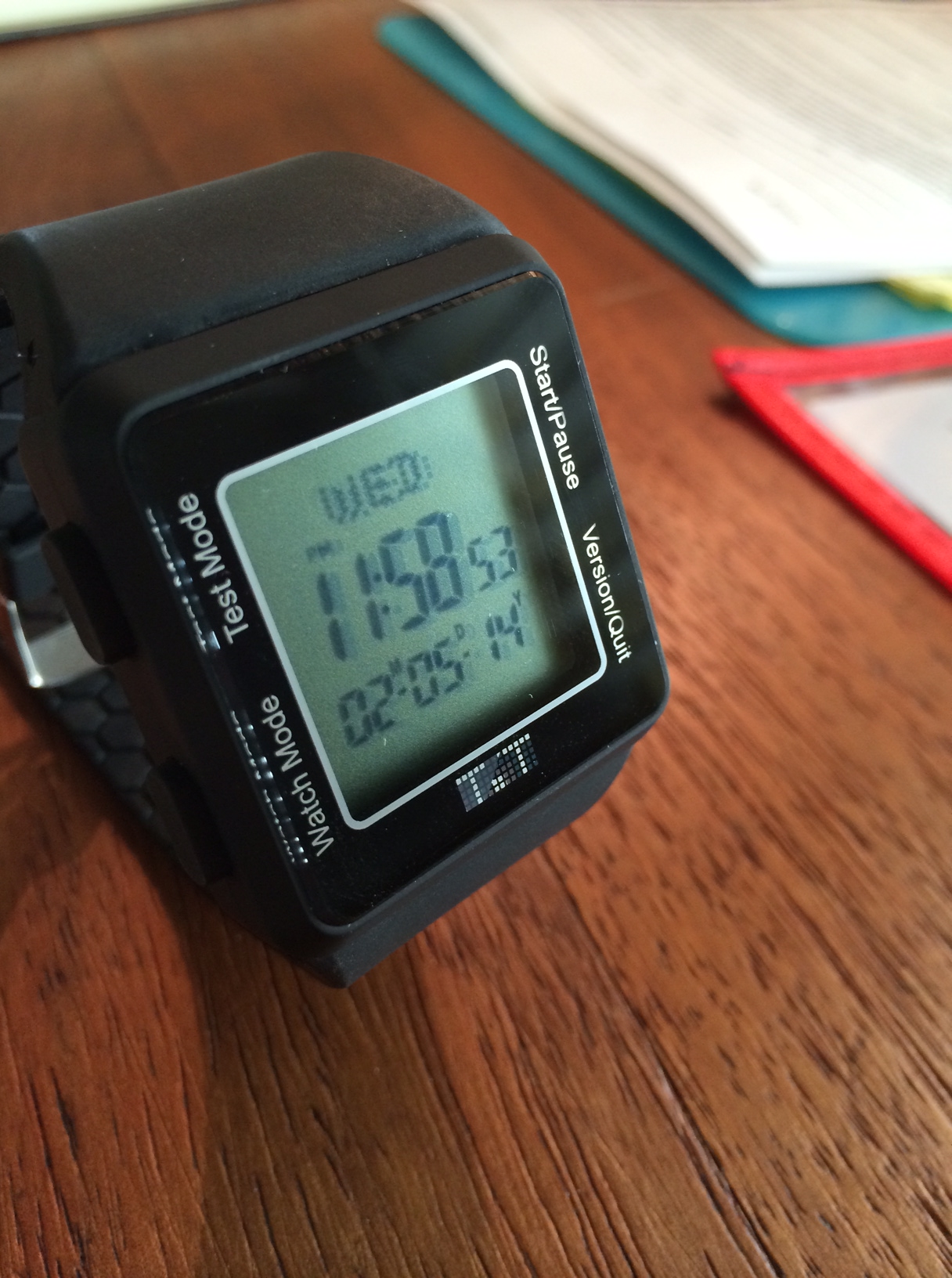
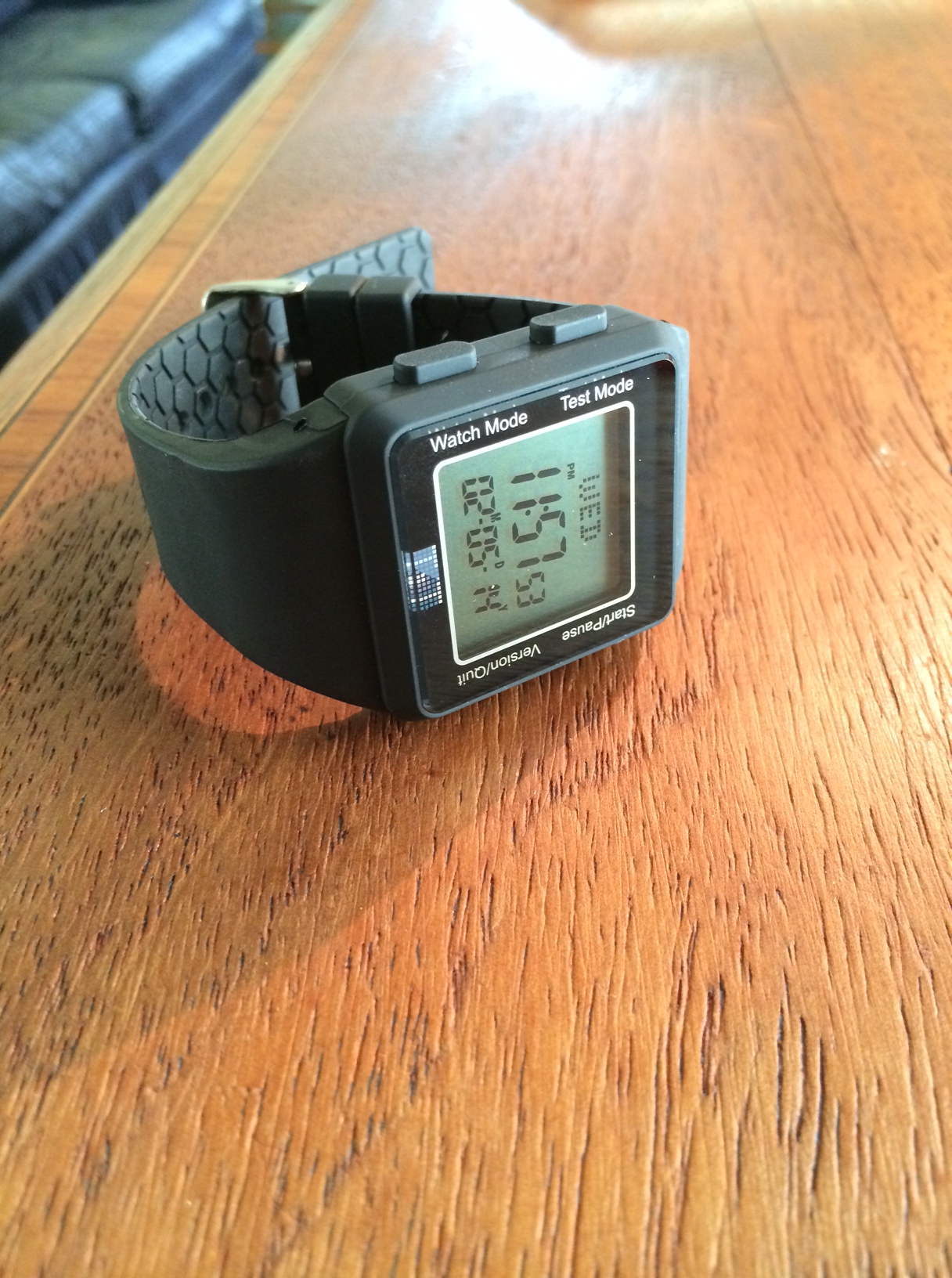
The sTest (SAT) and aTest (ACT) watches are simply an incredible idea! Most importantly, these slim watches are legal to wear into the testing room for both the SAT and ACT. The watches are lightweight and are super easy to set up, view and monitor your test-taking speed.

photo 3

While the watch cannot look up definitions of words, nor can it write a three page essay on the topic of World War II, remember it is simply a watch. But what the Testing Timer watch can and will do is definitely help monitor your time better on the exams, in turn which gives you the opportunity to score the maximum number of points, which in turn helps you achieve a higher score.

Separate watches for each exam: the aTest and sTest watches are both very user-friendly watches, with only four buttons on the top left & right, and on the bottom left & right of the watches. The buttons, going clockwise from top left, are Test Mode, Start/Pause, Quit, and Watch Mode.

photo 1

How the watches work: as you are about to start the exam, click the Test Mode button and scroll through to select which section of the test you’re taking, and press Start.

The watch will then tell you how many minutes are remaining in that section in very big, easy-to-see, black and white text, plus the total time for that section, plusThe Track feature, which shows you which question you should be on in order to keep you on track and time, in order to finish all the questions in that specific section.

I took a practice SAT exam in order to thoroughly review the Testing Timer Watch, and with the help of the sTest and the Track feature, I successfully answered every single question in all of the sections before the time ran out. I would highly suggest that you use the Testing Timers Watch in a practice test situation before using the watch in an actual exam as well.

photo 1

I highly recommend buying the sTest or aTest watches (or both)! It almost seems as if they shouldn’t be allowed in Exam Sites, as they are so useful in both the exam preparation and real exam process too! Bottom line: if you want to do well on the SAT or ACT exam, focus on your study preparation, released practice exams, and getting yourself the Testing Timers SAT/ACT watches and leave the stress of not finishing all the questions to Testing Timers.

You can read more about and purchase the aTest and the sTest watches on the Testing Timers website for $45.99 each, or for $79.99 for a combo pack of the two.

Also, make sure to look for my exclusive interview with Jordan Liss, the founder of Testing Timers, coming soon!

Scantastic for iPhone Review

imageScantastic is an exciting, new addition to a long line to the Scanner-Apps-for-iPhone World. Recently released to the App Store on December 24th, Scantastic is a clean, super-fast, user friendly iPhone application that allows for simple one-tap scanning of all your receipts, documents, essays, you name it — Scantastic will scan it. 

Scantastic is feature-packed with several different useful “tweaks”:

  1. simply tap the gorgeously designed app icon
  2. scan your document in less than 2 seconds!
  3. “threshold filtering” transforms your document into a simple, clean, black and white PDF. This is my favorite feature of Scantastic, as it makes your document look professionally scanned.
  4. After scanning, you simply shoot your new PDF off in a quick email or share it on social media, etc.

scantasitc-inhand-double-sw

The effort and design that went into creating Scantastic is truly incredible! All of the text and font choices are clear and easily readable! The dark/bright colors are very eye-alluring! As you can see from the screenshots, the UI is simply spectacular.

The design is almost so iOS 7 it feels iOS 8!

scantastic-iphone5-EN-2

Scantastic truly has all the bells & whistles. It will go above and beyond all your scanning needs – and what’s the best part? It’s all in your pocket! Scantastic is a powerful tool for global students and online classroom demands, as well as today’s business professional.

I strongly recommend reading more about and purchasing Scantastic for $1.99 on the Apple App Store.

Review: NOMAD’s ChargeCard & ChargeKey

photo 1

In the ever-evolving, technology-run world that we live in today, running out of battery is a big worry for most people. But fear no more, NOMAD has got you covered.

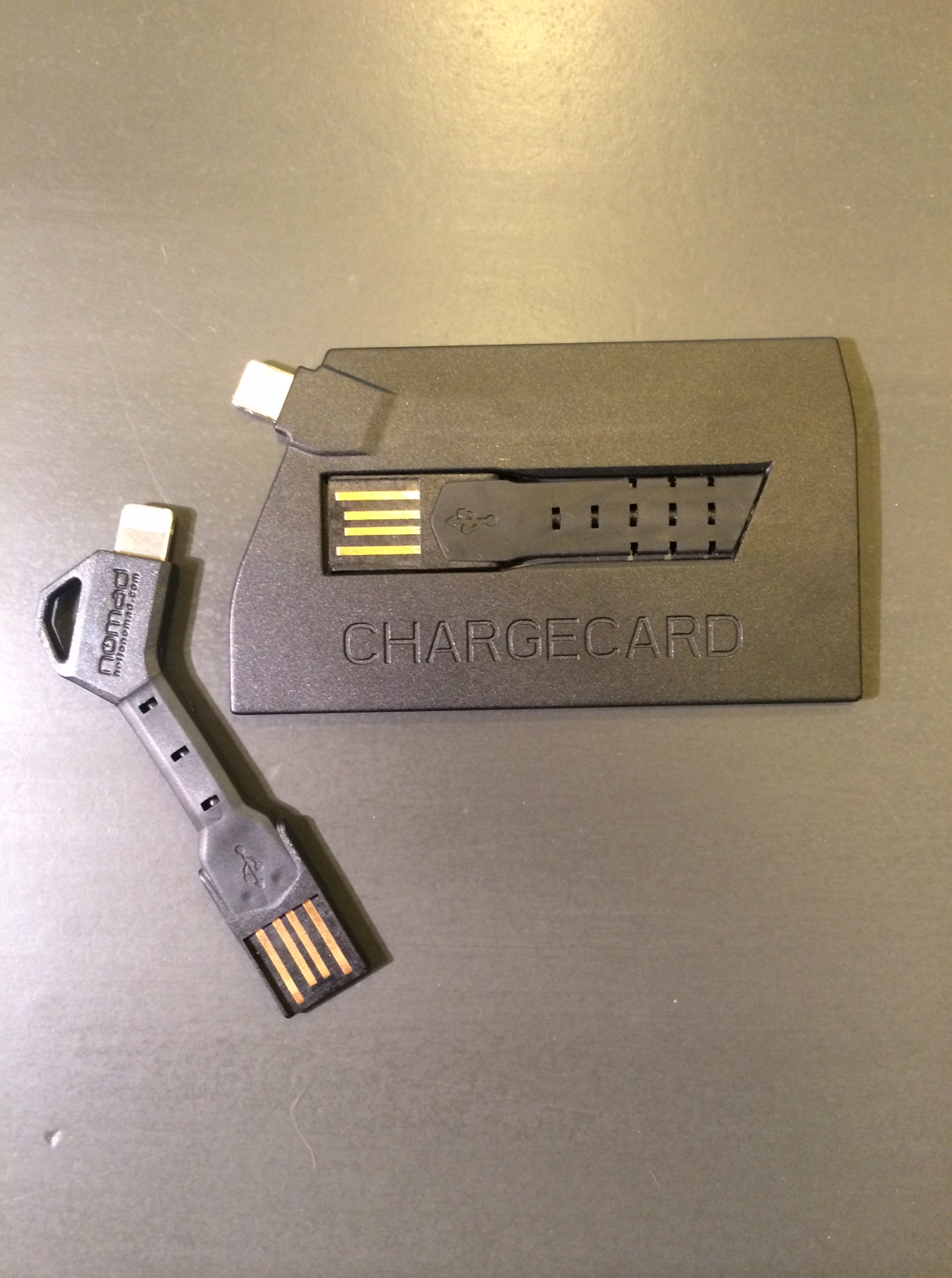
NOMAD Goods recently announced their two new products, the ChargeCard & ChargeKey. Both of which are super small USB chargers that will make sure you are never without a charging cord for your smartphone or tablet.

photo 4

The ChargeCard is a credit card-inspired USB charger that is thin enough to fit inside your wallet. The ingenious slide-out-USB design allows for easy access to a charging cord no matter where you are.

The ChargeKey, being the most recent addition to the NOMAD line of products, is shaped exactly how you would picture it, like a key. The key-inspired design can conveniently attach to a key ring, which makes the ChargeKey ultra-portable, coming in at just 2.5 inches long. Another key feature of the ChargeKey is it’s ability to effortlessly bend up or down to fit any charging position’s needs.

photo 2

One thing that I felt was lacking when using the ChargeCard or ChargeKey to charge your smartphone, it is very awkward and nearly unable to use the phone while plugged in due to the compact design of the ChargeCard/ChargeKey. Perhaps this will be fixed in the coming versions by adding a cord that can extend to allow for more comfortable usability while charging.

Overall, both the ChargeKey and the ChargeCard are terrifically designed and innovated accessories that change the way you think about and charge your phone. I found myself not even needing to bring charging cables on long trips, as I just used ChargeCard or ChargeKey whenever I needed to, wherever I needed to.

photo 3

Just coming in at $25 for each, the ChargeCard or ChargeKey will perfectly compliment your iPhone or other USB-enabled smartphone. You can read more about and also purchase the ChargeCard or ChargeKey at NOMAD’s website here.

Review: Lunatik Flack Jacket for iPad Mini

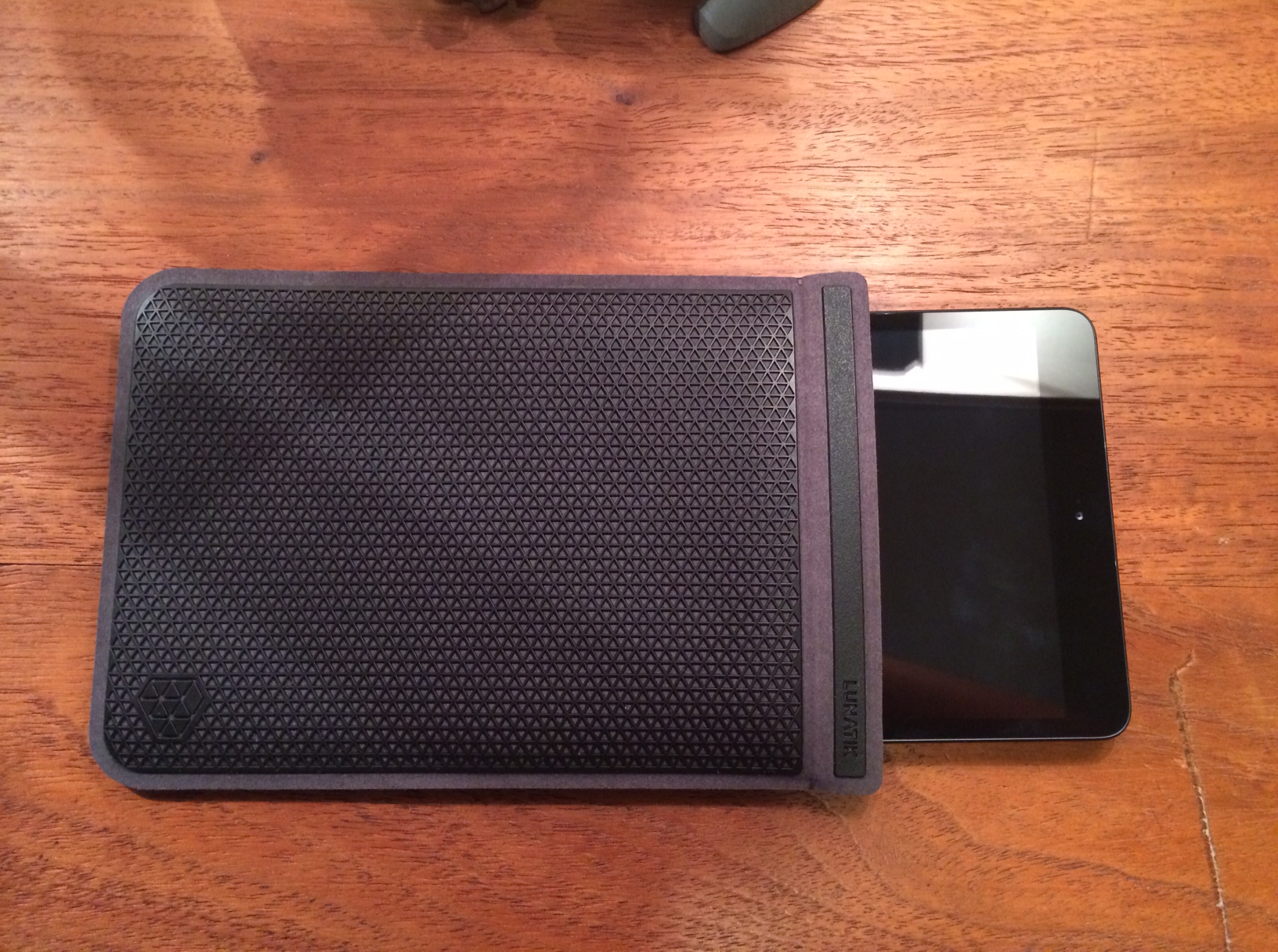
Flak Jacket

Whenever I go on trips, whether it be all the way across the country or to the grocery store, I always bring my iPad Mini. If you are a person that brings their Apple tablet everywhere, then you have already have a jacket or cover… but now you may want to take a hard look at your previous purchases because Lunatik has just introduced a great new productive iPad Mini sleeve, The Lunatik Flak Jacket.

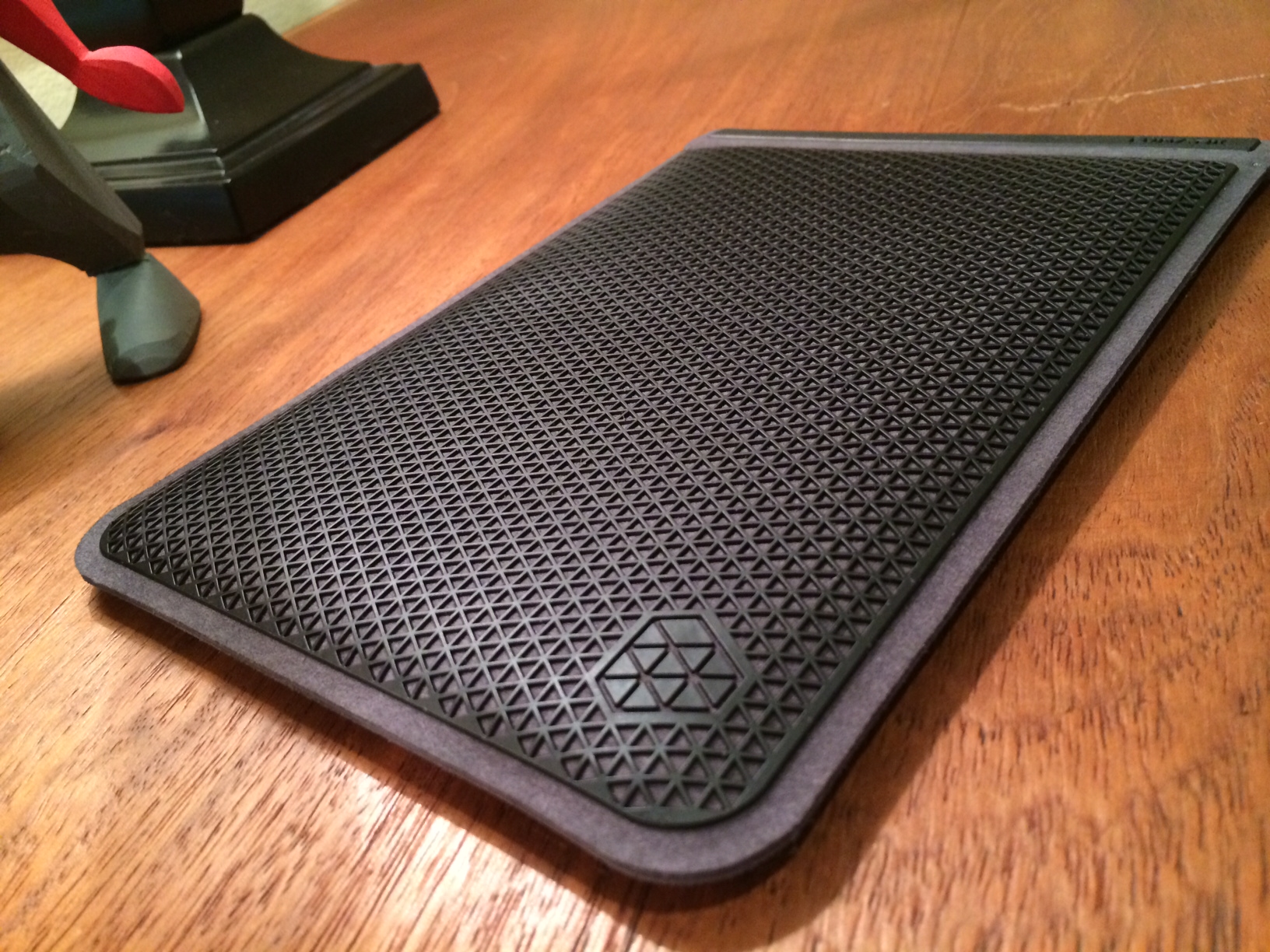
The Flak Jacket is a lightweight sleeve for iPad Mini that is made out of a protective three-dimensional polyurethane, that is commonly used in footwear and performance outerwear. It is available in three different colors – dark black, cool mint, or bright pink. The Flak Jacket is extremely well-designed to provide top-notch protection against impact and abrasion resistance. Inside the Flak Jacket sleeve, microfiber lines the interior which cradles the iPad Mini with a super soft, snug fit.

My favorite thing about the Flak Jacket sleeve for iPad Mini is not only the protection it adds, but that it allows me to use my iPad naked (without a case), yet still offer me protection when transporting my device. This way, I can fully enjoy my iPad and it’s incredible design as Apple intended.

photo 3

Another thing that makes the Flak Jacket special is the neat addition of a magnet, which allows for an easy open/close and is definitely an upgrade over other cases which use velcro or elastics. Also, the Flak Jacket is iPad Smart Cover friendly – which means that there is no need for you to take your Apple Smart Cover off your Mini when putting it in the Flak Jacket, the Mini, Smart Cover-and-all will fit into the sleeve no problem.

All in all, the Flak Jacket, in my opinion, is one of the best cases for the iPad Mini I have seen so far and it would make a perfect holiday gift for you or a loved one coming in at just $49. The durable and hard, yet flexible, outside paired with soft and cushiony inside protect your iPad Mini without any added bulk.

lunatik_original_slideshow_960x540_ia_131004_FLAKJACKIT__Detailshot2_black.slide

The Lunatik Flak Jacket also fits perfectly for the Kindle Fire HD/X, Nexus 7, Nook HD, as well as the Galaxy Tab 2 & 3.

You can read more about and purchase the Flak Jacket for iPad Mini on Lunatik’s website.

Quick Review: Peel Super Thin Case for iPhone 5S

photo 5

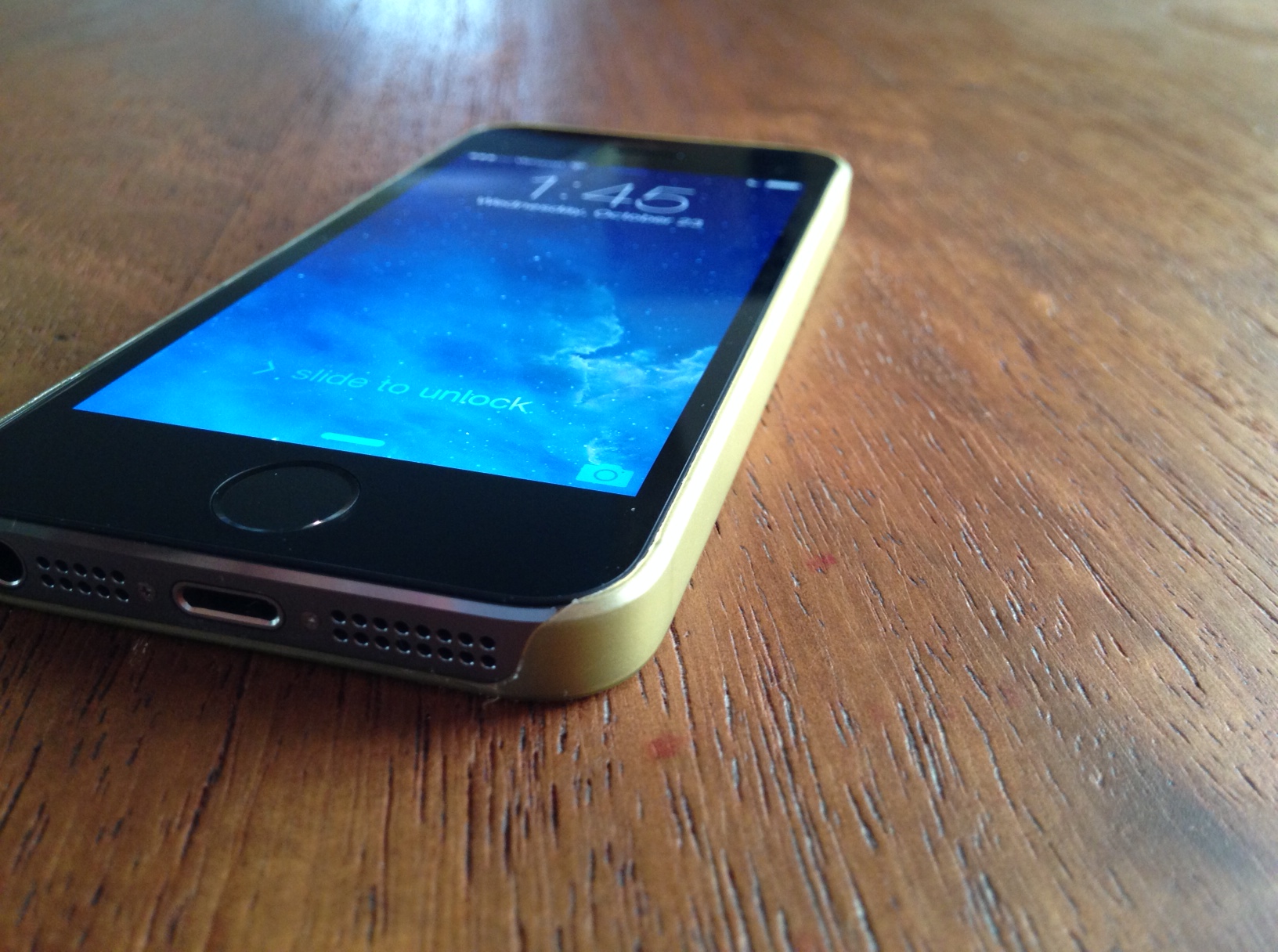
The Peel Super Thin Case for iPhone is exactly what it says it’s going to be: a simple, thin, and branding-free iPhone case that showcases the incredible design of the iPhone 5S.

The Peel Case weighs in at just 0.35mm thick, which is perfect for people who love to have the “naked” feel on their beloved Apple smartphone.

The Peel case ships in three different color variations that resemble that of the iPhone 5S – Black, Gold, & White. I reviewed the Gold version of the case, and I would definitely recommend the Gold color option to everyone who wanted to purchase the champagne-gold iPhone 5S, but due to low stock & high demand, were not able to get acquire one. The gold finish on the Peel Super Thin Case definitely satisfies my champagne/gold smartphone woes, as it makes my new Black / Slate Grey iPhone 5S look more like the Gold iPhone that I thought I really wanted.

As far as protection for your iPhone goes using the Peel case, I would not say that protection is it’s strongest selling-point, however protection was not #1 on the priority list when designing this product.

The Peel Case for iPhone 5S is an excellent case for people who love to use (and show off!) a “naked”-feeling iPhone 5S, and the complete branding-free, see-through, and thin design of the Peel Super Thin Case definitely add to it’s appeal. However, if your protection needs for your iPhone 5S are a little higher than setting it down on tables or the occasional drop, I would recommend looking at a bit heavier/bulkier cases to protect your iPhone.

The Peel Super Thin Case for iPhone 5S, 5C, 5, & 4/S are available on Peel’s website for an amazing deal of just $20.

Make sure to check out my gallery below for more pictures of the Peel Super Thin Case for iPhone 5S in Gold!

October 2013 Apple Event Round-Up

apple-lots-to-cover

On Tuesday, October 22nd, 2013 in San Francisco, California, Apple held a media event to discuss their new and innovative line of MacBooks and iPads, and boy did they deliver!

During this new event, Apple announced several new products, such as Mac OSX 10 (Mavericks), a newly updated iLife & iWork suite of apps, as well as a new Mac Pro, and the brand new iPad Air, which is the latest & greatest in the iPad family of tablets.

Mac OSX 10 – Mavericks

OSX-multiple_displays_missioncontrol

Apple introduced their newest Mac software, Mavericks. This announcement really raised the competition stakes against Microsoft, as this update would be free to all Mac users, something Apple has never done before!

Among the various improvements in UI and speed, OSX 10 increases power efficiency, which allows for a longer lasting battery to allow for more surfing the web, responding to emails, or movie watching. Another improvement over Lion is the upgraded notification system which allows users to respond directly from the notification itself, which I find extremely easy to use and definitely beats going in the app itself just to respond to a tweet or email.

My favorite new feature of Mavericks is the introduction of Finder Tags, which allows for easier and quicker finding of files, documents, photos, and movies. You can create your own tags and easily tag any document or file you like by using a two-finger on your Mac trackpad, and selecting a Tag, so all of your School or Work related files are all in one organized location on your Mac.

In addition, coming preloaded on Mavericks are two new apps, Maps and iBooks. Maps is basically  the same as it is on iOS 7, however you do have the ability to send directions from your computer to your iPhone/iPad as a push notification, which is a really convenient feature! The introduction of iBooks on the Mac is excellent for textbooks or note-taking, however I still prefer to read books on the iPad over the Mac as it is more comfortable to hold, as well as the animations of the page swiping too!

Mac OSX 10 Mavericks is available today as a free update on all Macs. To download it, simply go into the Mac App Store and click ‘Check for Updates’.

Macbook

Macbook-Pro-Featured-Image

In the Macbook line of products, Apple announced three new members to the Mac family: the 13 inch Macbook Pro with Retina Display, the 15 inch Macbook Pro with Retina Display, as well as the new Mac Pro.

The 13 and 15 inch Macbook Pro are shipping with the beautiful, crystal-clear Retina Display, as well as some new upgrades internally, such as an improved battery (9 hours of battery life), 802.11c wifi (3x as fast as the previous versions), as well as an Intel 4th gen. Haswell chip. The new Macbook Pro’s come in at an unbelievable 0.71 inches thick, which is the lightest the Macbook Pro ever!

Apple also launched the new donut-shaped Mac Pro, which has the fastest chip, memory and graphic technology from Apple.

The Macbook Pro(s) are available on Apple’s website now starting at $1,499 for the 13-inch and $1,999 for the 15-inch. The new Mac Pro will be available by year’s end, starting at $2,999.

iPad

retina-ipad-mini-ipad-air

The main reason for this media event: the latest innovations to iPad. Apple announced two new versions to the iPad family: the new iPad Air and the iPad Mini with Retina Display.

On Tuesday, October 22nd, 2013 in San Francisco, California, Apple held a media event to discuss their new and innovative line of MacBooks and iPads, and boy did they deliver!

During this new event, Apple announced several new products, such as Mac OSX 10 (Mavericks), a newly updated iLife & iWork suite of apps, as well as a new Mac Pro, and the brand new iPad Air, which is the latest & greatest in the iPad family of tablets.

Overview

This media event was huge for Apple! Announcing their brand new Mac OSX, three new Macs, as well as updating their iLife & iWork suite of apps, and perhaps most overdue, two super upgrades to the iPad family.

You can read more about all of the details of the Apple event and watch the Keynote video on Apple’s website.

Review: Apple iPhone 5S

photo 3

Every year since 2007, Apple has announced a new iPhone model, and 2013 is no different. However, this year, the Silicon Valley-based company threw the technology world for a twist with the announcement of two new iPhones: the 5S & 5C.

The iPhone 5C; Apple’s new, less-expensive iPhone line, includes 5 different color choices, as well as an all-plastic back-end of the smartphone, which is terrific compared to the iPhone 4’s all-glass back which was prone to frequent scratches & shatters.

Apple introduced the newest member to the iPhone family, the iPhone 5S, on September 10th, 2013, showcasing the new gold/white color option, the new “Touch ID” fingerprint scanner, and the A7 64-bit chip, the redesigned iOS 7, as well as an improved iSight camera.

With all of appthese new features added to the iPhone, is it enough for Apple to keep up it’s domination over the global consumer smartphone market? How does the new iPhone 5S compare to Samsung’s line of Galaxy devices? What about iOS 7? Will it be the downfall of the iPhone?

All of the above questions and more will be answered in my review of Apple’s new iPhone 5S.

–––––––––––––––––––

Hardware & Design

photo 2

The iPhone 5s has kept to it’s minimalistic iPhone 5 routes, with it’s sleek aluminum-wrapped body, which showcases the beautiful tones of Apple’s three new color finishes: Champagne, Space Grey, or Silver. The unibody back plate of the iPhone 5S is my favorite part of the phone as it is very aesthetically pleasing, sleek, and very, very attractive.

Currently, it is very difficult for consumers to purchase a gold-colored iPhone 5S as it seems that Apple didn’t make enough to meet demand, and some Champagne 5S orders were pushed back up to a month online. (I reviewed a Space Grey iPhone 5S.)

Display

photo 2-1

The 4-inch display on the iPhone 5S sure is a beauty. Compared to other smartphones on the market, personally I still do not think that any other phone come’s close to the iPhone’s vivid, bright, & color-filled Retina Display screen. The only real competitor to the 5S is the Samsung Galaxy S line of smartphones, however holding both side-by-side, the iPhone is more appealing to look at, whether it be because of the sleek hardware & design, or just the Retina Display itself.

 iSight Camera

photo 1-1

The new camera sensor on the iPhone 5S is now 15% bigger, as well as coming with a f /2.2 aperture, which allows more light to come into the 5S sensor to allow for sharper-detailed pictures in lowlight situations. Apple also added a True Tone flash to the 5S’ camera which allows for more accurate color temperature readings.

In iOS 7, Apple announced the “Burst Mode” feature which allows users to take up to 10 frames-per-second, which is truly incredible. I find Burst Mode incredibly useful as you can take as many photos as you want, and the iPhone 5S automatically chooses the shots that it recognizes as “the best” and highlights them on your display (the 5S also allows you to choose your favorite pictures, and groups them all together in one collection as to not clog up your camera roll).

Touch ID

The major selling-point that Apple is pushing for the iPhone 5S is the new fingerprint-security sensor technology that is inside of the home button, named “Touch ID”.

I found Touch ID incredibly easy to set up and start using, and 95% of the times I’ve used it, it works!

The best thing about Touch ID for me was that it forced me to create a passcode lock on my phone; whereas before, on my iPhone 5, I did not have a password simply because it became annoying and troublesome to constantly keep locking/unlocking my phone and entering the passcode over and over again. Now, with Touch ID, it facilitates additional protection to my iPhone against accidental loss or theft.

Another great feature of Touch ID is that instead of typing out your Apple ID password out every time you buy an app, movie, or music, you simply scan your fingerprint on Touch ID and it associate’s your fingerprint to your Apple ID, which is like creating your own password based on your fingerprint – pretty cool!

iOS 7 photo 4-1

 Apple announced iOS 7 on June 10th, 2013 at Apple’s Developer Conference, WWDC. When announced, many were anxious about the new all-white design, and the flatter-based look & feel of the UI.

After using iOS 7 for 3 months, I can definitely say that it is miles ahead of iOS 6 and I cannot imagine going back for any reason. I love the new UI & flat-icon based look as I think it is simpler and cleaner than before. Also coming in iOS 7 are some different and new features, such as Control Center, which allows for easy toggling on and off of Wifi, Bluetooth, Flashlights, etc., as well as Airdrop, and iTunes Radio, which is insanely easy to use and it’s excellent for finding new music and artists.

Overall

photo 4

Is this the “Phone of 2013”? Absolutely yes. It blows any Android, Blackberry, and Windows Phone out of the water on all levels, from camera, all the way to battery life. Touch ID and the additions to the iSight camera have pushed the iPhone 5S past it’s competitors in deeper in the world consumer smartphone market. I recommend the iPhone 5S to business professionals, students of all ages, and anyone who is looking for a top quality smartphone. Before you buy, I recommend going to an Apple Store and playing around with the 5S as well, just to see how incredible this device actually is for yourself.

The iPhone 5S comes in three different color options: Champagne Gold, Space Grey, and Silver/White. The 5S also comes in 16 GB, 32 GB, & 64 GB storage sizes. It is available on Verizon, T-Mobile, AT&T, and Sprint carriers for the US.

You can read more about and purchase the iPhone 5S on Apple’s website.

Review: CalypsoCrystal Dune CrystalDock

CalypsoCrystal_CrystalDock_use_004_LO

Calypso Crystal is a company that is all about luxury, style, and cutting edge. The CrystalDock definitely shows all of the above mentioned qualities and much, much more. However, can it compete with the technology powered iHome docks? Is it really worth the extra money?
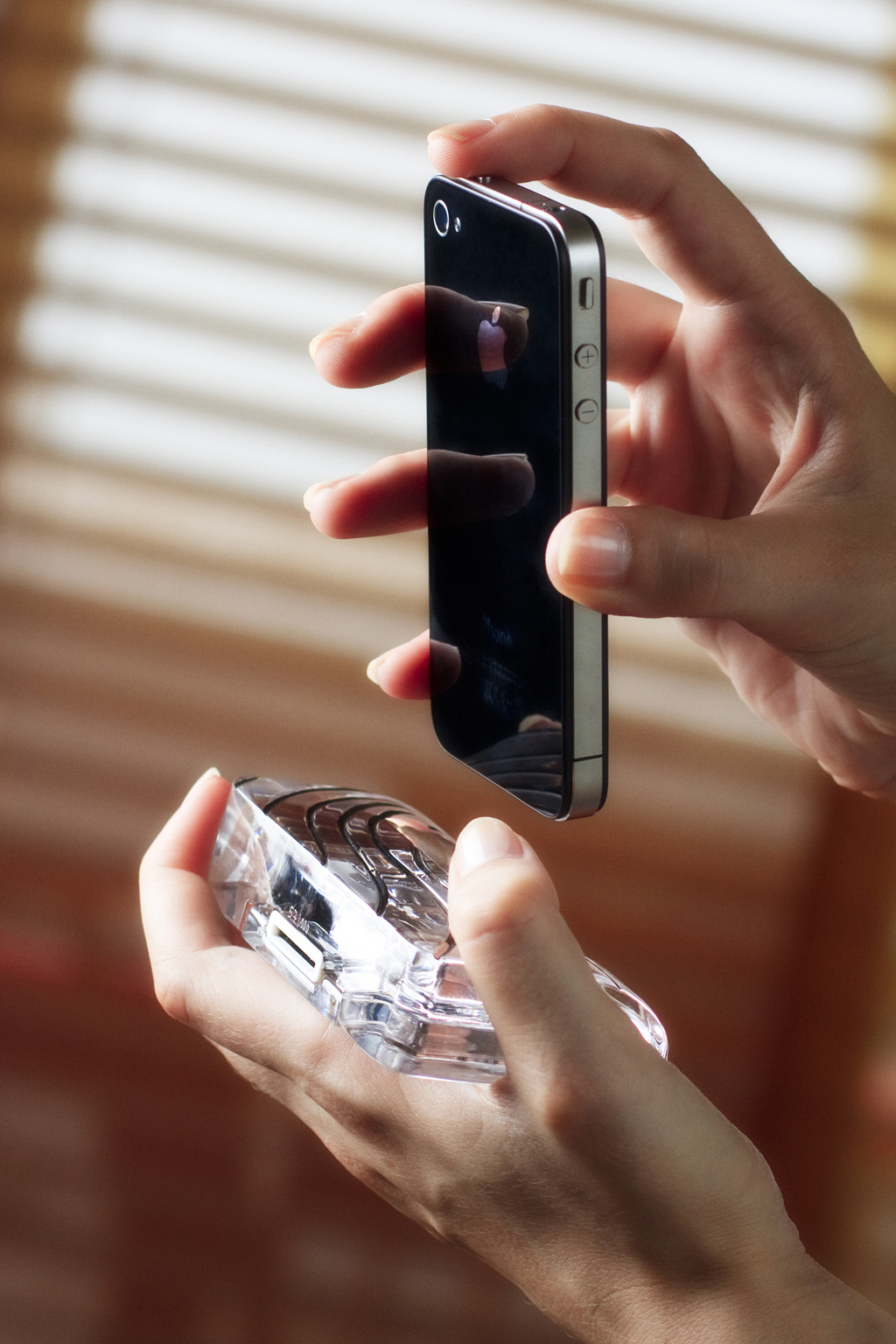
All of these questions and more will be answered in my review of the Dune CrystalDock by Calypso Crystal.

CalypsoCrystal_CrystalDock_use_022_LO

——

The Dune CrystalDock is all about elegance, luxury, and simplicity, from how the dock is made precisely hand-cut to create asymmetric waves, and then polished to achieve a crystalline shine that sparkles in the sunlight, to the way the dock can be used, as a charging station for your iPhone 4, 4S, 3GS, or 3G.

CalypsoCrystal_CrystalDock_use_018_LO

The Dune CrystalDock does not yet support the iPhone 5 and it’s new Lightning charger design, but CalypsoCrystal has announced that they are working on a iPhone 5/Lightning version that will be coming out soon.

The lines carved into the Dune CrystalDock are incredibly detailed and very alluring to the eye. The crystal used in the Dune is of very high quality, and is sleek and luxurious enough to be found in a office or library, yet simple enough to be used on a kitchen counter to charge your iPhone. The dock is extremely sophisticated and would complement any executive’s desk or bedside table.

CalypsoCrystal_CrystalDock_use_005_LO

I appreciate how sleek and functional the dock is as well, with a well-thought-out slot in the back of the Dune for your charging Apple iPhone charging cable, as well as it only weighing in at just 350 grams, it is light, yet portable enough to carry with you wherever you go.

I highly recommend purchasing the Calypso Crystal Dune CrystalDock for the iPhone 4/3 models as it is luxurious, yet sophisticated. You can read more about and purchase the CrystalDock or any other of Calypso Crystal’s incredible products on their ****website. The CrystalDock starts at $119 and the most expensive is $349.

Make sure to check out my gallery below for more awesome HD shots of the Dune CrystalDock.